Радио онлайн слушать. React ФМ

Радио онлайн слушать. React ФМ

Music & Audio

| Радио с плейлистами

Play on PC with BlueStacks or from our cloud

  • Overview
  • How to Download

Page Modified On: November 28, 2025

Run Радио онлайн слушать. React ФМ on PC or Mac

Let BlueStacks turn your PC, Mac, or laptop into the perfect home for Радио онлайн слушать. React ФМ, a fun Music & Audio app from Радио с плейлистами.

About the App

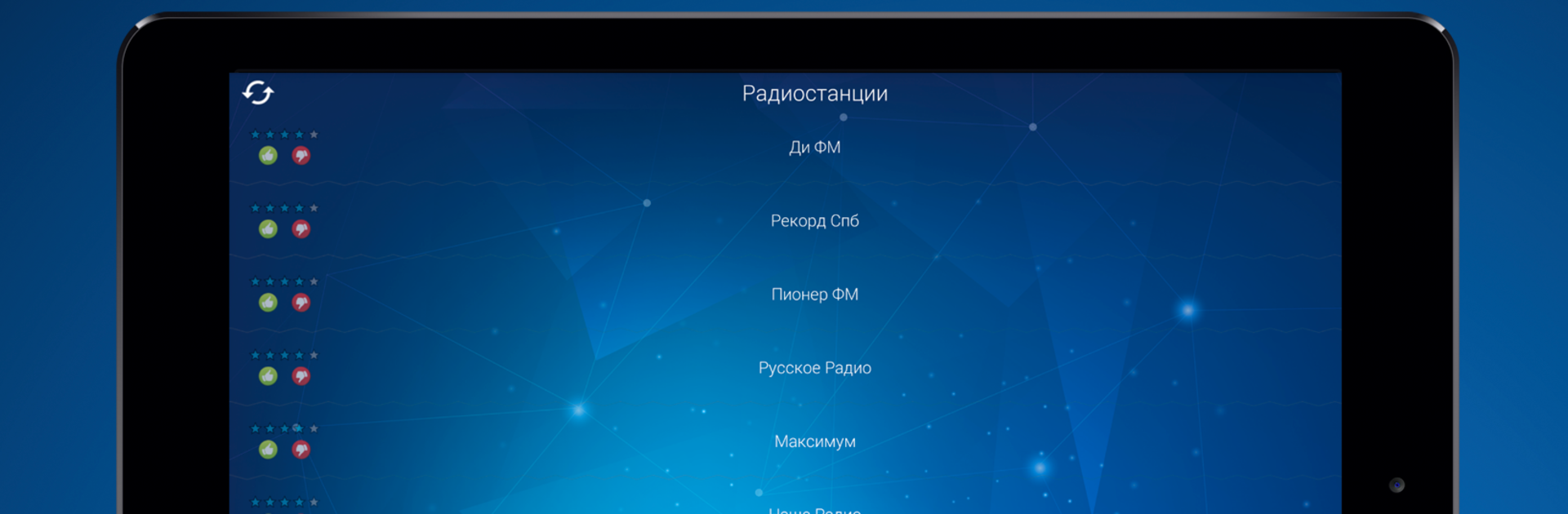
Радио онлайн слушать. React ФМ is your easy, no‑fuss way to stream radio without sign‑ups, fees, or filler. Open the app, pick a station, and you’re listening—simple as that. Whether you’re into smooth Jazz, throwback 90s hits, Pop, Rap, Club music, Classics, or Chanson, it brings a real radio feel with modern convenience in the Music & Audio space. Made by Радио с плейлистами, it focuses on great sound, clean design, and stations you’ll actually want to keep on all day.

App Features

  • Free listening, no registration: Jump straight into live radio. No forms, no paywalls—just music and talk shows, on demand.
  • 100+ stations, local and global: Tune in to popular FM stations from Russia and Europe, plus worldwide picks. Moscow, St. Petersburg, and beyond are all here.
  • Live playlist and track history: Wondering what’s playing now—or what you just heard? The playlist view shows current tracks and recent spins so you can spot new favorites.
  • Quality you can choose: Stream from efficient 64 kbps for the road to crisp 320 kbps when you want the best sound.
  • Ad‑free experience: No interruptions. Just radio the way it should be.
  • Quick “like” for favorites: Tap to mark stations you love, then come back to them in a heartbeat.
  • Clean, lightweight interface: No complicated settings. Pick a station and enjoy the broadcast instantly.
  • Reliable streaming anywhere: Works great in the city or out of town, on Wi‑Fi or mobile data.
  • Nice on desktop, too: Prefer listening while you work? Run the app on your PC with BlueStacks for a comfy, always‑on setup.

Big screen. Bigger performance. Use BlueStacks on your PC or Mac to run your favorite apps.

How to Download and Run Радио онлайн слушать. React ФМ on PC or Mac

  • Download and install BlueStacks on your PC or Mac

  • Complete Google sign-in to access the Play Store, or do it later

  • Look for Радио онлайн слушать. React ФМ in the search bar at the top right corner

  • Click to install Радио онлайн слушать. React ФМ from the search results

  • Complete Google sign-in (if you skipped step 2) to install Радио онлайн слушать. React ФМ

  • Click the Радио онлайн слушать. React ФМ icon on the home screen to start playing

video
Watch Video

Minimum System Requirements

With BlueStacks 5, you can get started on a PC that fulfills the following requirements.

  • Operating System

    Microsoft Windows 7 or above, macOS 11 (Big Sur) or above

  • Processor

    Intel, AMD or Apple Silicon Processor

  • RAM

    at least 4GB

  • HDD

    10GB Free Disk Space

Note:

* You must be an Administrator on your PC. Up to date graphics drivers from Microsoft or the chipset vendor.

Радио онлайн слушать. React ФМ - FAQs

  • How to Run Радио онлайн слушать. React ФМ on Windows PC & Mac?

    Run Радио онлайн слушать. React ФМ on your PC or Mac by following these simple steps.

    • Click on ‘Download Радио онлайн слушать. React ФМ on PC’ to download BlueStacks
    • Install it and log-in to Google Play Store
    • Launch and run the app.
  • Why is BlueStacks the fastest and safest platform to play games on PC?

    BlueStacks respects your privacy and is always safe and secure to use. It does not carry any malware, spyware, or any sort of additional software that could harm your PC.

    It is engineered to optimize speed and performance for a seamless gaming experience.

  • What are Радио онлайн слушать. React ФМ PC requirements?

    Minimum requirement to run Радио онлайн слушать. React ФМ on your PC

    • OS: Microsoft Windows 7 and above:
    • Processor: Intel or AMD Processor:
    • RAM: Your PC must have at least 2GB of RAM. (Note that having 2GB or more disk space is not a substitute for RAM):
    • HDD: 5GB Free Disk Space.
    • You must be an Administrator on your PC.