
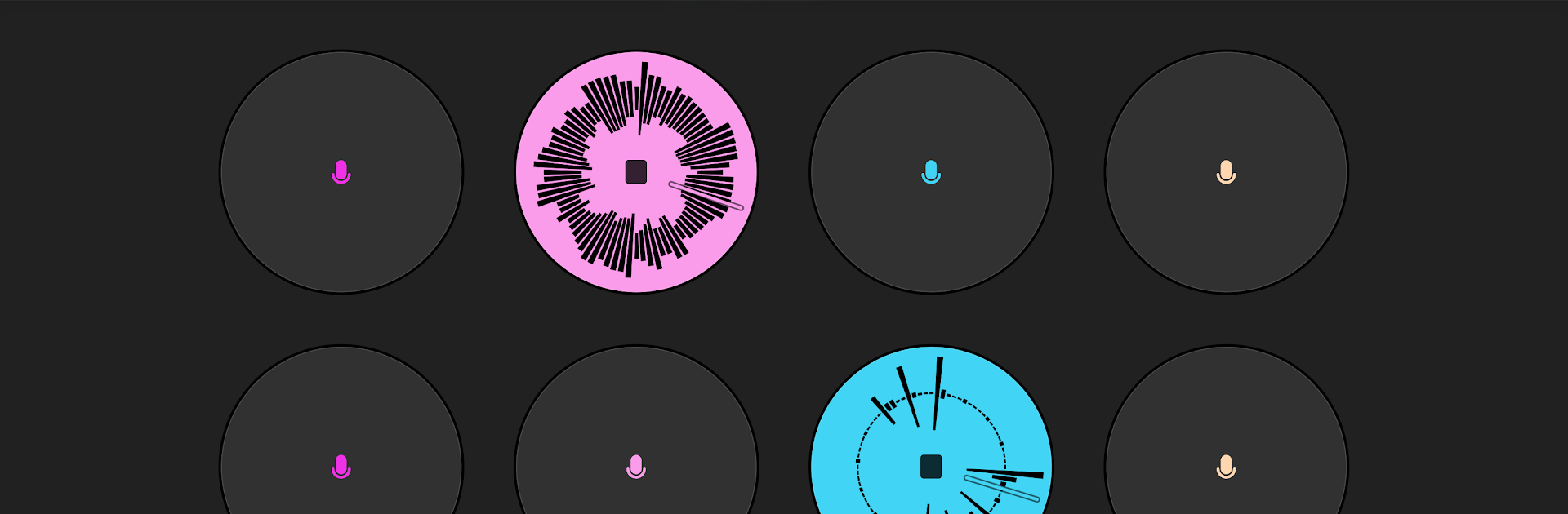
Loopify - Live Looper

Loopify - Live Looper

Music & Audio

| Zuidsoft

Play on PC with BlueStacks or from our cloud

  • Overview
  • How to Download

Page Modified On: November 10, 2025

Run Loopify - Live Looper on PC or Mac

Get freedom from your phone’s obvious limitations. Use Loopify – Live Looper, made by Zuidsoft, a Music & Audio app on your PC or Mac with BlueStacks, and level up your experience.

Loopify is a clean, no-nonsense live looper that lets someone stack layers fast and keep ideas moving. Hit record, lay down a groove, then overdub more parts, toss in a sample, nudge pitch, and shape it with effects like filter, reverb, and delay. The layout is simple enough that a beginner can find the right buttons without hunting, yet it still feels capable for people who know what they are doing. When everything is in time it feels tight and musical, almost like having a small loopstation on the desk. There is a calibration tool inside to get loops synced properly, and it matters. Once that is set, timing stops being a headache. USB audio support is there too, which helps cut down latency if an external interface is plugged in.

On PC with BlueStacks, the bigger screen and mouse clicks make the controls feel less cramped, so starting and stopping tracks, undoing a layer, or tweaking effects happens quicker. It is not flashy, just practical. Guitarists, beatboxers, and anyone who builds songs piece by piece will get why it works. Bands can trade loops or parts, so it is handy for remote ideas and quick rehearsal prep. The effects lean musical rather than wild, and the app stays out of the way so the loop comes first. There is a bit of learning to land loops on the beat, but the tools are there and the workflow settles in fast.

Eager to take your app experience to the next level? Start right away by downloading BlueStacks on your PC or Mac.


How to Download and Run Loopify - Live Looper on PC or Mac

  • Download and install BlueStacks on your PC or Mac

  • Complete Google sign-in to access the Play Store, or do it later

  • Look for Loopify - Live Looper in the search bar at the top right corner

  • Click to install Loopify - Live Looper from the search results

  • Complete Google sign-in (if you skipped step 2) to install Loopify - Live Looper

  • Click the Loopify - Live Looper icon on the home screen to start playing

video
Watch Video

Minimum System Requirements

With BlueStacks 5, you can get started on a PC that fulfills the following requirements.

  • Operating System

    Microsoft Windows 7 or above, macOS 11 (Big Sur) or above

  • Processor

    Intel, AMD or Apple Silicon Processor

  • RAM

    at least 4GB

  • HDD

    10GB Free Disk Space

Note:

* You must be an Administrator on your PC. Up to date graphics drivers from Microsoft or the chipset vendor.

Loopify - Live Looper - FAQs

  • How to Run Loopify - Live Looper on Windows PC & Mac?

    Run Loopify - Live Looper on your PC or Mac by following these simple steps.

    • Click on ‘Download Loopify - Live Looper on PC’ to download BlueStacks
    • Install it and log-in to Google Play Store
    • Launch and run the app.
  • Why is BlueStacks the fastest and safest platform to play games on PC?

    BlueStacks respects your privacy and is always safe and secure to use. It does not carry any malware, spyware, or any sort of additional software that could harm your PC.

    It is engineered to optimize speed and performance for a seamless gaming experience.

  • What are Loopify - Live Looper PC requirements?

    Minimum requirement to run Loopify - Live Looper on your PC

    • OS: Microsoft Windows 7 and above:
    • Processor: Intel or AMD Processor:
    • RAM: Your PC must have at least 2GB of RAM. (Note that having 2GB or more disk space is not a substitute for RAM):
    • HDD: 5GB Free Disk Space.
    • You must be an Administrator on your PC.



