

Multitask effortlessly on your PC or Mac as you try out Mazetools Soniface Pro, a Music & Audio app by Ectoplastic UG (haftungsbeschränkt) on BlueStacks.
About the App
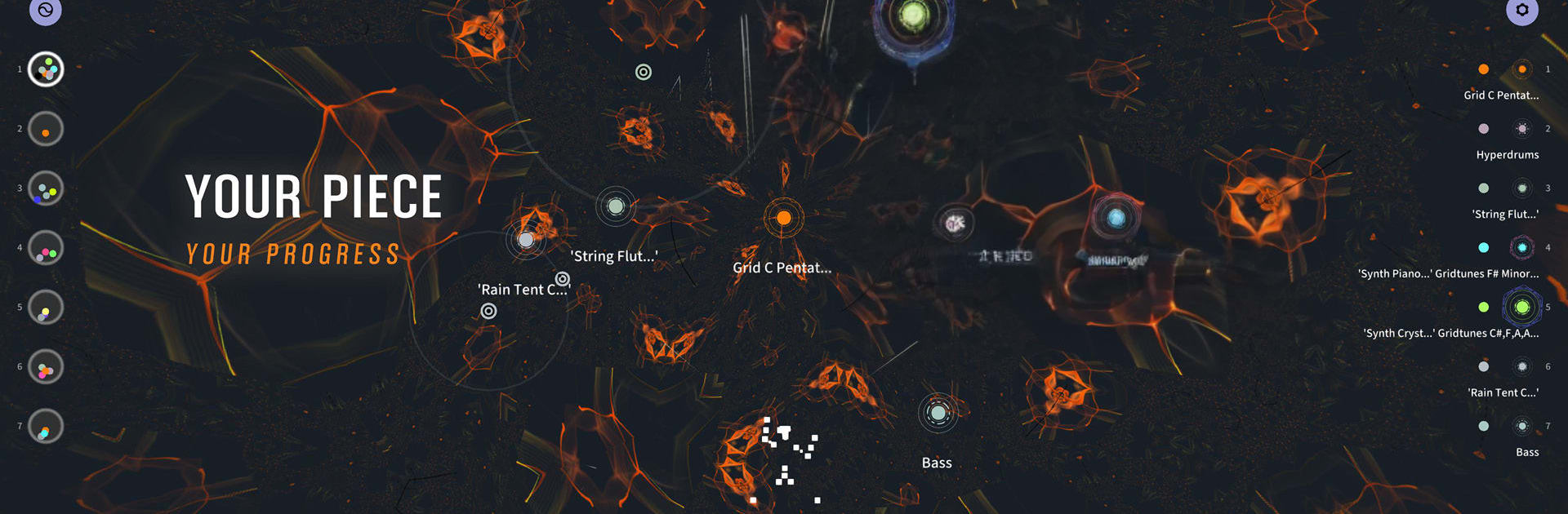
Mazetools Soniface Pro is a playground where music, visuals, and movement come together. It’s built for sketching ideas fast, shaping complex performances, and turning touch and motion into sound. Created by Ectoplastic UG (haftungsbeschränkt), this Music & Audio tool feels at home on mobile and tablet—and if you like a bigger canvas, you can also use it on your PC or Mac with BlueStacks.
App Features
- Pattern Mode: Build and chain scenes, each with its own tempo, pitch, EQ, sequence length, and motion links. Edit a clear list of patterns right from the main screen.
- Unlimited Mazes Instruments: Spin up as many instruments as you need for songs and live sets—no caps, no fuss.
- Visual Output for VJing: Design a unique look for every scene and send visuals to external displays. On supported hardware, run up to three separate outputs.
- Internal Recording: Capture your sessions in unlimited .wav recordings directly inside the app.
- Gridsynth: A generative, visual synth for drones and melodies with a built‑in sequencer and arpeggiator.
- Rhythm & Bass: Craft drum and bass lines with a sample/synth-driven rhythm sequencer that’s quick to program and tweak.
- Spatial & Granular Sampler: Build textured soundscapes with granular tools, mic input, a sample library, and file import.
- Key & Progressions: Keep harmonies in check across instruments with a tonal key interface and a progression sequencer.
- LivePad & Playability: Perform on an interactive pad or keyboard for Gridsynth, Bass, and the Sampler—great for improvising.
- Touch and Motion Control: Use multitouch controllers, draw automation with a multi-touch editor, or map body tracking to parameters.
- MIDI & Link: Connect with MIDI in/out, sync with Ableton Link, and shape your master sound with built‑in FX.
- Cross‑Platform Projects: Move projects between devices; enjoy a streamlined layout on phones and a more advanced workspace on tablets and desktops. Mouse and keyboard are supported.
- Spatial Audio on Desktop: Place sound objects across an XY field and, on desktop, route up to 7.1 surround.
- Built‑In Help: An in‑app guide, FAQ, and assistance are available in English and German to keep you moving.
BlueStacks gives you the much-needed freedom to experience your favorite apps on a bigger screen. Get it now.