Music Creator
Music Creator

Music Creator

Music & Audio

| Schrott Games

Play on PC with BlueStacks or from our cloud

  • Overview
  • How to Download

Page Modified On: September 14, 2026

Run Music Creator on PC or Mac

Multitask effortlessly on your PC or Mac as you try out Music Creator, a Music & Audio app by Schrott Games on BlueStacks.

About the App

Music Creator gives you a straightforward way to sketch ideas, build full songs, and polish mixes without getting tangled in complicated menus. It’s a hands-on Music & Audio workspace that feels fast, flexible, and surprisingly deep when you need it. Prefer a bigger screen for arranging and mixing? You can also run it on your computer with BlueStacks.

App Features

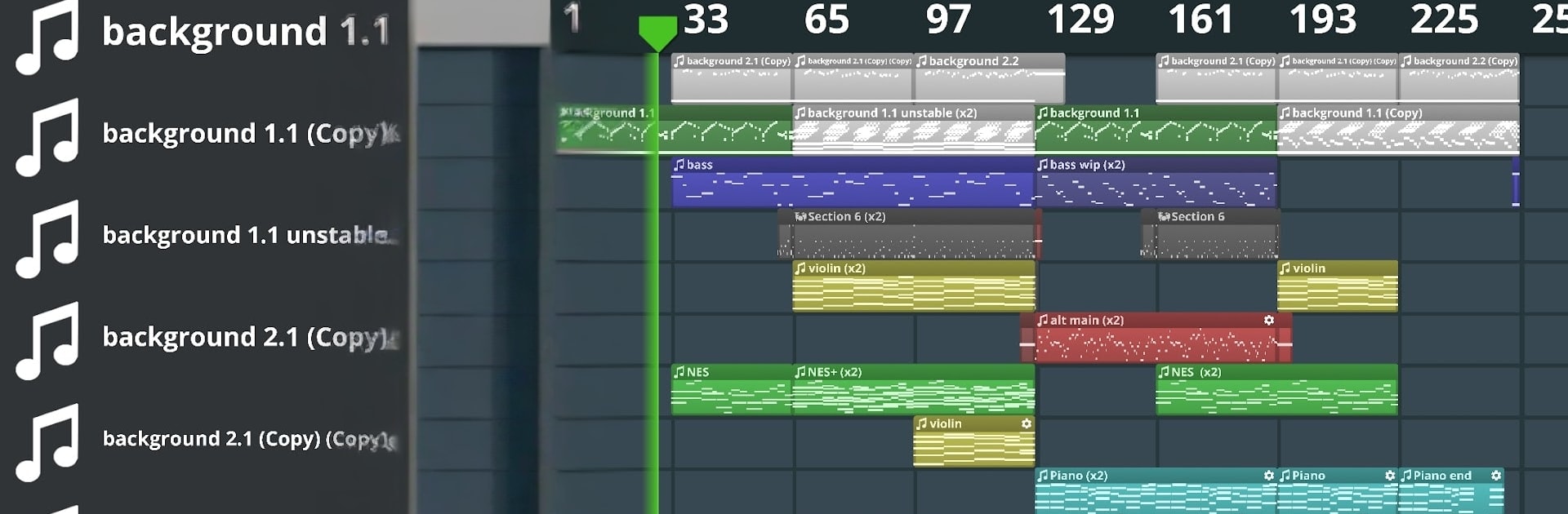
  • 50-Channel Mixer: Arrange rich, layered projects with up to 50 tracks, complete with level, pan, and quick mute/solo so you can focus on what matters.
  • Pro Effects Suite: Shape your sound with essentials like an equalizer and compressor, then fine-tune until the mix hits just right.
  • MIDI Import/Export: Pull in melodies and drum patterns via MIDI—and export your tracks back out to keep working in other tools.
  • Time and Pitch Control: Change audio speed or shift pitch to experiment with grooves, key changes, and creative resampling.
  • SF2 Instrument Support: Load SF2 files to access realistic instruments and custom sound sets for your arrangements.
  • Multi-SoundFont Setup: Stack and switch between multiple soundfonts at once to expand your sonic palette.
  • USB MIDI Keyboard Ready: Plug in a USB MIDI keyboard for expressive playing, recording, and tighter performance takes.
  • Parameter Automation: Draw smooth, evolving changes for instrument settings to create movement, build tension, and nail transitions.

BlueStacks brings your apps to life on a bigger screen—seamless and straightforward.

How to Download and Run Music Creator on PC or Mac

  • Download and install BlueStacks on your PC or Mac

  • Complete Google sign-in to access the Play Store, or do it later

  • Look for Music Creator in the search bar at the top right corner

  • Click to install Music Creator from the search results

  • Complete Google sign-in (if you skipped step 2) to install Music Creator

  • Click the Music Creator icon on the home screen to start playing

video
Watch Video

Minimum System Requirements

With BlueStacks 5, you can get started on a PC that fulfills the following requirements.

  • Operating System

    Microsoft Windows 7 or above, macOS 11 (Big Sur) or above

  • Processor

    Intel, AMD or Apple Silicon Processor

  • RAM

    at least 4GB

  • HDD

    10GB Free Disk Space

Note:

* You must be an Administrator on your PC. Up to date graphics drivers from Microsoft or the chipset vendor.

Music Creator - FAQs

  • How to Run Music Creator on Windows PC & Mac?

    Run Music Creator on your PC or Mac by following these simple steps.

    • Click on ‘Download Music Creator on PC’ to download BlueStacks
    • Install it and log-in to Google Play Store
    • Launch and run the app.
  • Why is BlueStacks the fastest and safest platform to play games on PC?

    BlueStacks respects your privacy and is always safe and secure to use. It does not carry any malware, spyware, or any sort of additional software that could harm your PC.

    It is engineered to optimize speed and performance for a seamless gaming experience.

  • What are Music Creator PC requirements?

    Minimum requirement to run Music Creator on your PC

    • OS: Microsoft Windows 7 and above:
    • Processor: Intel or AMD Processor:
    • RAM: Your PC must have at least 2GB of RAM. (Note that having 2GB or more disk space is not a substitute for RAM):
    • HDD: 5GB Free Disk Space.
    • You must be an Administrator on your PC.