
Music Player - Audio Player & 10 Bands Equalizer

Music Player - Audio Player & 10 Bands Equalizer

Music & Audio

| iJoysoft

Play on PC with BlueStacks or from our cloud

  • Overview
  • How to Download

Page Modified On: September 05, 2025

Run Music Player - Audio Player & 10 Bands Equalizer on PC or Mac

Why limit yourself to your small screen on the phone? Run Music Player – Audio Player & 10 Bands Equalizer, an app by iJoysoft, best experienced on your PC or Mac with BlueStacks, the world’s #1 Android emulator.

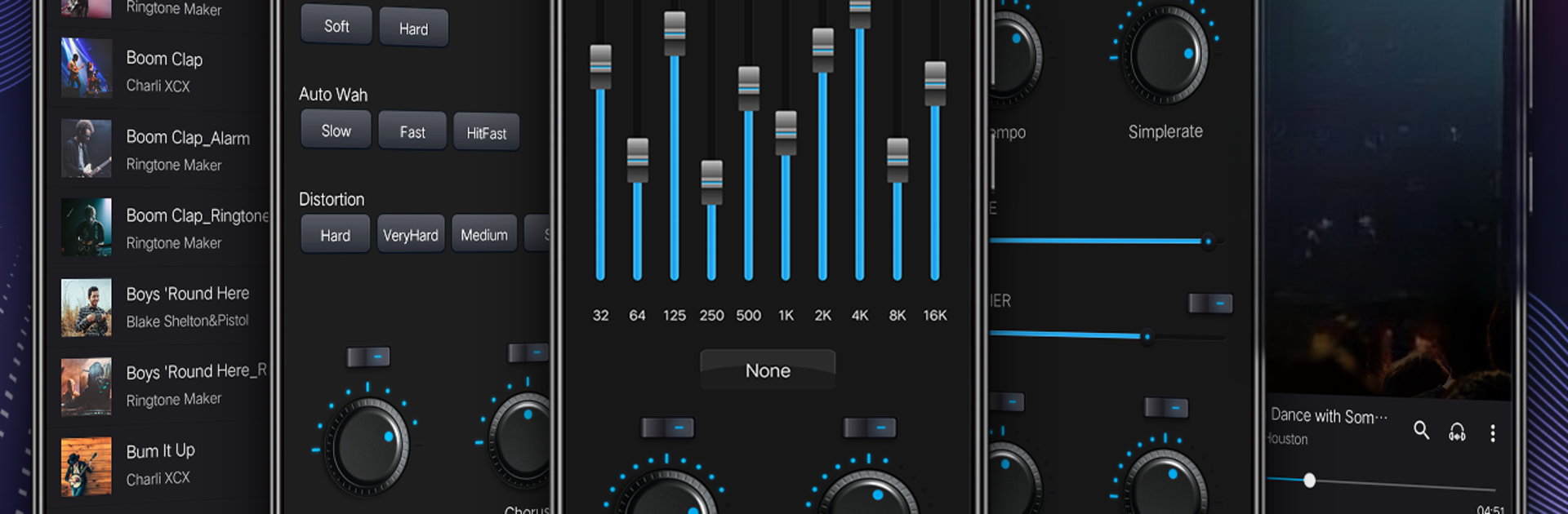
This one is a straight up music player that actually gives control, not just play and pause. The big thing is a real 10 band equalizer with a bunch of presets, plus extras like reverb, balance, pitch and tone tweaks, even quirky stuff like distortion and phase shift. It feels more like a mini studio than a basic player, but it stays simple enough that anyone can just hit play. It scans a library fast, then lets a person browse by song, artist, album, folder, or genre, and build playlists that can be reordered by dragging. There is a dynamic queue, set next, and quick search that works well. It plays common formats without fuss, MP3, FLAC, AAC, APE and a few others, and everything is offline so no data needed.

Little quality of life bits are everywhere. Sleep timer for late night listening, a lock screen player, notification controls, headset button support and Bluetooth controls. Lyrics can show if they are in the file, tags can be edited, and tracks can be trimmed and saved as ringtones. The equalizer has multiple styles ready to go, and there is a tuner type panel for finer adjustments if someone wants more specific sound. Shake to change track is in there too for phone use, sort of fun.

Running it on PC with BlueStacks makes it feel like a desktop player. Album art looks great on a bigger monitor, dragging to sort playlists with a mouse is easy, and media keys on a keyboard map nicely. It handles a big local library without getting messy, the library rescan picks up new folders quickly.

Switch to BlueStacks and make the most of your apps on your PC or Mac.

How to Download and Run Music Player - Audio Player & 10 Bands Equalizer on PC or Mac

  • Download and install BlueStacks on your PC or Mac

  • Complete Google sign-in to access the Play Store, or do it later

  • Look for Music Player - Audio Player & 10 Bands Equalizer in the search bar at the top right corner

  • Click to install Music Player - Audio Player & 10 Bands Equalizer from the search results

  • Complete Google sign-in (if you skipped step 2) to install Music Player - Audio Player & 10 Bands Equalizer

  • Click the Music Player - Audio Player & 10 Bands Equalizer icon on the home screen to start playing

video
Watch Video

Minimum System Requirements

With BlueStacks 5, you can get started on a PC that fulfills the following requirements.

  • Operating System

    Microsoft Windows 7 or above, macOS 11 (Big Sur) or above

  • Processor

    Intel, AMD or Apple Silicon Processor

  • RAM

    at least 4GB

  • HDD

    10GB Free Disk Space

Note:

* You must be an Administrator on your PC. Up to date graphics drivers from Microsoft or the chipset vendor.

Music Player - Audio Player & 10 Bands Equalizer - FAQs

  • How to Run Music Player - Audio Player & 10 Bands Equalizer on Windows PC & Mac?

    Run Music Player - Audio Player & 10 Bands Equalizer on your PC or Mac by following these simple steps.

    • Click on ‘Download Music Player - Audio Player & 10 Bands Equalizer on PC’ to download BlueStacks
    • Install it and log-in to Google Play Store
    • Launch and run the app.
  • Why is BlueStacks the fastest and safest platform to play games on PC?

    BlueStacks respects your privacy and is always safe and secure to use. It does not carry any malware, spyware, or any sort of additional software that could harm your PC.

    It is engineered to optimize speed and performance for a seamless gaming experience.

  • What are Music Player - Audio Player & 10 Bands Equalizer PC requirements?

    Minimum requirement to run Music Player - Audio Player & 10 Bands Equalizer on your PC

    • OS: Microsoft Windows 7 and above:
    • Processor: Intel or AMD Processor:
    • RAM: Your PC must have at least 2GB of RAM. (Note that having 2GB or more disk space is not a substitute for RAM):
    • HDD: 5GB Free Disk Space.
    • You must be an Administrator on your PC.




