




Why limit yourself to your small screen on the phone? Run Piano For You, an app by Pavel Alexeev, best experienced on your PC or Mac with BlueStacks, the world’s #1 Android emulator.
About the App
Piano For You is a clean, responsive piano you can pull out anytime—whether you’re learning chords, sketching a melody, or warming up before a gig. Built by Pavel Alexeev, this Music & Audio app focuses on great sound, fast touch response, and tools musicians actually use. It feels immediate, stays out of your way, and makes it easy to capture ideas on the spot.
App Features
- Real instrument feel: Enjoy rich, sampled sounds with low-latency play, so notes trigger right when your fingers hit the keys.
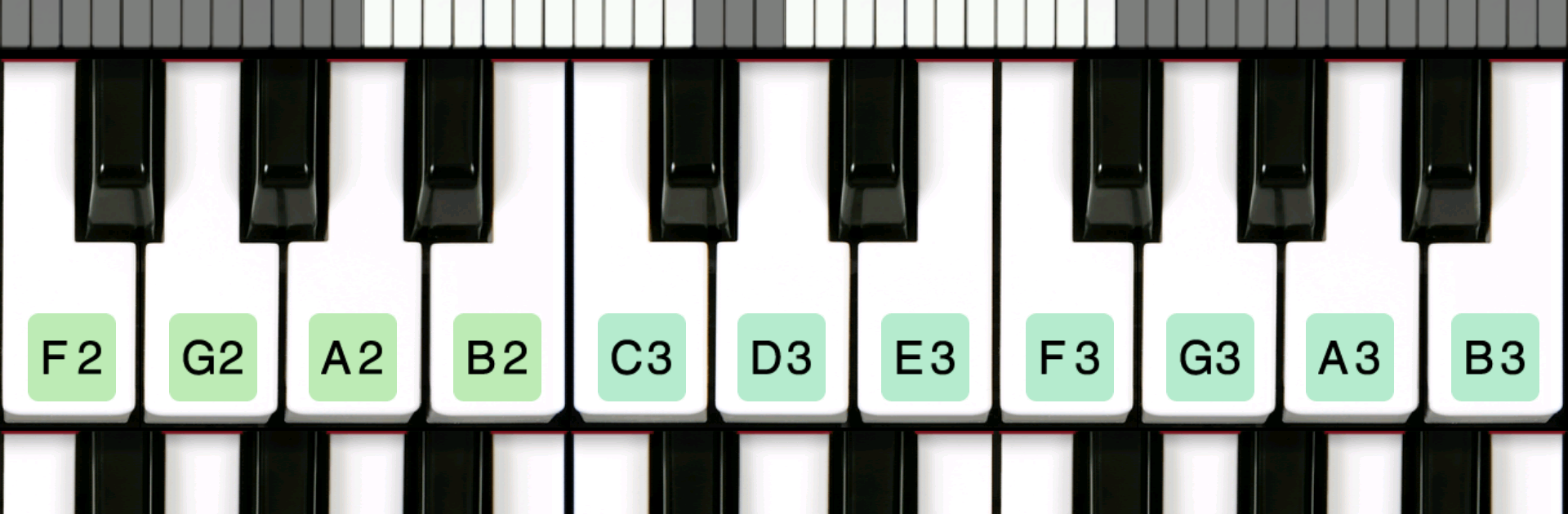
- Full 88-key keyboard: Scroll across a complete piano range, or switch to a dual-row view when you want more keys visible on smaller screens.
- Multitouch + sustain: Play with both hands, hold notes with a sustain pedal, and get those smooth legato lines without fuss.
- 128 MIDI instruments: Go beyond piano. Try strings, pads, basses, and more for quick arranging or sound exploration.
- Record your sessions: Capture performances and ideas, then export them as WAV files for sharing or use in your DAW.
- Custom instruments: Make your own sounds by recording samples with your mic or importing an existing audio file.
- MIDI over WiFi: Connect with other devices or apps to control and be controlled—handy for live sets and studio workflows.
- Clear key labels: See note names at a glance, perfect for practice, singing reference, or quick transposition.
- Fast and reliable: Launches in a snap and stays responsive during long sessions.
- Ad-free experience: Create without pop-ups or interruptions.
- Optional pro sounds: Add high-quality extras like Rhodes, Accordion, and Church Pipe Organ via in‑app purchases.
- Big-screen friendly: Prefer more space? Run Piano For You on BlueStacks and enjoy a wider view for two-handed play.
BlueStacks brings your apps to life on a bigger screen—seamless and straightforward.





