
Radio Brasil FM - Radio FM & AM & Radio online

Radio Brasil FM - Radio FM & AM & Radio online

Music & Audio

| RadioFMapp

Play on PC with BlueStacks or from our cloud

  • Overview
  • How to Download

Page Modified On: October 13, 2025

Run Radio Brasil FM - Radio FM & AM & Radio online on PC or Mac

Why limit yourself to your small screen on the phone? Run Radio Brasil FM – Radio FM & AM & Radio online, an app by RadioFMapp, best experienced on your PC or Mac with BlueStacks, the world’s #1 Android emulator.

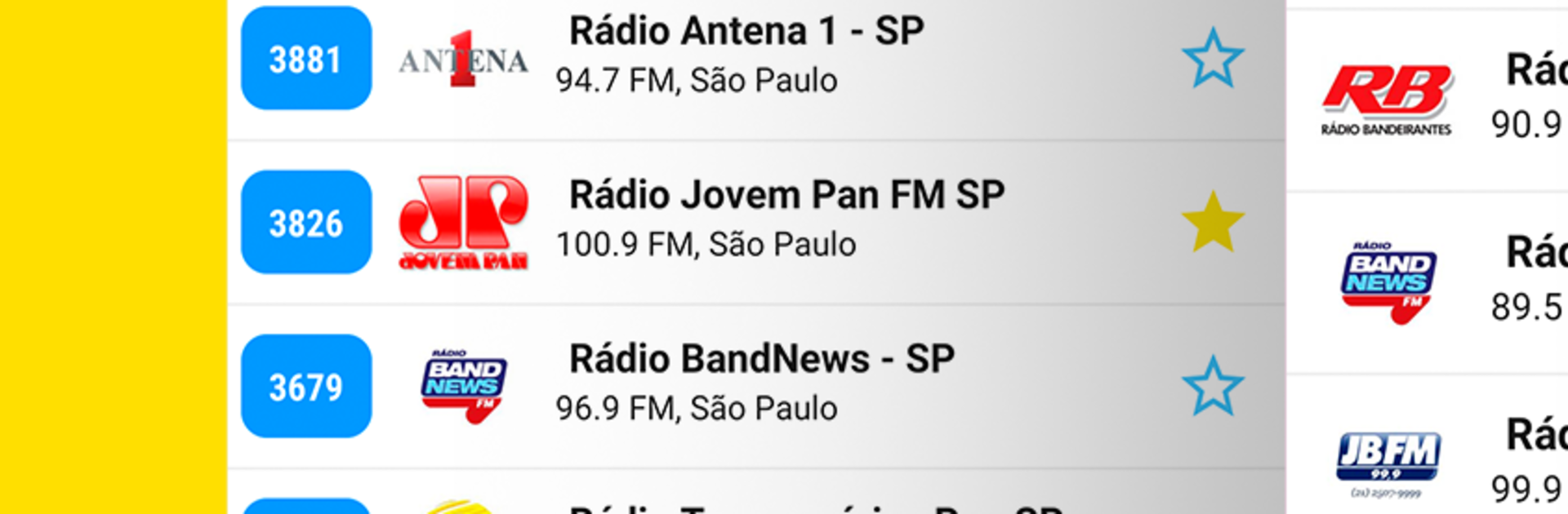
Radio Brasil FM is one of those apps that just does radio without fuss. Open it and there is a big list of Brazilian stations ready to stream, music, news, sports, talk, the whole lot. It covers AM and FM plus online stations, and the catalog is wide, think Jovem Pan, CBN, BandNews, Rádio Globo, Transamérica, Mix FM, Antena 1, Kiss FM, Nativa, Gaúcha, Itatiaia, FM O Dia, and many others. The interface is simple in a good way, search by station name or jump to radios from a specific city, mark favorites, sort that favorites list how anyone likes, or check a Top 20 section to see what people are actually listening to. There is a sleep timer for drifting off, and there are playback controls in the notification shade so there is no need to keep the app open all the time.

It streams smoothly as long as the connection is decent, since it does need internet. Good for leaving on while working, cooking, or even while abroad if someone wants a slice of Brazil in the background. On a PC with BlueStacks it feels like a clean radio dashboard, easy to type searches with a keyboard, flip stations with a mouse, and just park the window off to the side. No bloated extras, no confusing menus, only a straightforward way to hop between more than 500 Brazilian stations that get updated often so they keep playing without issues.

Switch to BlueStacks and make the most of your apps on your PC or Mac.

How to Download and Run Radio Brasil FM - Radio FM & AM & Radio online on PC or Mac

  • Download and install BlueStacks on your PC or Mac

  • Complete Google sign-in to access the Play Store, or do it later

  • Look for Radio Brasil FM - Radio FM & AM & Radio online in the search bar at the top right corner

  • Click to install Radio Brasil FM - Radio FM & AM & Radio online from the search results

  • Complete Google sign-in (if you skipped step 2) to install Radio Brasil FM - Radio FM & AM & Radio online

  • Click the Radio Brasil FM - Radio FM & AM & Radio online icon on the home screen to start playing

video
Watch Video

Minimum System Requirements

With BlueStacks 5, you can get started on a PC that fulfills the following requirements.

  • Operating System

    Microsoft Windows 7 or above, macOS 11 (Big Sur) or above

  • Processor

    Intel, AMD or Apple Silicon Processor

  • RAM

    at least 4GB

  • HDD

    10GB Free Disk Space

Note:

* You must be an Administrator on your PC. Up to date graphics drivers from Microsoft or the chipset vendor.

Radio Brasil FM - Radio FM & AM & Radio online - FAQs

  • How to Run Radio Brasil FM - Radio FM & AM & Radio online on Windows PC & Mac?

    Run Radio Brasil FM - Radio FM & AM & Radio online on your PC or Mac by following these simple steps.

    • Click on ‘Download Radio Brasil FM - Radio FM & AM & Radio online on PC’ to download BlueStacks
    • Install it and log-in to Google Play Store
    • Launch and run the app.
  • Why is BlueStacks the fastest and safest platform to play games on PC?

    BlueStacks respects your privacy and is always safe and secure to use. It does not carry any malware, spyware, or any sort of additional software that could harm your PC.

    It is engineered to optimize speed and performance for a seamless gaming experience.

  • What are Radio Brasil FM - Radio FM & AM & Radio online PC requirements?

    Minimum requirement to run Radio Brasil FM - Radio FM & AM & Radio online on your PC

    • OS: Microsoft Windows 7 and above:
    • Processor: Intel or AMD Processor:
    • RAM: Your PC must have at least 2GB of RAM. (Note that having 2GB or more disk space is not a substitute for RAM):
    • HDD: 5GB Free Disk Space.
    • You must be an Administrator on your PC.




