

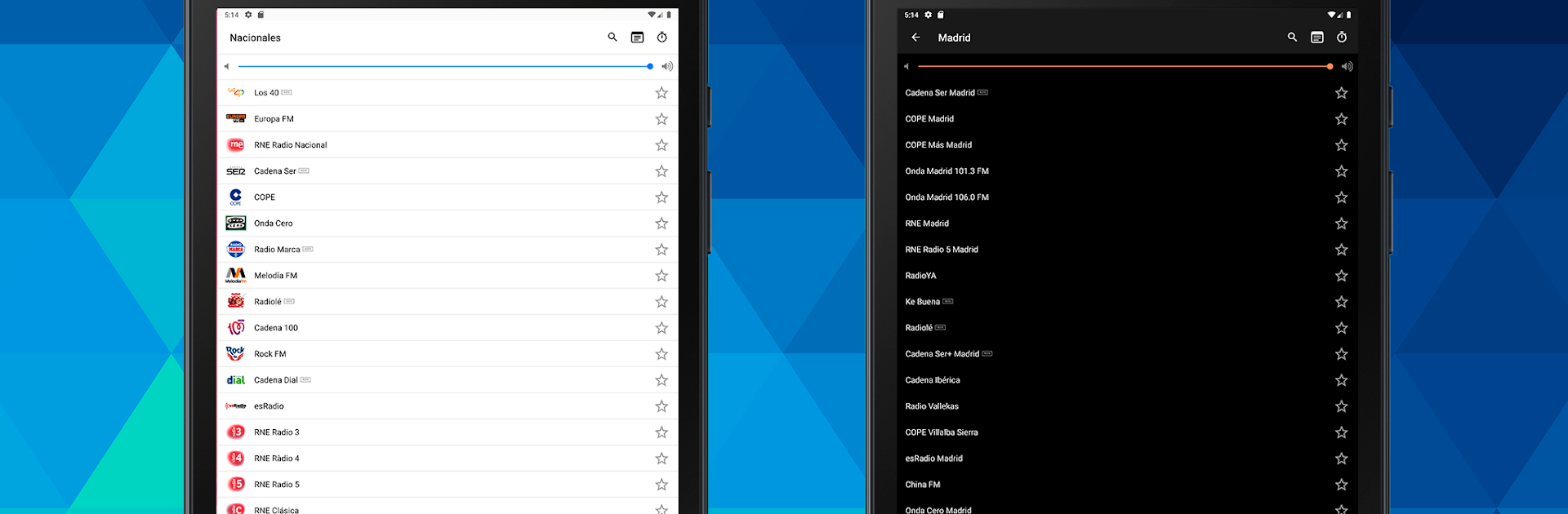


Why limit yourself to your small screen on the phone? Run Radio FM España, an app by Camadu, best experienced on your PC or Mac with BlueStacks, the world’s #1 Android emulator.
About the App
Ready to explore all that Spanish radio has to offer? With Radio FM España, you’ll have tons of local and national stations right at your fingertips—from big names to smaller, hidden gems. This app brings you a true Spanish radio experience, super easy to use whether you’re listening at home, on the go, or through BlueStacks on your computer. Just jump in and start tuning—no messy setup or complicated menus.
App Features
-
Huge Station Selection
Hundreds of Spanish channels and tens of thousands of international stations—everything from local radio to giant music networks. It’s a total radio buffet, so you’ll always find something that fits your mood. -
Zero Headphones Needed
Listen to your favorite stations straight from your device. No need to plug in headphones if you don’t want to, which is especially handy when you’re just chilling at home. -
Exclusive Spanish Content
Find stations here you won’t spot on other apps. Whether it’s sports, the latest news, or local music, there’s plenty of content you won’t want to miss. -
Tech-Friendly
Full support for Chromecast and Android Auto makes swapping from your car to your living room effortless. Want to use your phone for something else? The radio keeps playing in the background, so your music or talk shows don’t get interrupted. -
Customizable Listening
An adjustable anti-buffering feature helps you avoid those annoying pauses. There’s also a dark mode for late-night use and a delay option for syncing radio shows with your TV if you want everything perfectly matched up. -
Easy Controls
Manage your radio right from the lock screen or your notification center—no need to unlock your phone for every change. Mark favorites for quick access, and the interface works smoothly across any Android version. -
Crystal-Clear Digital Audio
Forget crackly, analog radio. Stations come through crystal clear, so your listening experience is always top-notch.
You can catch everything—from Los 40 Principales to Onda Cero, Kiss FM, and beyond. And if you’re running it on your laptop with BlueStacks, you get all the same features in an even more comfortable way.
Switch to BlueStacks and make the most of your apps on your PC or Mac.





