



Why limit yourself to your small screen on the phone? Run SQ4You, an app by Allen & Heath, best experienced on your PC or Mac with BlueStacks, the world’s #1 Android emulator.
About the App
SQ4You from Allen & Heath puts personal monitor control right in your pocket. On stage, in rehearsal, or at soundcheck, you can shape your own Aux mix from a phone or tablet without waving at the engineer. It connects over Wi‑Fi to an SQ mixer and controls a single mix—no audio is streamed through the app. Built for SQ mixers running 1.6.x firmware, it’s a handy Music & Audio tool for performers who want quick, confident control. Prefer a larger view while dialing things in? Run it on your laptop with BlueStacks for extra screen space.
App Features
- Pick your mix: Choose any Aux mix you’re allowed to control and make it your own.
- Choose your sources: Add the channels you need, plus FX returns and Groups, so only the important stuff is in front of you.
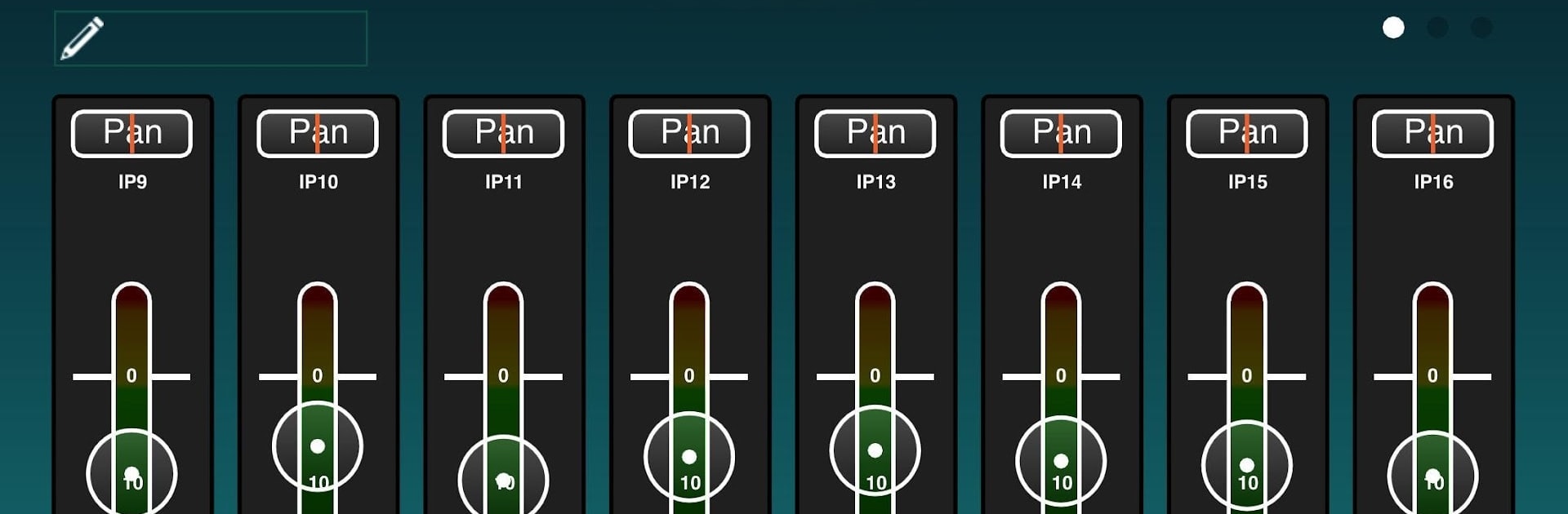
- Clear visual feedback: See channel numbers, names, and meters at a glance to know exactly what’s happening.
- Per‑channel control: Set individual send levels and pan to place each source right where you want it.
- Custom groups: Build up to 4 channel groups and adjust them with simple level trim wheels.
- “Me” group: Create a personal group for your vocal or instrument for instant level tweaks.
- Easy labeling: Name each group so everything stays organized mid‑set.
- Mix master: Control the Aux master level and mute without digging through menus.
- Built‑in processing: Shape your Aux with PEQ, Graphic EQ, and a Compressor—right from the app.
- Lock it down: Prevent accidental changes by locking the mix and/or processing.
Requirements: an Allen & Heath SQ mixing console with a wireless router on the Network port. The mixer firmware and SQ4You should share the same major version (for example, 1.6 with 1.6), and your SQ user permissions need to allow SQ4You access to at least one mix.
BlueStacks gives you the much-needed freedom to experience your favorite apps on a bigger screen. Get it now.





