
tonestro for Trumpet: Your personal teacher

tonestro for Trumpet: Your personal teacher

Music & Audio

| tonestro

Play on PC with BlueStacks or from our cloud

  • Overview
  • How to Download

Page Modified On: September 12, 2025

Run tonestro for Trumpet: Your personal teacher on PC or Mac

Get freedom from your phone’s obvious limitations. Use tonestro for Trumpet: Your personal teacher, made by tonestro, a Music & Audio app on your PC or Mac with BlueStacks, and level up your experience.

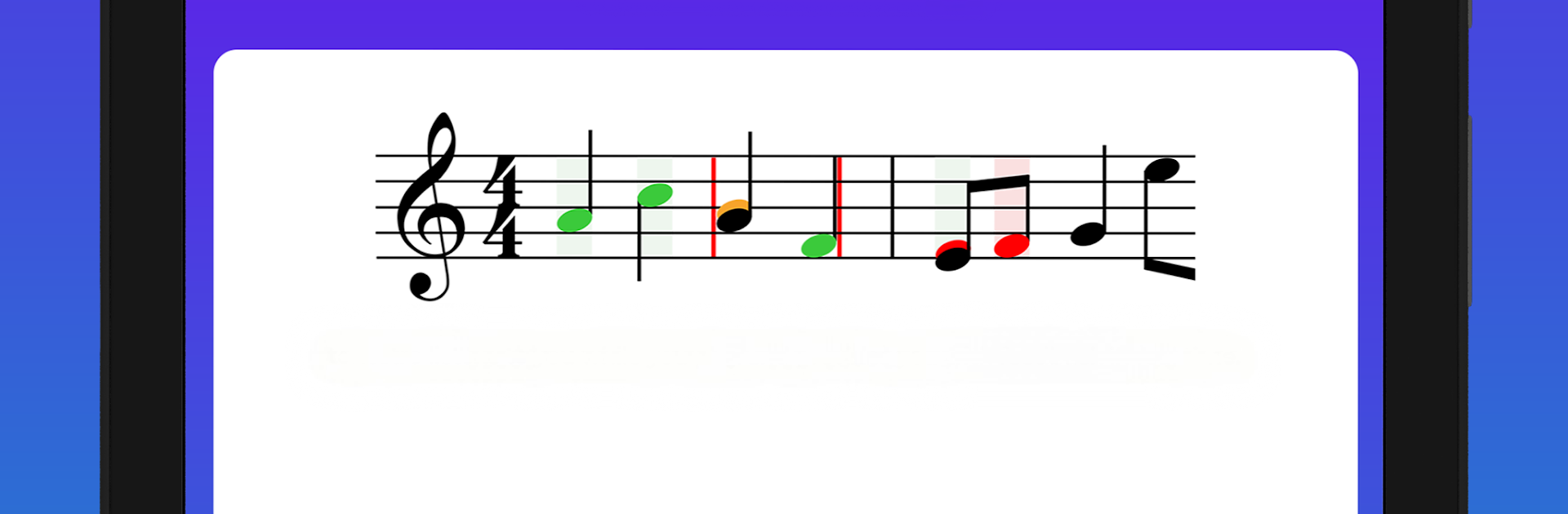
tonestro for Trumpet feels like having a patient teacher on the screen who listens and reacts in real time. The app hears the trumpet through the mic and shows clear feedback on pitch and rhythm so players can see where a note was sharp, flat, late, or early. It turns practice into small, doable tasks, almost like a light game, with a path of challenges that move from easy warmups to trickier pieces. The built in sheet music library is big and handy, so there is always something to play without digging for old printouts. Motivation stays up because progress is visible after a few runs, and mistakes are easy to spot and fix instead of guessing.

On a PC with BlueStacks, the bigger screen makes the notation easier to read and the feedback meters less squinty, and the computer mic picks up the horn just fine. It works well as a sidekick to real lessons or for anyone practicing solo between rehearsals. Beginners get guidance on basic tone and timing without being overwhelmed, while more experienced players can use it to clean up intonation and tighten rhythm on fast passages. There is also simple sharing for showing progress to friends or a teacher. The whole thing keeps practice focused and not dull, which is honestly the main hurdle with trumpet.

Ready to experience tonestro for Trumpet: Your personal teacher on a bigger screen, in all its glory? Download BlueStacks now.


How to Download and Run tonestro for Trumpet: Your personal teacher on PC or Mac

  • Download and install BlueStacks on your PC or Mac

  • Complete Google sign-in to access the Play Store, or do it later

  • Look for tonestro for Trumpet: Your personal teacher in the search bar at the top right corner

  • Click to install tonestro for Trumpet: Your personal teacher from the search results

  • Complete Google sign-in (if you skipped step 2) to install tonestro for Trumpet: Your personal teacher

  • Click the tonestro for Trumpet: Your personal teacher icon on the home screen to start playing

video
Watch Video

Minimum System Requirements

With BlueStacks 5, you can get started on a PC that fulfills the following requirements.

  • Operating System

    Microsoft Windows 7 or above, macOS 11 (Big Sur) or above

  • Processor

    Intel, AMD or Apple Silicon Processor

  • RAM

    at least 4GB

  • HDD

    10GB Free Disk Space

Note:

* You must be an Administrator on your PC. Up to date graphics drivers from Microsoft or the chipset vendor.

tonestro for Trumpet: Your personal teacher - FAQs

  • How to Run tonestro for Trumpet: Your personal teacher on Windows PC & Mac?

    Run tonestro for Trumpet: Your personal teacher on your PC or Mac by following these simple steps.

    • Click on ‘Download tonestro for Trumpet: Your personal teacher on PC’ to download BlueStacks
    • Install it and log-in to Google Play Store
    • Launch and run the app.
  • Why is BlueStacks the fastest and safest platform to play games on PC?

    BlueStacks respects your privacy and is always safe and secure to use. It does not carry any malware, spyware, or any sort of additional software that could harm your PC.

    It is engineered to optimize speed and performance for a seamless gaming experience.

  • What are tonestro for Trumpet: Your personal teacher PC requirements?

    Minimum requirement to run tonestro for Trumpet: Your personal teacher on your PC

    • OS: Microsoft Windows 7 and above:
    • Processor: Intel or AMD Processor:
    • RAM: Your PC must have at least 2GB of RAM. (Note that having 2GB or more disk space is not a substitute for RAM):
    • HDD: 5GB Free Disk Space.
    • You must be an Administrator on your PC.



