Avatar Musik 2
Avatar Musik 2

Avatar Musik 2

Music

| TeaMobi

Play on PC with BlueStacks or from our cloud

  • Overview
  • Game Features
  • How to Play

Page Modified On: December 23, 2025

Play Avatar Musik 2 on PC or Mac

Join millions to experience Avatar Musik 2, an exciting Music game from TeaMobi. With BlueStacks App Player, you are always a step ahead of your opponent, ready to outplay them with faster gameplay and better control with the mouse and keyboard on your PC or Mac.

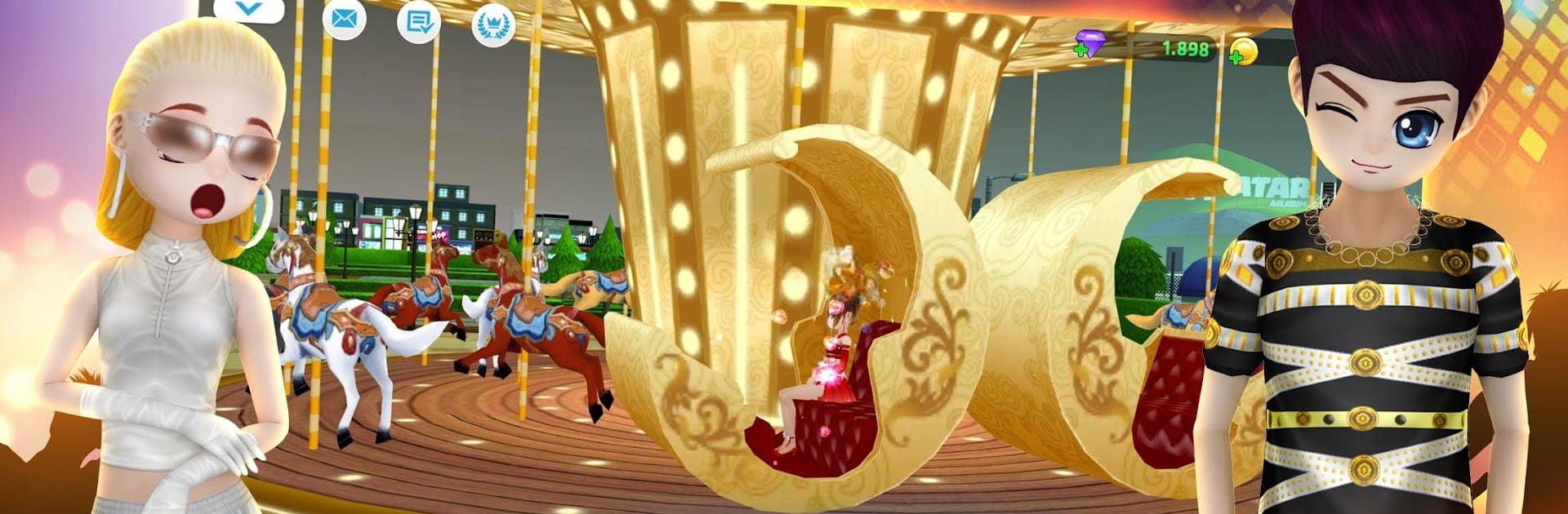
Avatar Musik 2 feels like a laid-back rhythm game glued to a big social city, the sort of place where players bounce between dance rooms and goofy hangouts without rushing. The city is huge and a bit theme-park like, with rides and landmarks to wander past, things like a rollercoaster, giant ferris wheels, and spots such as Starlight Bridge or Golden Bridge. It is very much a hub for meeting people, taking photos, and doing small activities between songs, so it does not feel empty when the music stops.

The dance part is the core. Notes slide in with simple patterns at first, then get fast and picky, and the track list is stacked with Kpop, Vpop, hip-hop, and slower ballads. New songs show up often enough that it stays fresh. There are head-to-head dance battles for solo bragging rights, plus bigger clan style events where a FAM tries to rank high together. Fashion is a big deal here too. The wardrobe is deep, with trendy pieces that let players mix looks like a stylist, and logging in daily drops free outfits, so the closet grows without much grind. There is even a driver feature where players manage a driver, upgrade a vehicle, and do tasks for extra rewards, a funny little side loop that breaks up the tapping. On PC with BlueStacks, the bigger screen helps read tricky note lanes, and mapping keys makes the timing feel cleaner.

Ready to top the leaderboard? We bet you do. Let precise controls and sharp visuals optimized on BlueStacks lead you to victory.


Game Features

Enhancements

  • Macros
  • Multi Instance
  • Multi Instance Sync
  • Script
  • Enhancements
Macros

Macros

Automate the predictable in Avatar Musik 2 and transform your gameplay with Macros. Get access to inventive Macros in the BlueStacks Macro Community
Multi Instance

Multi Instance

Play Avatar Musik 2 on one window. And chat with your friend on the other. Press CTRL + Shift + 8 to open the Multi-Instance Manager. And start creating fresh instances or clone an existing one.
Multi Instance Sync

Multi Instance Sync

Play Avatar Musik 2 with the power of Multi-Instance Sync. Replicate what you are doing on the main instance on all other instances. Level up faster, play more.
Script

Script

Script your way to gaming glory in Avatar Musik 2 with BlueStacks Script. Write and run a set of commands to automate repeated tasks. Trigger the command by assigning it to any key.
Read More

How to Download and Play Avatar Musik 2 on PC or Mac

  • Download and install BlueStacks on your PC or Mac

  • Complete Google sign-in to access the Play Store, or do it later

  • Look for Avatar Musik 2 in the search bar at the top right corner

  • Click to install Avatar Musik 2 from the search results

  • Complete Google sign-in (if you skipped step 2) to install Avatar Musik 2

  • Click the Avatar Musik 2 icon on the home screen to start playing

video
Watch Video

Minimum System Requirements

With BlueStacks 5, you can get started on a PC that fulfills the following requirements.

  • Operating System

    Microsoft Windows 7 or above, macOS 11 (Big Sur) or above

  • Processor

    Intel, AMD or Apple Silicon Processor

  • RAM

    at least 4GB

  • HDD

    10GB Free Disk Space

Note:

* You must be an Administrator on your PC. Up to date graphics drivers from Microsoft or the chipset vendor.

Avatar Musik 2 - FAQs

  • How to play Avatar Musik 2 on Windows PC & Mac?

    Play Avatar Musik 2 on your PC or Mac by following these simple steps.

    • Click on 'Play Avatar Musik 2 on PC’ to download BlueStacks
    • Install it and log-in to Google Play Store
    • Launch and play the game.
  • Why is BlueStacks the fastest and safest platform to play games on PC?

    BlueStacks respects your privacy and is always safe and secure to use. It does not carry any malware, spyware, or any sort of additional software that could harm your PC.

    It is engineered to optimize speed and performance for a seamless gaming experience.

  • What are Avatar Musik 2 PC requirements?

    Minimum requirement to run Avatar Musik 2 on your PC

    • OS: Microsoft Windows 7 or above MacOS 11 (Big Sur) or above
    • Processor: Intel, AMD or Apple Silicon Processor
    • RAM: Your PC must have at least 4GB of RAM. (Note that having 4GB or more disk space is not a substitute for RAM)
    • HDD: 10GB Free Disk Space.
    • You must be an Administrator on your PC.