Pianica Melodica Real

Pianica Melodica Real

Music

| Developer Receh

Play on PC with BlueStacks or from our cloud

  • Overview
  • Game Features
  • How to Play

Page Modified On: October 24, 2025

Play Pianica Melodica Real on PC or Mac

Step into the World of Pianica Melodica Real, a thrilling Music game from the house of Developer Receh. Play this Android game on BlueStacks App Player and experience immersive gaming on PC or Mac.

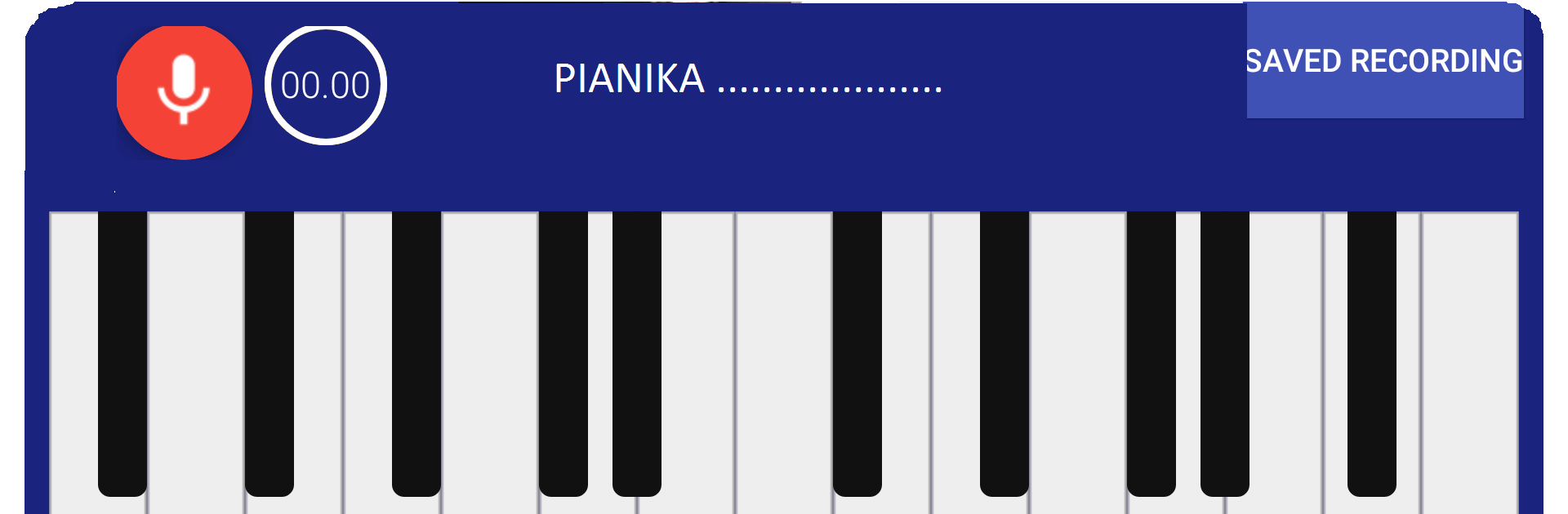
Pianica Melodica Real feels like a tiny keyboard that sings with that harmonica style tone, the kind you hear from a real melodica. It is simple to understand right away. There is a row of keys across the screen, usually a couple of octaves, and each press pops out that bright, reedy sound. It is not trying to be a full piano. It is more like a blow-organ in spirit, where quick melodies and chords have a bit of buzz and warmth. That makes it handy for practicing little tunes, ear training, or just noodling around without setting up anything complicated.

The game leans into what makes melodicas popular in classrooms, especially in Asia. Small, direct, and very portable, even as an app. Players can run scales, block out chords, or sketch song ideas without dealing with menus every second. Nothing fussy. On PC with BlueStacks it actually feels better for some people, since the bigger screen makes the keys easier to see and keyboard mapping gives clean control. The sound has that free-reed character, so fast trills and staccato taps come off lively, and held notes hum in a way that sits nicely under simple melodies. If someone wants a lightweight way to play a keyboard that behaves more like a harmonica cousin than a grand piano, this lands right in that zone.

Make your gaming sessions memorable with precise controls that give you an edge in close combats and visuals that pop up, bringing every character to life.


Game Features

Enhancements

  • Macros
  • Multi Instance
  • Multi Instance Sync
  • Script
  • Enhancements
Macros

Macros

Automate the predictable in Pianica Melodica Real and transform your gameplay with Macros. Get access to inventive Macros in the BlueStacks Macro Community
Multi Instance

Multi Instance

Play Pianica Melodica Real on one window. And chat with your friend on the other. Press CTRL + Shift + 8 to open the Multi-Instance Manager. And start creating fresh instances or clone an existing one.
Multi Instance Sync

Multi Instance Sync

Play Pianica Melodica Real with the power of Multi-Instance Sync. Replicate what you are doing on the main instance on all other instances. Level up faster, play more.
Script

Script

Script your way to gaming glory in Pianica Melodica Real with BlueStacks Script. Write and run a set of commands to automate repeated tasks. Trigger the command by assigning it to any key.
Read More

How to Download and Play Pianica Melodica Real on PC or Mac

  • Download and install BlueStacks on your PC or Mac

  • Complete Google sign-in to access the Play Store, or do it later

  • Look for Pianica Melodica Real in the search bar at the top right corner

  • Click to install Pianica Melodica Real from the search results

  • Complete Google sign-in (if you skipped step 2) to install Pianica Melodica Real

  • Click the Pianica Melodica Real icon on the home screen to start playing

video
Watch Video

Minimum System Requirements

With BlueStacks 5, you can get started on a PC that fulfills the following requirements.

  • Operating System

    Microsoft Windows 7 or above, macOS 11 (Big Sur) or above

  • Processor

    Intel, AMD or Apple Silicon Processor

  • RAM

    at least 4GB

  • HDD

    10GB Free Disk Space

Note:

* You must be an Administrator on your PC. Up to date graphics drivers from Microsoft or the chipset vendor.

Pianica Melodica Real - FAQs

  • How to play Pianica Melodica Real on Windows PC & Mac?

    Play Pianica Melodica Real on your PC or Mac by following these simple steps.

    • Click on 'Play Pianica Melodica Real on PC’ to download BlueStacks
    • Install it and log-in to Google Play Store
    • Launch and play the game.
  • Why is BlueStacks the fastest and safest platform to play games on PC?

    BlueStacks respects your privacy and is always safe and secure to use. It does not carry any malware, spyware, or any sort of additional software that could harm your PC.

    It is engineered to optimize speed and performance for a seamless gaming experience.

  • What are Pianica Melodica Real PC requirements?

    Minimum requirement to run Pianica Melodica Real on your PC

    • OS: Microsoft Windows 7 or above MacOS 11 (Big Sur) or above
    • Processor: Intel, AMD or Apple Silicon Processor
    • RAM: Your PC must have at least 4GB of RAM. (Note that having 4GB or more disk space is not a substitute for RAM)
    • HDD: 10GB Free Disk Space.
    • You must be an Administrator on your PC.