

Get freedom from your phone’s obvious limitations. Use Video Editor & Maker – InShot, made by InShot Video Editor, a Photography app on your PC or Mac with BlueStacks, and level up your experience.
About the App
Video Editor & Maker – InShot gives you a clean, friendly workspace to turn clips and photos into scroll-stopping posts. It’s packed with pro-level tools that still feel simple, whether you’re cutting a vlog, polishing a Reel, or touching up a selfie. Prefer a bigger canvas? You can also edit on your PC with BlueStacks for more room to work in this Photography favorite.
App Features
- AI power-ups: Apply striking body effects, remove busy backgrounds in a tap, and auto-track objects so stickers or text follow the action.
- Automatic captions & voices: Generate on-screen subtitles with speech-to-text, or turn any script into narration with multiple voice styles.
- Smooth speed control: Create buttery slowdowns, quick cuts, and advanced speed ramping without the jitter.
- Precision editing: Trim, split, merge, and even reverse clips. Use keyframes to animate movement and build stop-motion or dramatic reveals.
- Green screen & overlays: Chroma key support, picture-in-picture, multi-layer timelines, and blend modes let you craft complex scenes.
- Text, stickers & emojis: Add titles, memes, and animated stickers; sync them to motion with smart tracking for extra flair.
- Sound design made easy: Drop in music, sound effects, and voiceovers, then tweak with playful voice filters to match the mood.
- Filters, effects & transitions: Go cinematic or go wild—color controls, glitch, retro vibes, weather looks, and AI goodies like clone and auto-blur. Seamless transitions tie it all together.
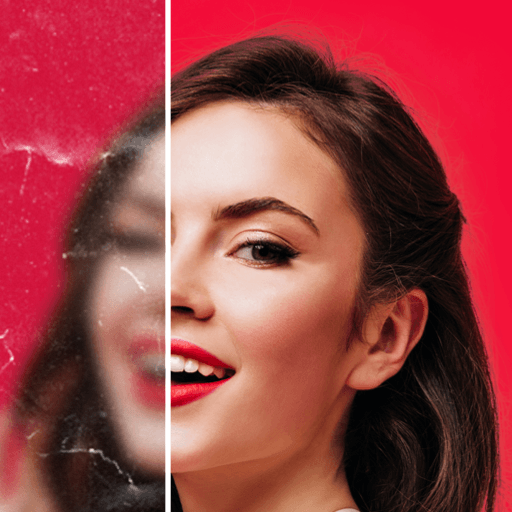
- Photo studio & collages: Fix lighting with AI Flash/Backlight, erase distractions, sharpen soft shots to HD, and build collages with up to 20 photos, Freestyle, AI Blend, or Pic Stitch modes.
- Canvas & backgrounds: Resize for Instagram, TikTok, YouTube, and more. Choose custom backgrounds or match hues perfectly with the color picker.
- Share & export: Control quality and size, including crisp 4K at 60fps for a polished finish.
Eager to take your app experience to the next level? Start right away by downloading BlueStacks on your PC or Mac.