
2Do - To do List & Reminders

2Do - To do List & Reminders

Productivity

| Beehive Innovations

Play on PC with BlueStacks or from our cloud

  • Overview
  • How to Download

Page Modified On: September 19, 2025

Run 2Do - To do List & Reminders on PC or Mac

Get freedom from your phone’s obvious limitations. Use 2Do – To do List & Reminders, made by Beehive Innovations, a Productivity app on your PC or Mac with BlueStacks, and level up your experience.

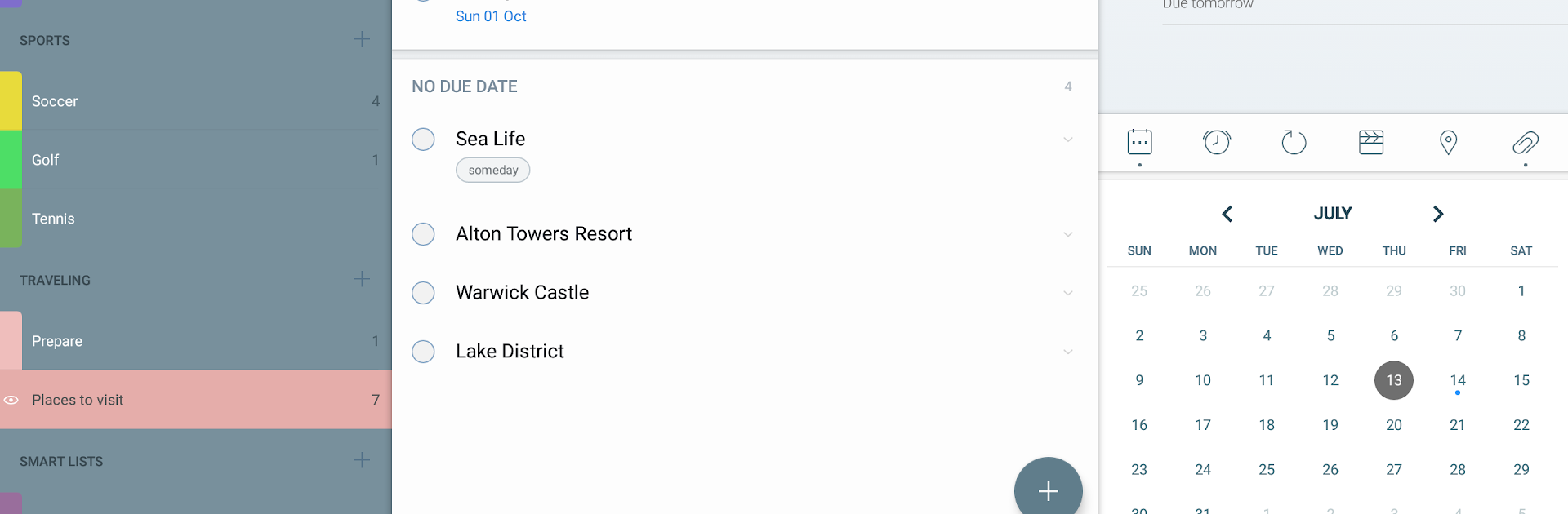
2Do feels like a no-pressure task manager that lets someone set things up the way their brain works. Nothing is locked behind a weird system or forced workflow, so it stays simple when needed and grows when the plan gets complicated. Running it on a PC with BlueStacks makes it feel almost like a desktop app, with quick typing, easy drag and drop, and space to spread out lists. It works fully offline and the free part is real, which is rare. Some extras like cloud sync, backups, alerts, and markdown notes sit in a short trial and then a one-time unlock if those matter. If not, the core stays solid.

What stands out is the flexibility. Tasks, checklists, and full projects with subtasks are all in there, plus notes, file attachments, and more than one alarm if a task is slippery. Repeating tasks can be set up in very specific ways. There are normal lists and groups for work, home, travel, whatever, and a GTD style inbox for quick capture. Focus views show upcoming or starred stuff, and any list can be hidden from the big All view when it is not urgent. Smart Lists are powerful saved filters, great for things like all tasks tagged Office due this week. Sorting and batch actions make cleanup fast. Tags live in their own panel and can be grouped for tidy filtering. Privacy is covered with password locks on specific lists or the whole app. Location based reminders are there for errands. Start dates keep future tasks out of sight until they matter, durations help plan time, and actions can call, email, message, or open maps from a task. Sync works with CalDAV, Dropbox, or Toodledo if upgraded, and backups are optional as well. On PC, quick add with a keyboard and switching between editors feels smooth, which helps it keep up with a busy day rather than getting in the way.

BlueStacks brings your apps to life on a bigger screen—seamless and straightforward.

How to Download and Run 2Do - To do List & Reminders on PC or Mac

  • Download and install BlueStacks on your PC or Mac

  • Complete Google sign-in to access the Play Store, or do it later

  • Look for 2Do - To do List & Reminders in the search bar at the top right corner

  • Click to install 2Do - To do List & Reminders from the search results

  • Complete Google sign-in (if you skipped step 2) to install 2Do - To do List & Reminders

  • Click the 2Do - To do List & Reminders icon on the home screen to start playing

video
Watch Video

Minimum System Requirements

With BlueStacks 5, you can get started on a PC that fulfills the following requirements.

  • Operating System

    Microsoft Windows 7 or above, macOS 11 (Big Sur) or above

  • Processor

    Intel, AMD or Apple Silicon Processor

  • RAM

    at least 4GB

  • HDD

    10GB Free Disk Space

Note:

* You must be an Administrator on your PC. Up to date graphics drivers from Microsoft or the chipset vendor.

2Do - To do List & Reminders - FAQs

  • How to Run 2Do - To do List & Reminders on Windows PC & Mac?

    Run 2Do - To do List & Reminders on your PC or Mac by following these simple steps.

    • Click on ‘Download 2Do - To do List & Reminders on PC’ to download BlueStacks
    • Install it and log-in to Google Play Store
    • Launch and run the app.
  • Why is BlueStacks the fastest and safest platform to play games on PC?

    BlueStacks respects your privacy and is always safe and secure to use. It does not carry any malware, spyware, or any sort of additional software that could harm your PC.

    It is engineered to optimize speed and performance for a seamless gaming experience.

  • What are 2Do - To do List & Reminders PC requirements?

    Minimum requirement to run 2Do - To do List & Reminders on your PC

    • OS: Microsoft Windows 7 and above:
    • Processor: Intel or AMD Processor:
    • RAM: Your PC must have at least 2GB of RAM. (Note that having 2GB or more disk space is not a substitute for RAM):
    • HDD: 5GB Free Disk Space.
    • You must be an Administrator on your PC.




