
Chat Track: Online Tracker

Chat Track: Online Tracker

Productivity

| Chat Watch Mobile

Play on PC with BlueStacks or from our cloud

  • Overview
  • How to Download

Page Modified On: August 11, 2025

Run Chat Track: Online Tracker on PC or Mac

Upgrade your experience. Try Chat Track: Online Tracker, the fantastic Productivity app from Chat Watch Mobile, from the comfort of your laptop, PC, or Mac, only on BlueStacks.

About the App

Looking to stay on top of your family’s online activity with less hassle? Chat Track: Online Tracker by Chat Watch Mobile is built just for that. Whether you’re a parent keeping an eye on your child’s screen time or simply curious about when someone’s active, this productivity app offers an easy, straightforward way to track online presence and get updates that matter to you. The experience is all about giving you clarity and peace of mind—no complicated setup needed.

App Features

  • Live Online & Offline Updates
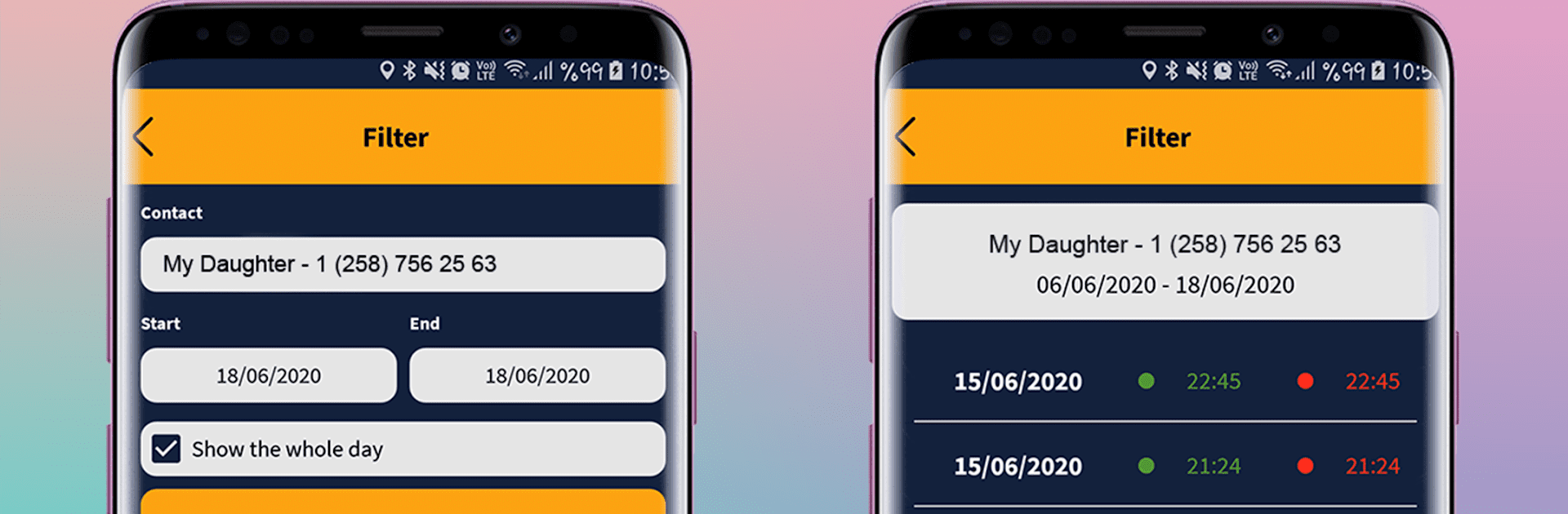
    Never wonder when someone’s online again. The app sends a real-time notification right to your device whenever a tracked profile hops on or signs off.

  • Track Multiple Profiles
    You’re not limited to just one person. Add up to 4 profiles—handy if you have more than one child or want to keep tabs on different members of your family.

  • Detailed Activity Reports
    Curious about patterns or just want a summary of online activity? The app delivers clear reports, so you can easily see how often someone’s been active and for how long.

  • Instant Notifications
    When your child logs in or out, you’ll know instantly. It’s a no-fuss way to help guide screen time and encourage healthier digital habits.

  • Simple, Privacy-Focused Design
    Chat Track: Online Tracker shares only info that’s already public on messaging apps. It doesn’t dig into anyone’s private data, so you can focus on what matters without worrying about privacy issues.

  • Independent and Transparent
    The app stands alone, isn’t tied to any social media platforms, and always follows third-party privacy rules. Your trust and privacy really are at the core.

Want to keep an eye on things from your computer? Try using Chat Track: Online Tracker on BlueStacks for extra convenience and an even clearer view.

Switch to BlueStacks and make the most of your apps on your PC or Mac.

How to Download and Run Chat Track: Online Tracker on PC or Mac

  • Download and install BlueStacks on your PC or Mac

  • Complete Google sign-in to access the Play Store, or do it later

  • Look for Chat Track: Online Tracker in the search bar at the top right corner

  • Click to install Chat Track: Online Tracker from the search results

  • Complete Google sign-in (if you skipped step 2) to install Chat Track: Online Tracker

  • Click the Chat Track: Online Tracker icon on the home screen to start playing

video
Watch Video

Minimum System Requirements

With BlueStacks 5, you can get started on a PC that fulfills the following requirements.

  • Operating System

    Microsoft Windows 7 or above, macOS 11 (Big Sur) or above

  • Processor

    Intel, AMD or Apple Silicon Processor

  • RAM

    at least 4GB

  • HDD

    10GB Free Disk Space

Note:

* You must be an Administrator on your PC. Up to date graphics drivers from Microsoft or the chipset vendor.

Chat Track: Online Tracker - FAQs

  • How to Run Chat Track: Online Tracker on Windows PC & Mac?

    Run Chat Track: Online Tracker on your PC or Mac by following these simple steps.

    • Click on ‘Download Chat Track: Online Tracker on PC’ to download BlueStacks
    • Install it and log-in to Google Play Store
    • Launch and run the app.
  • Why is BlueStacks the fastest and safest platform to play games on PC?

    BlueStacks respects your privacy and is always safe and secure to use. It does not carry any malware, spyware, or any sort of additional software that could harm your PC.

    It is engineered to optimize speed and performance for a seamless gaming experience.

  • What are Chat Track: Online Tracker PC requirements?

    Minimum requirement to run Chat Track: Online Tracker on your PC

    • OS: Microsoft Windows 7 and above:
    • Processor: Intel or AMD Processor:
    • RAM: Your PC must have at least 2GB of RAM. (Note that having 2GB or more disk space is not a substitute for RAM):
    • HDD: 5GB Free Disk Space.
    • You must be an Administrator on your PC.




