
Easy CAD Dimensions
Easy CAD Dimensions

Easy CAD Dimensions

Productivity

| Hookshy

Play on PC with BlueStacks or from our cloud

  • Overview
  • How to Download

Page Modified On: October 24, 2025

Run Easy CAD Dimensions on PC or Mac

Why limit yourself to your small screen on the phone? Run Easy CAD Dimensions, an app by Hookshy, best experienced on your PC or Mac with BlueStacks, the world’s #1 Android emulator.

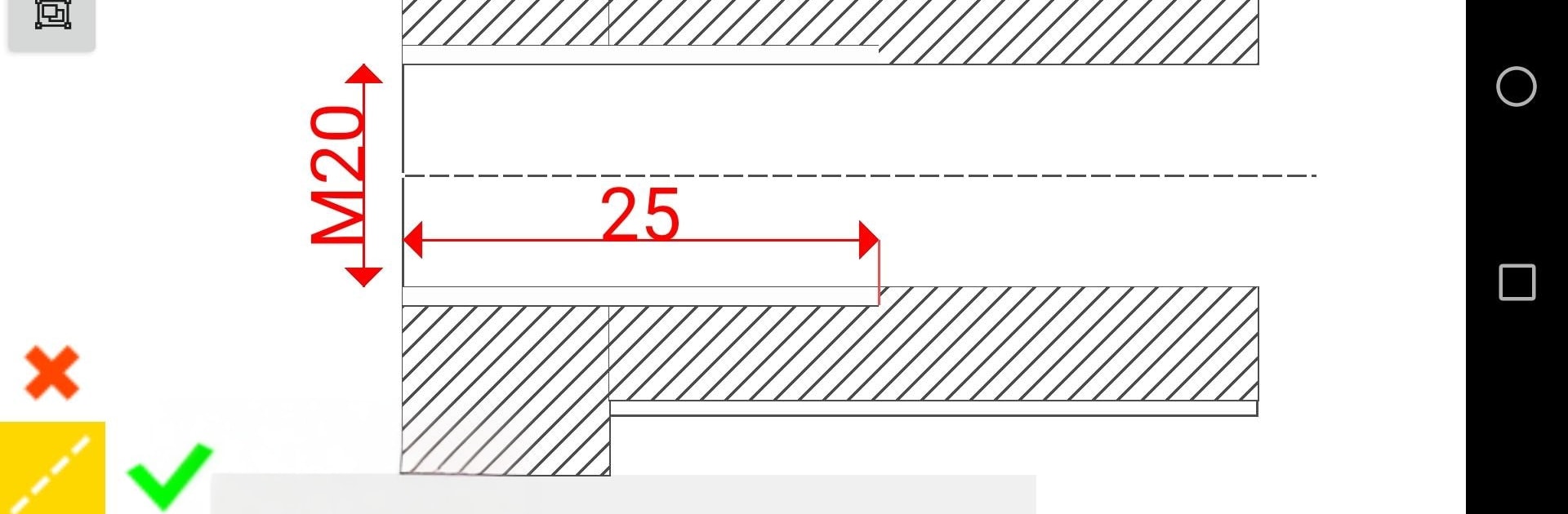
Easy CAD Dimensions feels like a pocket CAD pad for quick markups, the kind of tool someone opens when a tape measure and a phone photo need to become clear instructions. Snap a picture of a part or a machine on site, set a scale so measurements are real, then drop clean linear dimensions, text notes, balloons, or little hash marks right on top. It is not a full-blown drafting station, more a fast way to show what size something is and what needs to change. The handy bits are the small CAD touches most phone apps skip: snap-to points to keep lines precise, an ortho toggle to keep things straight, plus pan, zoom, stretch, and simple copy-paste for repeating details. Everything can be saved offline and exported as a JPG or a PDF, so a sketch turns into something shareable without extra steps.

On a PC with BlueStacks it feels easier to place arrows and type callouts, since a mouse makes those tiny nudges less fussy and the bigger screen helps read numbers without squinting. Technicians and engineers will probably like how quickly a rough photo becomes a clean, labeled sketch that a shop can follow. Each project sits in a folder on local storage, so work is there even without signal, and it is simple to open an old sketch, tweak a dimension, then push out a fresh PDF for the next revision. It aims for practical speed over fancy chrome, which suits field notes, quick revisions, and fast handoff to whoever is building the thing.

BlueStacks brings your apps to life on a bigger screen—seamless and straightforward.

How to Download and Run Easy CAD Dimensions on PC or Mac

  • Download and install BlueStacks on your PC or Mac

  • Complete Google sign-in to access the Play Store, or do it later

  • Look for Easy CAD Dimensions in the search bar at the top right corner

  • Click to install Easy CAD Dimensions from the search results

  • Complete Google sign-in (if you skipped step 2) to install Easy CAD Dimensions

  • Click the Easy CAD Dimensions icon on the home screen to start playing

video
Watch Video

Minimum System Requirements

With BlueStacks 5, you can get started on a PC that fulfills the following requirements.

  • Operating System

    Microsoft Windows 7 or above, macOS 11 (Big Sur) or above

  • Processor

    Intel, AMD or Apple Silicon Processor

  • RAM

    at least 4GB

  • HDD

    10GB Free Disk Space

Note:

* You must be an Administrator on your PC. Up to date graphics drivers from Microsoft or the chipset vendor.

Easy CAD Dimensions - FAQs

  • How to Run Easy CAD Dimensions on Windows PC & Mac?

    Run Easy CAD Dimensions on your PC or Mac by following these simple steps.

    • Click on ‘Download Easy CAD Dimensions on PC’ to download BlueStacks
    • Install it and log-in to Google Play Store
    • Launch and run the app.
  • Why is BlueStacks the fastest and safest platform to play games on PC?

    BlueStacks respects your privacy and is always safe and secure to use. It does not carry any malware, spyware, or any sort of additional software that could harm your PC.

    It is engineered to optimize speed and performance for a seamless gaming experience.

  • What are Easy CAD Dimensions PC requirements?

    Minimum requirement to run Easy CAD Dimensions on your PC

    • OS: Microsoft Windows 7 and above:
    • Processor: Intel or AMD Processor:
    • RAM: Your PC must have at least 2GB of RAM. (Note that having 2GB or more disk space is not a substitute for RAM):
    • HDD: 5GB Free Disk Space.
    • You must be an Administrator on your PC.




