
KnowledgeBase Builder

KnowledgeBase Builder

Productivity

| InfoRapid

Play on PC with BlueStacks or from our cloud

  • Overview
  • How to Download

Page Modified On: November 03, 2025

Run KnowledgeBase Builder on PC or Mac

What’s better than using KnowledgeBase Builder by InfoRapid? Well, try it on a big screen, on your PC or Mac, with BlueStacks to see the difference.

About the App

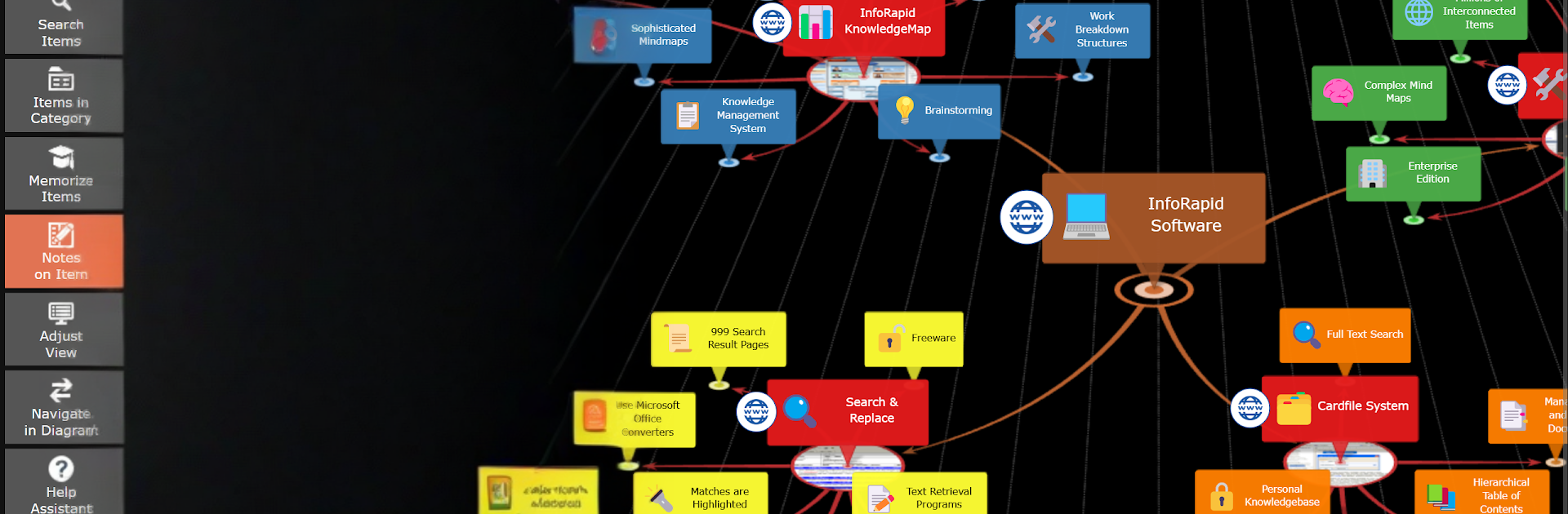
KnowledgeBase Builder by InfoRapid is a smart, flexible way to capture ideas and make sense of complex information. It blends mind mapping with true knowledge management, so you can organize, connect, and visualize what you know without getting lost in the details. Expect smooth 3D maps, clean diagrams, and tools that help you turn loose notes into a clear, searchable system—all in a Productivity app that feels practical, not fussy.

Prefer working on a bigger screen? You can also run KnowledgeBase Builder on your PC with BlueStacks for an easier view of large maps.

App Features

  • 3D Mind Maps: Explore your thoughts in interactive 3D maps you can navigate like a book—perfect when your research grows large and tangled.
  • All-in-One Sources: Pull in websites, Wikipedia articles, and data networks from Wikidata, then find anything fast with full-text search.
  • LLM-Friendly Imports: Generate mind maps from text documents or bring in JSON created by a Large Language Model (LLM) like ChatGPT, and import them straight into KnowledgeBase Builder.
  • Flowcharts and Diagrams: Sketch professional flowcharts by hand or have them built from pseudocode when you want a quick, consistent layout.
  • Local-First Storage: Keep your information safe in a local SQLite database—no mystery syncing, just control.
  • Flexible Export: Share your work as HTML documents or images when you need to present or archive a project.
  • Organized Projects: Structure ideas, references, and tasks with links and nodes that stay tidy as your knowledge grows.
  • Research Helpers: tap into Wikipedia import, run text analysis, and switch to a convenient table view when you want a grid-style overview.

Switch to BlueStacks and make the most of your apps on your PC or Mac.

How to Download and Run KnowledgeBase Builder on PC or Mac

  • Download and install BlueStacks on your PC or Mac

  • Complete Google sign-in to access the Play Store, or do it later

  • Look for KnowledgeBase Builder in the search bar at the top right corner

  • Click to install KnowledgeBase Builder from the search results

  • Complete Google sign-in (if you skipped step 2) to install KnowledgeBase Builder

  • Click the KnowledgeBase Builder icon on the home screen to start playing

video
Watch Video

Minimum System Requirements

With BlueStacks 5, you can get started on a PC that fulfills the following requirements.

  • Operating System

    Microsoft Windows 7 or above, macOS 11 (Big Sur) or above

  • Processor

    Intel, AMD or Apple Silicon Processor

  • RAM

    at least 4GB

  • HDD

    10GB Free Disk Space

Note:

* You must be an Administrator on your PC. Up to date graphics drivers from Microsoft or the chipset vendor.

KnowledgeBase Builder - FAQs

  • How to Run KnowledgeBase Builder on Windows PC & Mac?

    Run KnowledgeBase Builder on your PC or Mac by following these simple steps.

    • Click on ‘Download KnowledgeBase Builder on PC’ to download BlueStacks
    • Install it and log-in to Google Play Store
    • Launch and run the app.
  • Why is BlueStacks the fastest and safest platform to play games on PC?

    BlueStacks respects your privacy and is always safe and secure to use. It does not carry any malware, spyware, or any sort of additional software that could harm your PC.

    It is engineered to optimize speed and performance for a seamless gaming experience.

  • What are KnowledgeBase Builder PC requirements?

    Minimum requirement to run KnowledgeBase Builder on your PC

    • OS: Microsoft Windows 7 and above:
    • Processor: Intel or AMD Processor:
    • RAM: Your PC must have at least 2GB of RAM. (Note that having 2GB or more disk space is not a substitute for RAM):
    • HDD: 5GB Free Disk Space.
    • You must be an Administrator on your PC.



