
Lekh: whiteboard & diagramming

Lekh: whiteboard & diagramming

Productivity

| LEKHAPP LLC

Play on PC with BlueStacks or from our cloud

  • Overview
  • How to Download

Page Modified On: November 10, 2025

Run Lekh: whiteboard & diagramming on PC or Mac

Multitask effortlessly on your PC or Mac as you try out Lekh: whiteboard & diagramming, a Productivity app by LEKHAPP LLC on BlueStacks.

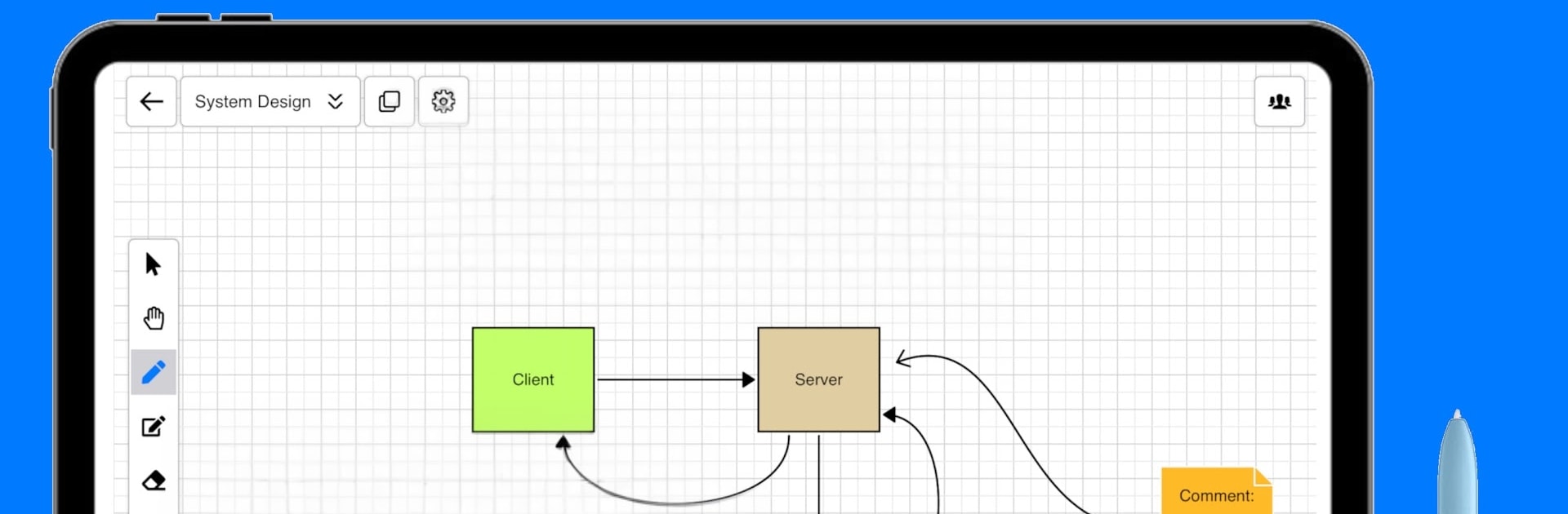
Lekh feels like a smart whiteboard that actually cleans up messy lines. Someone can sketch a rough box, arrow, or circle, switch to the smart mode, and it turns into a neat shape with proper connectors. The canvas does not end, so ideas can spread out as wide as they need. It handles quick scribbles for brainstorming, but also gets serious with flowcharts, block and network diagrams, mind maps, UML and ERD, sequence and state diagrams, use cases, DFDs, org charts, and even cloud architecture with common provider icons. What stands out is how accurate the shape recognition is, and how easy it is to keep everything aligned without fighting the tool.

It is not just for tech diagrams either. People use it for layout sketches and inspection notes, like a basic floor plan, roof or window check, parking or fence layouts, where measurements and little labels matter. Adding text is fast, double click anywhere and type. There is a solid library for business diagrams too, with swimlanes, BPMN and Archimate shapes ready to go. Running it on PC through BlueStacks gives a lot more room to breathe, the mouse makes panning and snapping feel natural, and typing labels with a keyboard is just quicker. It works online with cloud sync and real time collaboration when a team wants to draw on the same board, and it still runs offline if the connection drops, which is handy. Wireframing is quicker than expected as the UI stencils are flexible, so rough screens come together in minutes, not hours.

Eager to take your app experience to the next level? Start right away by downloading BlueStacks on your PC or Mac.


How to Download and Run Lekh: whiteboard & diagramming on PC or Mac

  • Download and install BlueStacks on your PC or Mac

  • Complete Google sign-in to access the Play Store, or do it later

  • Look for Lekh: whiteboard & diagramming in the search bar at the top right corner

  • Click to install Lekh: whiteboard & diagramming from the search results

  • Complete Google sign-in (if you skipped step 2) to install Lekh: whiteboard & diagramming

  • Click the Lekh: whiteboard & diagramming icon on the home screen to start playing

video
Watch Video

Minimum System Requirements

With BlueStacks 5, you can get started on a PC that fulfills the following requirements.

  • Operating System

    Microsoft Windows 7 or above, macOS 11 (Big Sur) or above

  • Processor

    Intel, AMD or Apple Silicon Processor

  • RAM

    at least 4GB

  • HDD

    10GB Free Disk Space

Note:

* You must be an Administrator on your PC. Up to date graphics drivers from Microsoft or the chipset vendor.

Lekh: whiteboard & diagramming - FAQs

  • How to Run Lekh: whiteboard & diagramming on Windows PC & Mac?

    Run Lekh: whiteboard & diagramming on your PC or Mac by following these simple steps.

    • Click on ‘Download Lekh: whiteboard & diagramming on PC’ to download BlueStacks
    • Install it and log-in to Google Play Store
    • Launch and run the app.
  • Why is BlueStacks the fastest and safest platform to play games on PC?

    BlueStacks respects your privacy and is always safe and secure to use. It does not carry any malware, spyware, or any sort of additional software that could harm your PC.

    It is engineered to optimize speed and performance for a seamless gaming experience.

  • What are Lekh: whiteboard & diagramming PC requirements?

    Minimum requirement to run Lekh: whiteboard & diagramming on your PC

    • OS: Microsoft Windows 7 and above:
    • Processor: Intel or AMD Processor:
    • RAM: Your PC must have at least 2GB of RAM. (Note that having 2GB or more disk space is not a substitute for RAM):
    • HDD: 5GB Free Disk Space.
    • You must be an Administrator on your PC.



