
MiX Archive (MiXplorer Addon)

MiX Archive (MiXplorer Addon)

Productivity

| Hootan Parsa

Play on PC with BlueStacks or from our cloud

  • Overview
  • How to Download

Page Modified On: October 23, 2025

Run MiX Archive (MiXplorer Addon) on PC or Mac

Multitask effortlessly on your PC or Mac as you try out MiX Archive (MiXplorer Addon), a Productivity app by Hootan Parsa on BlueStacks.

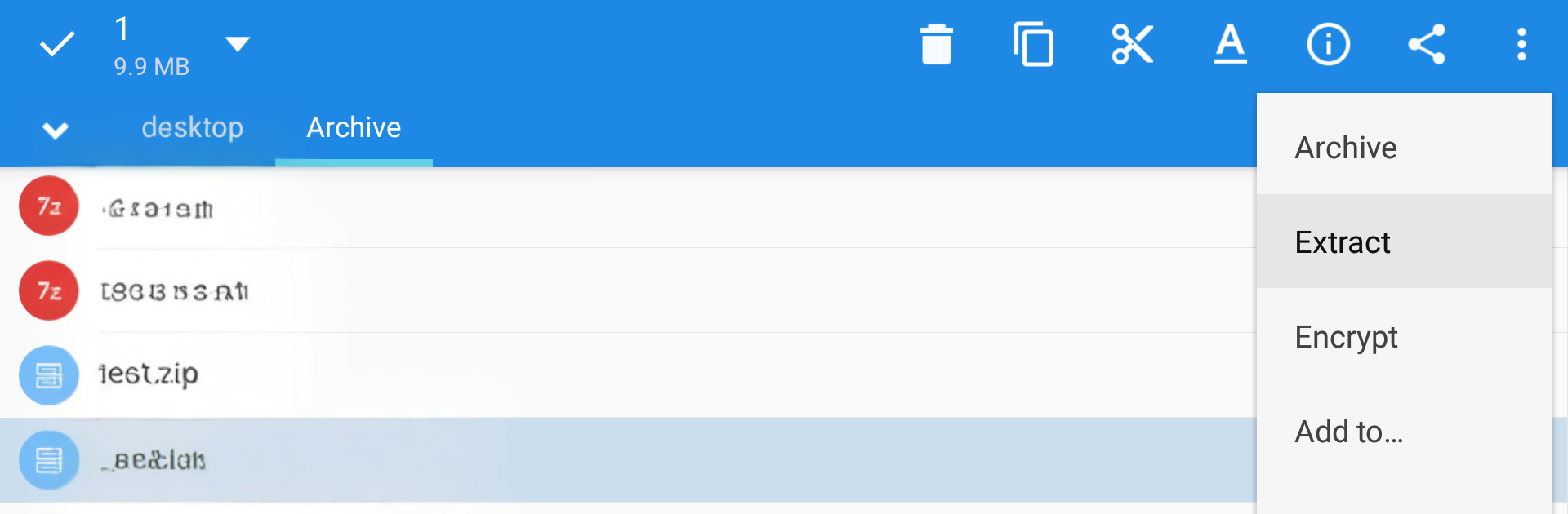
MiX Archive is not a normal app, it is a plug-in that snaps onto MiXplorer and quietly gives it a ton of archive powers. There is no icon in the launcher, nothing flashy. Install it, open MiXplorer, and suddenly files like 7Z, TAR, ZIPX, WIM, LZ4, LZ5, and Zstandard just open and pack without drama. On PC with BlueStacks it works the same way, which is nice when juggling big downloads or backups in a desktop window. It can also unpack a bunch of tricky stuff that usually needs separate tools, things like RAR, ISO, DMG, CHM, MSI, CAB, RPM, ARJ, plus disk images and file systems such as VDI, VHD, VMDK, EXT, NTFS, FAT, UDF, SquashFS and more. It feels like handing MiXplorer one big key and saying, go on, open that.

Setup is simple but a bit specific. It needs MiXplorer Standard or Beta version 6.67.0 or higher. The Silver edition already includes archive support, so this add-on would not be needed there. Since it is just an add-on, it can be removed from Android or from inside MiXplorer settings, no leftover clutter. The whole thing is lightweight and stays out of the way. For anyone who keeps running into weird compressed folders, installers, ebooks, or disk images, this saves time and keeps everything inside one file manager instead of hopping between separate apps.

Eager to take your app experience to the next level? Start right away by downloading BlueStacks on your PC or Mac.


How to Download and Run MiX Archive (MiXplorer Addon) on PC or Mac

  • Download and install BlueStacks on your PC or Mac

  • Complete Google sign-in to access the Play Store, or do it later

  • Look for MiX Archive (MiXplorer Addon) in the search bar at the top right corner

  • Click to install MiX Archive (MiXplorer Addon) from the search results

  • Complete Google sign-in (if you skipped step 2) to install MiX Archive (MiXplorer Addon)

  • Click the MiX Archive (MiXplorer Addon) icon on the home screen to start playing

video
Watch Video

Minimum System Requirements

With BlueStacks 5, you can get started on a PC that fulfills the following requirements.

  • Operating System

    Microsoft Windows 7 or above, macOS 11 (Big Sur) or above

  • Processor

    Intel, AMD or Apple Silicon Processor

  • RAM

    at least 4GB

  • HDD

    10GB Free Disk Space

Note:

* You must be an Administrator on your PC. Up to date graphics drivers from Microsoft or the chipset vendor.

MiX Archive (MiXplorer Addon) - FAQs

  • How to Run MiX Archive (MiXplorer Addon) on Windows PC & Mac?

    Run MiX Archive (MiXplorer Addon) on your PC or Mac by following these simple steps.

    • Click on ‘Download MiX Archive (MiXplorer Addon) on PC’ to download BlueStacks
    • Install it and log-in to Google Play Store
    • Launch and run the app.
  • Why is BlueStacks the fastest and safest platform to play games on PC?

    BlueStacks respects your privacy and is always safe and secure to use. It does not carry any malware, spyware, or any sort of additional software that could harm your PC.

    It is engineered to optimize speed and performance for a seamless gaming experience.

  • What are MiX Archive (MiXplorer Addon) PC requirements?

    Minimum requirement to run MiX Archive (MiXplorer Addon) on your PC

    • OS: Microsoft Windows 7 and above:
    • Processor: Intel or AMD Processor:
    • RAM: Your PC must have at least 2GB of RAM. (Note that having 2GB or more disk space is not a substitute for RAM):
    • HDD: 5GB Free Disk Space.
    • You must be an Administrator on your PC.



