
Mein Blau
Mein Blau

Mein Blau

Productivity

| Telefónica Germany GmbH & Co. OHG

Play on PC with BlueStacks or from our cloud

  • Overview
  • How to Download

Page Modified On: September 19, 2025

Run Mein Blau on PC or Mac

What’s better than using Mein Blau by Telefónica Germany GmbH & Co. OHG? Well, try it on a big screen, on your PC or Mac, with BlueStacks to see the difference.

About the App

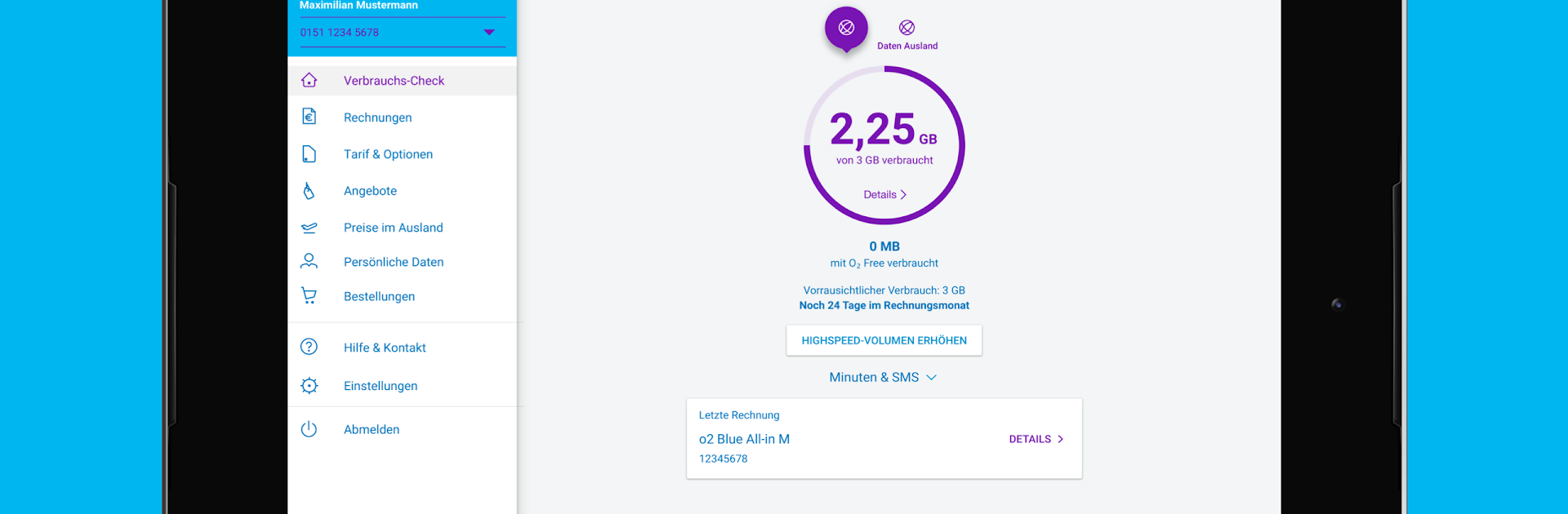
Mein Blau is the quick way to stay on top of your mobile plan, whether you’re on contract or prepaid. Check your usage, tweak your plan, and handle account tasks in just a couple of taps. Built by Telefónica Germany GmbH & Co. OHG, it keeps the important stuff tidy and easy to find.

App Features

  • Usage tracker — Keep an eye on the data, minutes, and texts you’ve used so far so there are no surprises.
  • Plan & options — See your current tariff at a glance, browse add-ons, and book the ones that fit your needs.
  • Bills & details — Open your last six invoices and pull itemized records when you need the nitty‑gritty.
  • Yearly overview — Check long‑term spend with a multi‑year summary of your billing amounts.
  • Profile & settings — Review and update your customer data anytime, without waiting on hold.
  • Roaming prices — Choose a country to see pricing and options before you travel.
  • Prepaid essentials — View your current balance, track included units from booked options, and top up in seconds.
  • Switch & add — Change your prepaid tariff and add extra options directly in the app.
  • Bigger screen, if you want — Prefer desktop? You can run Mein Blau on your PC or Mac with BlueStacks for a roomier view while you work.
  • Requirements — The app relies on online services, so availability may vary. A one‑time registration for the online service is required, and you can complete it inside the app.

Eager to take your app experience to the next level? Start right away by downloading BlueStacks on your PC or Mac.


How to Download and Run Mein Blau on PC or Mac

  • Download and install BlueStacks on your PC or Mac

  • Complete Google sign-in to access the Play Store, or do it later

  • Look for Mein Blau in the search bar at the top right corner

  • Click to install Mein Blau from the search results

  • Complete Google sign-in (if you skipped step 2) to install Mein Blau

  • Click the Mein Blau icon on the home screen to start playing

video
Watch Video

Minimum System Requirements

With BlueStacks 5, you can get started on a PC that fulfills the following requirements.

  • Operating System

    Microsoft Windows 7 or above, macOS 11 (Big Sur) or above

  • Processor

    Intel, AMD or Apple Silicon Processor

  • RAM

    at least 4GB

  • HDD

    10GB Free Disk Space

Note:

* You must be an Administrator on your PC. Up to date graphics drivers from Microsoft or the chipset vendor.

Mein Blau - FAQs

  • How to Run Mein Blau on Windows PC & Mac?

    Run Mein Blau on your PC or Mac by following these simple steps.

    • Click on ‘Download Mein Blau on PC’ to download BlueStacks
    • Install it and log-in to Google Play Store
    • Launch and run the app.
  • Why is BlueStacks the fastest and safest platform to play games on PC?

    BlueStacks respects your privacy and is always safe and secure to use. It does not carry any malware, spyware, or any sort of additional software that could harm your PC.

    It is engineered to optimize speed and performance for a seamless gaming experience.

  • What are Mein Blau PC requirements?

    Minimum requirement to run Mein Blau on your PC

    • OS: Microsoft Windows 7 and above:
    • Processor: Intel or AMD Processor:
    • RAM: Your PC must have at least 2GB of RAM. (Note that having 2GB or more disk space is not a substitute for RAM):
    • HDD: 5GB Free Disk Space.
    • You must be an Administrator on your PC.



