




Upgrade your experience. Try OutSmart, the fantastic Productivity app from OutSmart International B.V., from the comfort of your laptop, PC, or Mac, only on BlueStacks.
About the App
OutSmart turns messy, paper-heavy jobs into clean, digital workflows you can finish on-site. Built by OutSmart International B.V., this Productivity app helps field teams log work, capture proof, and send professional summaries without going back to the office. It’s simple, fast, and made for real-world jobs on phones and tablets.
App Features
- Paperless work orders: Create and complete digital work orders in minutes. Add the client, pick the job type, and you’re guided through what’s needed—no guesswork.
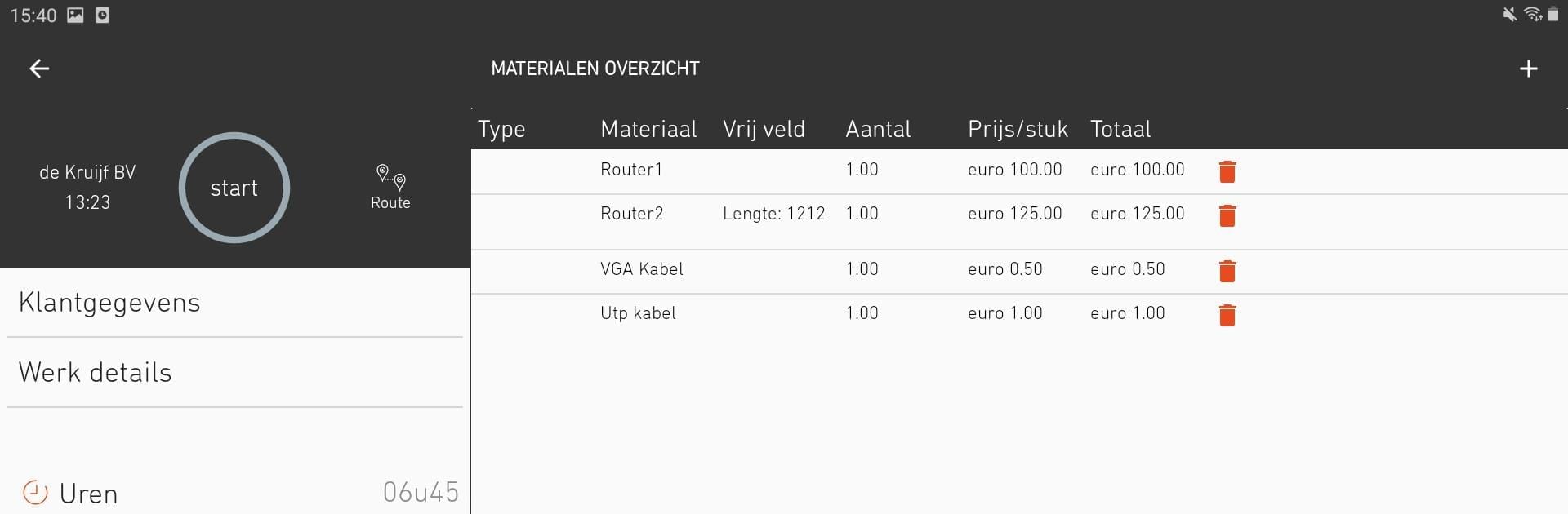
- Time and materials tracking: Start a timer with a tap, record hours, and add materials as you go. Everything rolls into the work order automatically.
- Photos, videos, and files: Attach before-and-after photos, videos, or documents so every job has clear evidence and context.
- Digital signatures + instant PDFs: Get the customer’s signature on the device and automatically send a polished PDF receipt by email.
- Custom forms: Use the standard work order or build your own forms for specific tasks and include them with any job.
- Automatic customer SMS: Want to keep clients in the loop? Set up automatic text messages when a job is scheduled.
- Office planning tools: Use the web planner to schedule the entire field team, see who’s working where with track & trace, and keep work moving smoothly.
- ERP/CRM integration: Connect OutSmart to your existing business tools so data stays consistent across systems.
- Offline friendly: Keep working even without internet; your articles, relations, and jobs sync back when you’re online.
- Handy controls: One-tap timekeeping and simple long-press actions make edits quick—no digging through menus.
- Branded documents: Add your company logo for professional, on-brand PDFs and forms.
- Works where you do: Use it on smartphones and tablets, or run OutSmart on your computer with BlueStacks if you prefer a bigger screen and keyboard.
Switch to BlueStacks and make the most of your apps on your PC or Mac.





