
Pocket RxTx Free
Pocket RxTx Free

Pocket RxTx Free

Productivity

| Dan Toma

Play on PC with BlueStacks or from our cloud

  • Overview
  • How to Download

Page Modified On: June 26, 2025

Run Pocket RxTx Free on PC or Mac

Multitask effortlessly on your PC or Mac as you try out Pocket RxTx Free, a Productivity app by Dan Toma on BlueStacks.

About the App

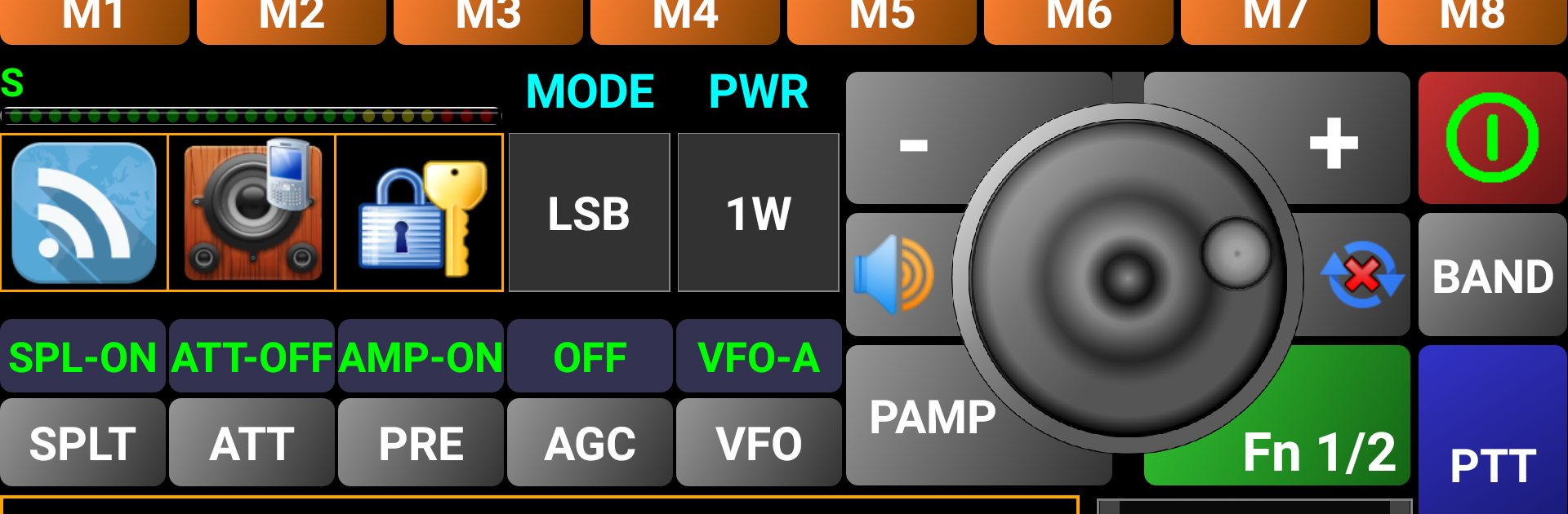
Pocket RxTx Free is a must-have tool for anyone who enjoys tinkering with radios or exploring ham radio on the go. Brought to you by Dan Toma, this Productivity app keeps things straightforward and practical, so you’re not fussing with complicated settings. Whether you’re logging your radio sessions or just want to stay connected with your rigs from wherever you are, you’ll find that Pocket RxTx Free makes keeping tabs on your equipment surprisingly simple.

App Features

  • Offline Functionality
    Want to use the app without an internet connection? No problem—Pocket RxTx Free still works when you’re off the grid. You might see the occasional ad pop up in those moments, but nothing too distracting.

  • User-Friendly Help Resources
    Stuck on something? Head to the HELP menu for a built-in guide that covers the ins and outs of the app, or explore more in-depth guides if you’re the curious type.

  • Easy Upgrade Path
    If you find yourself using Pocket RxTx Free regularly, there’s a hassle-free way to move up to the ad-free version for extra features and no interruptions. All the differences between the free and paid editions are clearly laid out in the user guide.

  • Active Community Support
    Got a question or ran into a small hiccup? Users can reach out, share tips, and solve issues together through a dedicated forum. It’s a good spot to trade advice or get quick answers from others who know their stuff.

  • Frequent Updates and User Input
    This app keeps evolving, and user feedback really shapes how it grows. If something doesn’t work quite right on your device, Dan Toma pays attention and looks to the community for improvements.

  • Smooth PC Experience
    If you prefer to use your ham radio tools on a bigger screen, Pocket RxTx Free plays nicely with BlueStacks, making it simple to run on your computer while enjoying all the same features.

BlueStacks brings your apps to life on a bigger screen—seamless and straightforward.

How to Download and Run Pocket RxTx Free on PC or Mac

  • Download and install BlueStacks on your PC or Mac

  • Complete Google sign-in to access the Play Store, or do it later

  • Look for Pocket RxTx Free in the search bar at the top right corner

  • Click to install Pocket RxTx Free from the search results

  • Complete Google sign-in (if you skipped step 2) to install Pocket RxTx Free

  • Click the Pocket RxTx Free icon on the home screen to start playing

video
Watch Video

Minimum System Requirements

With BlueStacks 5, you can get started on a PC that fulfills the following requirements.

  • Operating System

    Microsoft Windows 7 or above, macOS 11 (Big Sur) or above

  • Processor

    Intel, AMD or Apple Silicon Processor

  • RAM

    at least 4GB

  • HDD

    10GB Free Disk Space

Note:

* You must be an Administrator on your PC. Up to date graphics drivers from Microsoft or the chipset vendor.

Pocket RxTx Free - FAQs

  • How to Run Pocket RxTx Free on Windows PC & Mac?

    Run Pocket RxTx Free on your PC or Mac by following these simple steps.

    • Click on ‘Download Pocket RxTx Free on PC’ to download BlueStacks
    • Install it and log-in to Google Play Store
    • Launch and run the app.
  • Why is BlueStacks the fastest and safest platform to play games on PC?

    BlueStacks respects your privacy and is always safe and secure to use. It does not carry any malware, spyware, or any sort of additional software that could harm your PC.

    It is engineered to optimize speed and performance for a seamless gaming experience.

  • What are Pocket RxTx Free PC requirements?

    Minimum requirement to run Pocket RxTx Free on your PC

    • OS: Microsoft Windows 7 and above:
    • Processor: Intel or AMD Processor:
    • RAM: Your PC must have at least 2GB of RAM. (Note that having 2GB or more disk space is not a substitute for RAM):
    • HDD: 5GB Free Disk Space.
    • You must be an Administrator on your PC.




