
Presli – Attendance Manager

Presli – Attendance Manager

Productivity

| couchbits GmbH

Play on PC with BlueStacks or from our cloud

  • Overview
  • How to Download

Page Modified On: August 22, 2025

Run Presli – Attendance Manager on PC or Mac

What’s better than using Presli – Attendance Manager by couchbits GmbH? Well, try it on a big screen, on your PC or Mac, with BlueStacks to see the difference.

About the App

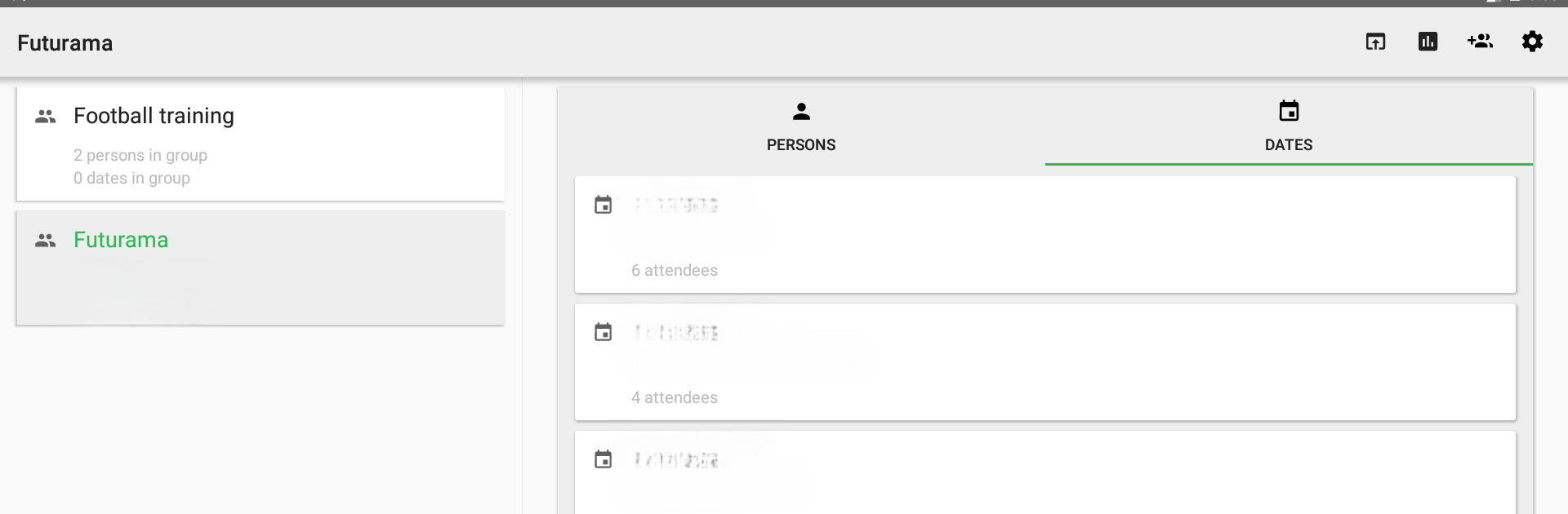
Juggling attendance for your class, team, or club meetings? Presli – Attendance Manager is here to help you ditch the chaos of paper sheets and endless spreadsheets. Built by couchbits GmbH, this handy productivity app keeps all your group lists and meeting records neatly organized right on your phone, tablet, or (if you use BlueStacks) your desktop too. So, whether you’re dealing with a small project team or a big sports club, managing who showed up has never been easier.

App Features

  • Simple Group Management
    Set up and edit your groups in just a few taps. You can handle everything from a book club to a whole department, with every member and every meeting tracked.

  • Flexible Attendance Tracking
    Mark each person as present, excused, or absent—no more guessing who missed a session or sorting through scribbled notes.

  • Real-Time Sync Across Devices
    Your data updates instantly wherever you use the app. Start on your phone, finish up on a web browser, or even on your desktop using BlueStacks. You’re always up to date.

  • Collaborative Group Handling
    Share your group with co-organizers. Planning with a friend? Give them access to manage members, add new events, or check attendance along with you.

  • Custom Notes
    Need to jot down something for a meeting or remind yourself why someone was absent? Add personal notes to people, sessions, or entire groups.

  • Easy Export Options
    Export your records as PDF or CSV files anytime you need more analysis—perfect for importing into your favorite spreadsheet app or creating custom charts.

  • Built-In Statistics
    Get an instant snapshot of your group’s attendance patterns right inside the app, no extra tools needed.

BlueStacks brings your apps to life on a bigger screen—seamless and straightforward.

How to Download and Run Presli – Attendance Manager on PC or Mac

  • Download and install BlueStacks on your PC or Mac

  • Complete Google sign-in to access the Play Store, or do it later

  • Look for Presli – Attendance Manager in the search bar at the top right corner

  • Click to install Presli – Attendance Manager from the search results

  • Complete Google sign-in (if you skipped step 2) to install Presli – Attendance Manager

  • Click the Presli – Attendance Manager icon on the home screen to start playing

video
Watch Video

Minimum System Requirements

With BlueStacks 5, you can get started on a PC that fulfills the following requirements.

  • Operating System

    Microsoft Windows 7 or above, macOS 11 (Big Sur) or above

  • Processor

    Intel, AMD or Apple Silicon Processor

  • RAM

    at least 4GB

  • HDD

    10GB Free Disk Space

Note:

* You must be an Administrator on your PC. Up to date graphics drivers from Microsoft or the chipset vendor.

Presli – Attendance Manager - FAQs

  • How to Run Presli – Attendance Manager on Windows PC & Mac?

    Run Presli – Attendance Manager on your PC or Mac by following these simple steps.

    • Click on ‘Download Presli – Attendance Manager on PC’ to download BlueStacks
    • Install it and log-in to Google Play Store
    • Launch and run the app.
  • Why is BlueStacks the fastest and safest platform to play games on PC?

    BlueStacks respects your privacy and is always safe and secure to use. It does not carry any malware, spyware, or any sort of additional software that could harm your PC.

    It is engineered to optimize speed and performance for a seamless gaming experience.

  • What are Presli – Attendance Manager PC requirements?

    Minimum requirement to run Presli – Attendance Manager on your PC

    • OS: Microsoft Windows 7 and above:
    • Processor: Intel or AMD Processor:
    • RAM: Your PC must have at least 2GB of RAM. (Note that having 2GB or more disk space is not a substitute for RAM):
    • HDD: 5GB Free Disk Space.
    • You must be an Administrator on your PC.



