
Viewpoint Field View™

Viewpoint Field View™

Productivity

| Trimble Inc.

Play on PC with BlueStacks or from our cloud

  • Overview
  • How to Download

Page Modified On: October 24, 2025

Run Viewpoint Field View™ on PC or Mac

Multitask effortlessly on your PC or Mac as you try out Viewpoint Field View™, a Productivity app by Trimble Inc. on BlueStacks.

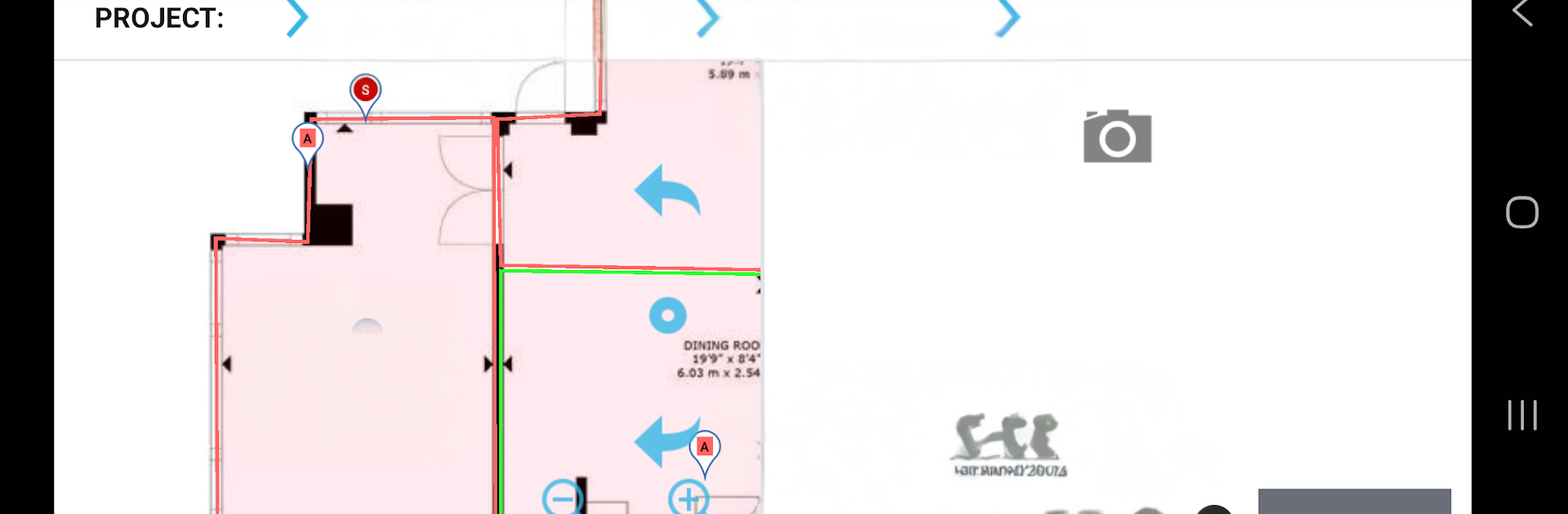
Viewpoint Field View feels like a no-nonsense site diary that lives on a phone or tablet and actually keeps up with the chaos of a jobsite. It lets someone log day-to-day stuff like punch lists, safety checks, inspections, defects, even commissioning, then tie it to locations and drawings so nothing floats around in a notebook. There are a bunch of ready templates to start from, and building custom forms is not a headache. No begging IT for tweaks, just add the fields needed and go. The app works offline, so a user can walk through basements, stair cores, or dead zones, capture photos and notes, and it syncs once there is signal again.

What stands out is how it keeps work moving. Tasks can be assigned, comments added, statuses changed, and the whole team sees what is blocking what. The project setup lets areas and floors be mapped so forms land in the right place, and drawings can be used to drop items where they belong. It is not flashy, but it is fast and practical, the kind of thing foremen and site managers actually use during a walk. On PC through BlueStacks, the bigger screen and a keyboard make long reports and markups less tiring, and flicking through drawings feels cleaner. There is a little learning curve on the menus, and naming things clearly matters, but once a project is laid out, it saves heaps of back and forth and reduces those loose ends that usually slip through.

Eager to take your app experience to the next level? Start right away by downloading BlueStacks on your PC or Mac.


How to Download and Run Viewpoint Field View™ on PC or Mac

  • Download and install BlueStacks on your PC or Mac

  • Complete Google sign-in to access the Play Store, or do it later

  • Look for Viewpoint Field View™ in the search bar at the top right corner

  • Click to install Viewpoint Field View™ from the search results

  • Complete Google sign-in (if you skipped step 2) to install Viewpoint Field View™

  • Click the Viewpoint Field View™ icon on the home screen to start playing

video
Watch Video

Minimum System Requirements

With BlueStacks 5, you can get started on a PC that fulfills the following requirements.

  • Operating System

    Microsoft Windows 7 or above, macOS 11 (Big Sur) or above

  • Processor

    Intel, AMD or Apple Silicon Processor

  • RAM

    at least 4GB

  • HDD

    10GB Free Disk Space

Note:

* You must be an Administrator on your PC. Up to date graphics drivers from Microsoft or the chipset vendor.

Viewpoint Field View™ - FAQs

  • How to Run Viewpoint Field View™ on Windows PC & Mac?

    Run Viewpoint Field View™ on your PC or Mac by following these simple steps.

    • Click on ‘Download Viewpoint Field View™ on PC’ to download BlueStacks
    • Install it and log-in to Google Play Store
    • Launch and run the app.
  • Why is BlueStacks the fastest and safest platform to play games on PC?

    BlueStacks respects your privacy and is always safe and secure to use. It does not carry any malware, spyware, or any sort of additional software that could harm your PC.

    It is engineered to optimize speed and performance for a seamless gaming experience.

  • What are Viewpoint Field View™ PC requirements?

    Minimum requirement to run Viewpoint Field View™ on your PC

    • OS: Microsoft Windows 7 and above:
    • Processor: Intel or AMD Processor:
    • RAM: Your PC must have at least 2GB of RAM. (Note that having 2GB or more disk space is not a substitute for RAM):
    • HDD: 5GB Free Disk Space.
    • You must be an Administrator on your PC.



