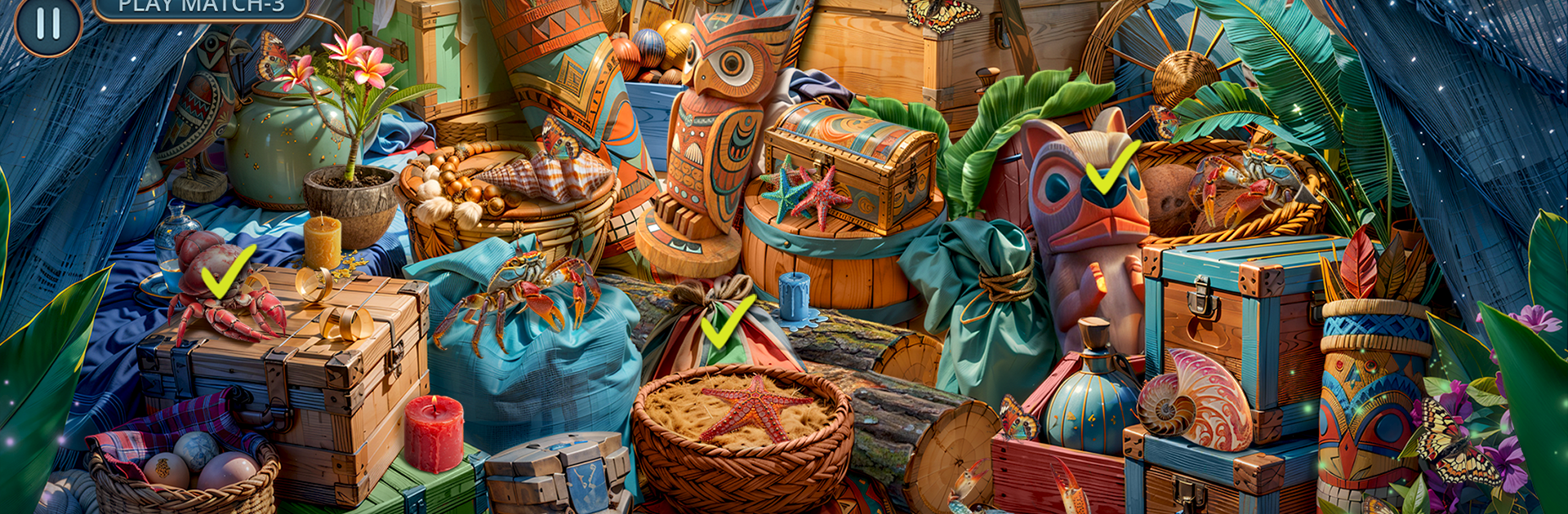
Adventure Seekers: Lost to Sea

Adventure Seekers: Lost to Sea

Puzzle

| Do Games Limited

Play on PC with BlueStacks or from our cloud

  • Overview
  • Game Features
  • How to Play

Page Modified On: January 09, 2026

Play Adventure Seekers: Lost to Sea on PC or Mac

Step into the World of Adventure Seekers: Lost to Sea, a thrilling Puzzle game from the house of Do Games Limited. Play this Android game on BlueStacks App Player and experience immersive gaming on PC or Mac.

Adventure Seekers: Lost to Sea is a story-first hidden object puzzle adventure with a shipwreck vibe and a memory mystery baked in. It follows Rafael, who wakes up on an island with no idea who he is, and Inara, the stranger who pulls him into a tribe that is warm but not fully trusting. The island looks calm at a glance, then keeps throwing secrets at him, from old ruins and wrecked ships to a pirate captain named Rodrigo who claims they used to fight side by side. It turns into a mix of proving worth to the Tekua people, patching nets, searching beaches and coves, and chasing clues that might patch up that broken past. When raiders show up and Inara is taken, the stakes suddenly feel personal and messy in a good way.

Moment to moment, it plays like classic hidden object scenes woven into short puzzles and find the difference bits, with small choices that seem to nudge how characters respond. Scenes are layered and colorful, the kind where you scan for a shell here, a compass there, then use what you found to unlock a new area or fix some tool. It is not twitchy, more relaxed and steady, with a few tense moments to keep attention. On PC with BlueStacks, the mouse helps a lot for spotting tiny objects and the bigger screen does the artwork a favor. If someone enjoys slow-burn mysteries, treasure hints, and puzzle solving that tells a tale instead of just checking boxes, this hits that lane nicely.

Get ready for a buttery smooth, high-performance gaming action only on BlueStacks.

Game Features

Enhancements

  • Macros
  • Multi Instance
  • Multi Instance Sync
  • Script
  • Enhancements
Macros

Macros

Automate the predictable in Adventure Seekers: Lost to Sea and transform your gameplay with Macros. Get access to inventive Macros in the BlueStacks Macro Community
Multi Instance

Multi Instance

Play Adventure Seekers: Lost to Sea on one window. And chat with your friend on the other. Press CTRL + Shift + 8 to open the Multi-Instance Manager. And start creating fresh instances or clone an existing one.
Multi Instance Sync

Multi Instance Sync

Play Adventure Seekers: Lost to Sea with the power of Multi-Instance Sync. Replicate what you are doing on the main instance on all other instances. Level up faster, play more.
Script

Script

Script your way to gaming glory in Adventure Seekers: Lost to Sea with BlueStacks Script. Write and run a set of commands to automate repeated tasks. Trigger the command by assigning it to any key.
Read More

How to Download and Play Adventure Seekers: Lost to Sea on PC or Mac

  • Download and install BlueStacks on your PC or Mac

  • Complete Google sign-in to access the Play Store, or do it later

  • Look for Adventure Seekers: Lost to Sea in the search bar at the top right corner

  • Click to install Adventure Seekers: Lost to Sea from the search results

  • Complete Google sign-in (if you skipped step 2) to install Adventure Seekers: Lost to Sea

  • Click the Adventure Seekers: Lost to Sea icon on the home screen to start playing

video
Watch Video

Minimum System Requirements

With BlueStacks 5, you can get started on a PC that fulfills the following requirements.

  • Operating System

    Microsoft Windows 7 or above, macOS 11 (Big Sur) or above

  • Processor

    Intel, AMD or Apple Silicon Processor

  • RAM

    at least 4GB

  • HDD

    10GB Free Disk Space

Note:

* You must be an Administrator on your PC. Up to date graphics drivers from Microsoft or the chipset vendor.

Adventure Seekers: Lost to Sea - FAQs

  • How to play Adventure Seekers: Lost to Sea on Windows PC & Mac?

    Play Adventure Seekers: Lost to Sea on your PC or Mac by following these simple steps.

    • Click on 'Play Adventure Seekers: Lost to Sea on PC’ to download BlueStacks
    • Install it and log-in to Google Play Store
    • Launch and play the game.
  • Why is BlueStacks the fastest and safest platform to play games on PC?

    BlueStacks respects your privacy and is always safe and secure to use. It does not carry any malware, spyware, or any sort of additional software that could harm your PC.

    It is engineered to optimize speed and performance for a seamless gaming experience.

  • What are Adventure Seekers: Lost to Sea PC requirements?

    Minimum requirement to run Adventure Seekers: Lost to Sea on your PC

    • OS: Microsoft Windows 7 or above MacOS 11 (Big Sur) or above
    • Processor: Intel, AMD or Apple Silicon Processor
    • RAM: Your PC must have at least 4GB of RAM. (Note that having 4GB or more disk space is not a substitute for RAM)
    • HDD: 10GB Free Disk Space.
    • You must be an Administrator on your PC.