Chivalry Quest: Sword & Flame

Chivalry Quest: Sword & Flame

Puzzle

| Do Games Limited

Play on PC with BlueStacks or from our cloud

  • Overview
  • Game Features
  • How to Play

Page Modified On: December 22, 2025

Play Chivalry Quest: Sword & Flame on PC or Mac

Explore a whole new adventure with Chivalry Quest: Sword & Flame, a Puzzle game created by Do Games Limited. Experience great gameplay with BlueStacks, the most popular gaming platform to play Android games on your PC or Mac.

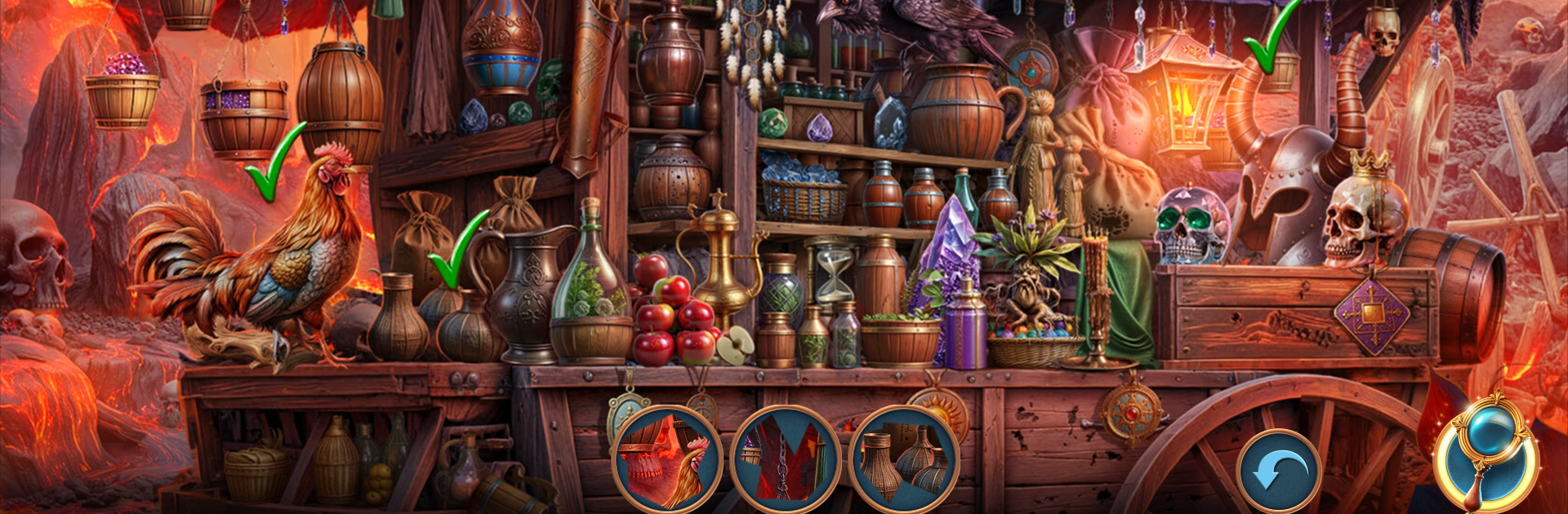
Chivalry Quest: Sword & Flame plays like a fantasy hidden object adventure with a clear story holding it together. The player steps in as the last heir of a broken knightly brotherhood, pulled from a torched village by a stranger who knows more than they should. That sparks a trek through war marked fields, smoky horizons, and hot glowing tunnels, with rumors about stolen power, old dragon bonds, and a choice that might mend the world or break it completely. Scenes are packed with tiny details, so the core loop is spotting cleverly hidden items, then unlocking small logic puzzles that keep the plot moving. There is an armored foe that keeps showing up and a grim stronghold waiting near the end, so it feels closer to a point and click tale that uses search screens as the main engine, rather than a pure list hunt.

On PC with BlueStacks, the mouse makes picky clicks easier and the bigger display helps when an object melts into the background art. The pacing stays calm, puzzles slide in between searches, and the game avoids turning into a chore. The look is classic high fantasy, lots of old stone, gleaming steel, little sparks of magic, with music that keeps a steady mood. Anyone who enjoys finding stuff, light brain teasers, and a knights and dragons storyline will get what this is doing right away.

Start your journey now. Download the game on BlueStacks, invite your friends, and march on a new adventure.


Game Features

Enhancements

  • Macros
  • Multi Instance
  • Multi Instance Sync
  • Script
  • Enhancements
Macros

Macros

Automate the predictable in Chivalry Quest: Sword & Flame and transform your gameplay with Macros. Get access to inventive Macros in the BlueStacks Macro Community
Multi Instance

Multi Instance

Play Chivalry Quest: Sword & Flame on one window. And chat with your friend on the other. Press CTRL + Shift + 8 to open the Multi-Instance Manager. And start creating fresh instances or clone an existing one.
Multi Instance Sync

Multi Instance Sync

Play Chivalry Quest: Sword & Flame with the power of Multi-Instance Sync. Replicate what you are doing on the main instance on all other instances. Level up faster, play more.
Script

Script

Script your way to gaming glory in Chivalry Quest: Sword & Flame with BlueStacks Script. Write and run a set of commands to automate repeated tasks. Trigger the command by assigning it to any key.
Read More

How to Download and Play Chivalry Quest: Sword & Flame on PC or Mac

  • Download and install BlueStacks on your PC or Mac

  • Complete Google sign-in to access the Play Store, or do it later

  • Look for Chivalry Quest: Sword & Flame in the search bar at the top right corner

  • Click to install Chivalry Quest: Sword & Flame from the search results

  • Complete Google sign-in (if you skipped step 2) to install Chivalry Quest: Sword & Flame

  • Click the Chivalry Quest: Sword & Flame icon on the home screen to start playing

video
Watch Video

Minimum System Requirements

With BlueStacks 5, you can get started on a PC that fulfills the following requirements.

  • Operating System

    Microsoft Windows 7 or above, macOS 11 (Big Sur) or above

  • Processor

    Intel, AMD or Apple Silicon Processor

  • RAM

    at least 4GB

  • HDD

    10GB Free Disk Space

Note:

* You must be an Administrator on your PC. Up to date graphics drivers from Microsoft or the chipset vendor.

Chivalry Quest: Sword & Flame - FAQs

  • How to play Chivalry Quest: Sword & Flame on Windows PC & Mac?

    Play Chivalry Quest: Sword & Flame on your PC or Mac by following these simple steps.

    • Click on 'Play Chivalry Quest: Sword & Flame on PC’ to download BlueStacks
    • Install it and log-in to Google Play Store
    • Launch and play the game.
  • Why is BlueStacks the fastest and safest platform to play games on PC?

    BlueStacks respects your privacy and is always safe and secure to use. It does not carry any malware, spyware, or any sort of additional software that could harm your PC.

    It is engineered to optimize speed and performance for a seamless gaming experience.

  • What are Chivalry Quest: Sword & Flame PC requirements?

    Minimum requirement to run Chivalry Quest: Sword & Flame on your PC

    • OS: Microsoft Windows 7 or above MacOS 11 (Big Sur) or above
    • Processor: Intel, AMD or Apple Silicon Processor
    • RAM: Your PC must have at least 4GB of RAM. (Note that having 4GB or more disk space is not a substitute for RAM)
    • HDD: 10GB Free Disk Space.
    • You must be an Administrator on your PC.