Bubble Fruit: Pet Bubble Shooter Games

Bubble Fruit: Pet Bubble Shooter Games

Puzzle

| Neon Game

Play on PC with BlueStacks or from our cloud

  • Overview
  • Game Features
  • How to Play

Page Modified On: July 27, 2026

Play Bubble Fruit: Pet Bubble Shooter Games on PC or Mac

Bubble Fruit: Pet Bubble Shooter Games brings the Puzzle genre to life, and throws up exciting challenges for gamers. Developed by Neon Game, this Android game is best experienced on BlueStacks, the World’s #1 app player for PC and Mac users.

About the Game

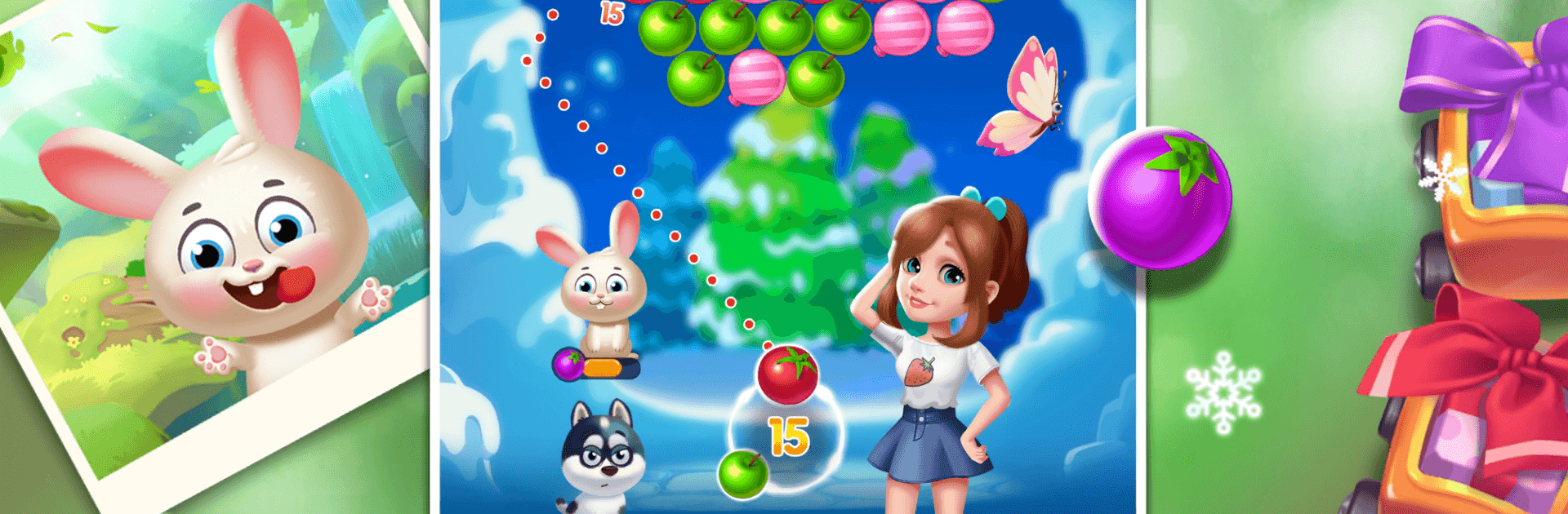
Bubble Fruit: Pet Bubble Shooter Games is a cheerful Puzzle adventure where matching colors sets off juicy pops and frees adorable critters. You’ll line up shots, burst clusters of fruit, and outwit a pesky fox while a brave bubble-shooting girl leads the rescue. It’s easy to learn, relaxing when you want it to be, and sneaky-smart when you’re chasing that perfect board.

Game Features

  • Big level count: Work through more than 2,000 stages packed with fresh layouts, clever angles, and plenty of satisfying pops.
  • Helpful pet pals: Rescue cute companions and put their unique skills to work, adding a fun twist to how you plan each shot.
  • Five game modes: Jump between Classic clearing, save delicate butterflies, rescue a final bird, and other variations that keep every session feeling new.
  • Simple, smooth controls: Press, drag to aim, and release to match colors—smart planning makes those chain reactions extra sweet.
  • Power-ups that matter: Bubble bombs and other handy boosts help crack stubborn boards and push past tough spots.
  • Light story beats: Free trapped pets and foil a scheming fox across colorful maps as you progress.
  • Relaxing yet rewarding: Bright visuals, crisp sound effects, and steady pacing make it great for short breaks or longer chill-out runs.
  • Play your way: Enjoy it on mobile, or use BlueStacks on PC if you prefer mouse precision and comfy long sessions.

Start your journey now. Download the game on BlueStacks, invite your friends, and march on a new adventure.


Game Features

Enhancements

  • Macros
  • Multi Instance
  • Multi Instance Sync
  • Script
  • Enhancements
Macros

Macros

Automate the predictable in Bubble Fruit: Pet Bubble Shooter Games and transform your gameplay with Macros. Get access to inventive Macros in the BlueStacks Macro Community
Multi Instance

Multi Instance

Play Bubble Fruit: Pet Bubble Shooter Games on one window. And chat with your friend on the other. Press CTRL + Shift + 8 to open the Multi-Instance Manager. And start creating fresh instances or clone an existing one.
Multi Instance Sync

Multi Instance Sync

Play Bubble Fruit: Pet Bubble Shooter Games with the power of Multi-Instance Sync. Replicate what you are doing on the main instance on all other instances. Level up faster, play more.
Script

Script

Script your way to gaming glory in Bubble Fruit: Pet Bubble Shooter Games with BlueStacks Script. Write and run a set of commands to automate repeated tasks. Trigger the command by assigning it to any key.
Read More

How to Download and Play Bubble Fruit: Pet Bubble Shooter Games on PC or Mac

  • Download and install BlueStacks on your PC or Mac

  • Complete Google sign-in to access the Play Store, or do it later

  • Look for Bubble Fruit: Pet Bubble Shooter Games in the search bar at the top right corner

  • Click to install Bubble Fruit: Pet Bubble Shooter Games from the search results

  • Complete Google sign-in (if you skipped step 2) to install Bubble Fruit: Pet Bubble Shooter Games

  • Click the Bubble Fruit: Pet Bubble Shooter Games icon on the home screen to start playing

video
Watch Video

Minimum System Requirements

With BlueStacks 5, you can get started on a PC that fulfills the following requirements.

  • Operating System

    Microsoft Windows 7 or above, macOS 11 (Big Sur) or above

  • Processor

    Intel, AMD or Apple Silicon Processor

  • RAM

    at least 4GB

  • HDD

    10GB Free Disk Space

Note:

* You must be an Administrator on your PC. Up to date graphics drivers from Microsoft or the chipset vendor.

Bubble Fruit: Pet Bubble Shooter Games - FAQs

  • How to play Bubble Fruit: Pet Bubble Shooter Games on Windows PC & Mac?

    Play Bubble Fruit: Pet Bubble Shooter Games on your PC or Mac by following these simple steps.

    • Click on 'Play Bubble Fruit: Pet Bubble Shooter Games on PC’ to download BlueStacks
    • Install it and log-in to Google Play Store
    • Launch and play the game.
  • Why is BlueStacks the fastest and safest platform to play games on PC?

    BlueStacks respects your privacy and is always safe and secure to use. It does not carry any malware, spyware, or any sort of additional software that could harm your PC.

    It is engineered to optimize speed and performance for a seamless gaming experience.

  • What are Bubble Fruit: Pet Bubble Shooter Games PC requirements?

    Minimum requirement to run Bubble Fruit: Pet Bubble Shooter Games on your PC

    • OS: Microsoft Windows 7 or above MacOS 11 (Big Sur) or above
    • Processor: Intel, AMD or Apple Silicon Processor
    • RAM: Your PC must have at least 4GB of RAM. (Note that having 4GB or more disk space is not a substitute for RAM)
    • HDD: 10GB Free Disk Space.
    • You must be an Administrator on your PC.