Dark Color
Dark Color

Dark Color

Puzzle

| BlackWhale Games

Play on PC with BlueStacks or from our cloud

  • Overview
  • Game Features
  • How to Play

Page Modified On: August 31, 2026

Play Dark Color on PC or Mac

Dark Color brings the Puzzle genre to life, and throws up exciting challenges for gamers. Developed by BlackWhale Games, this Android game is best experienced on BlueStacks, the World’s #1 app player for PC and Mac users.

About the Game

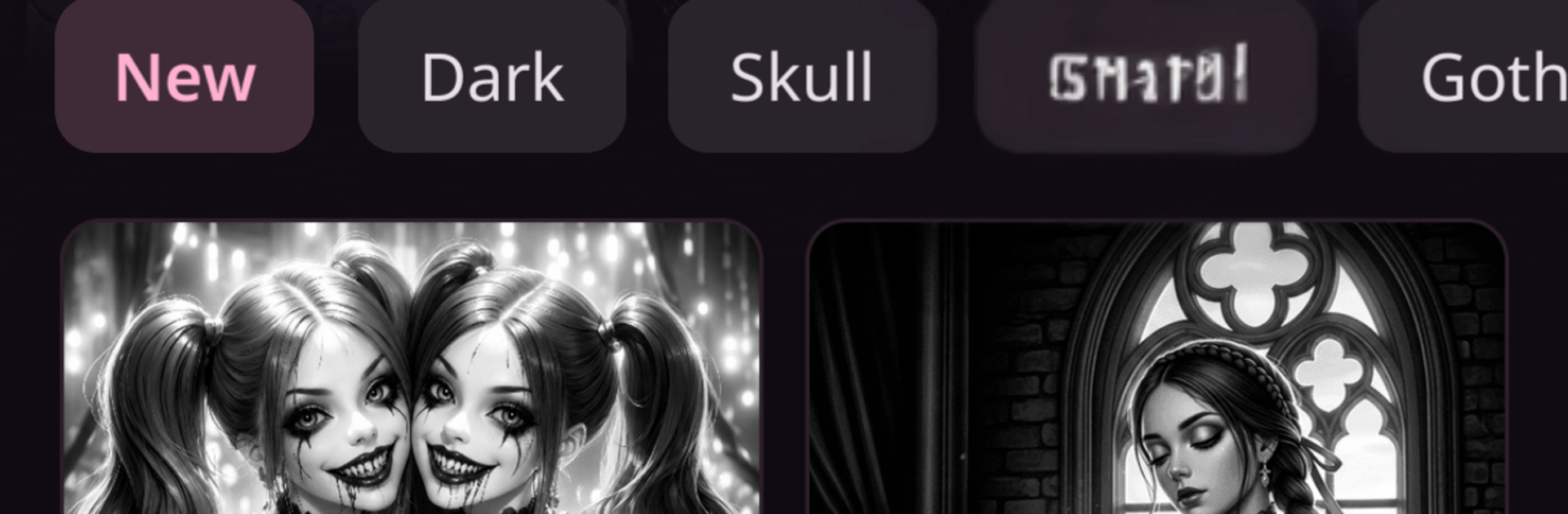
Some nights you want quiet. Dark Color is a Puzzle coloring-by-number experience made for those in-between hours, trading noise for moody, elegant art and a calm pace. Tap through dusky palettes to wake up scenes that feel half-remembered—think moonlit birds, thorn-touched blooms, crumbling halls—and let your mind settle as the picture slowly comes together.

Game Features

  • Color-by-number, but slower: Fill sections at your own pace and watch rich, shadowy hues pull the scene into focus.
  • Moody art that lingers: Ravens in silver light, roses with an edge, silent corridors, and forests that feel like a dream you almost remember.
  • Details that unfold as you paint: Each tap reveals new layers and tiny accents that shift the mood and hint at a story.
  • Controls that stay out of the way: Smooth zooming and precise taps keep the process effortless from the first shade to the last.
  • Built for quiet focus: Settle into a steady rhythm that helps you relax when your brain wants something gentle to do.
  • Start, stop, and return later: Save your progress and pick up a piece whenever you’ve got a few calm minutes.
  • A gallery you’ll want to revisit: Keep completed works and browse favorites whenever you crave that soft, late-night hush again.
  • Easy to enjoy on PC with BlueStacks: Prefer a calm desk setup? BlueStacks lets you play there too without changing the feel.

BlueStacks gives you more room to focus on the game and less time adjusting around mobile limitations.


Game Features

Enhancements

  • Macros
  • Multi Instance
  • Multi Instance Sync
  • Script
  • Enhancements
Macros

Macros

Automate the predictable in Dark Color and transform your gameplay with Macros. Get access to inventive Macros in the BlueStacks Macro Community
Multi Instance

Multi Instance

Play Dark Color on one window. And chat with your friend on the other. Press CTRL + Shift + 8 to open the Multi-Instance Manager. And start creating fresh instances or clone an existing one.
Multi Instance Sync

Multi Instance Sync

Play Dark Color with the power of Multi-Instance Sync. Replicate what you are doing on the main instance on all other instances. Level up faster, play more.
Script

Script

Script your way to gaming glory in Dark Color with BlueStacks Script. Write and run a set of commands to automate repeated tasks. Trigger the command by assigning it to any key.
Read More

How to Download and Play Dark Color on PC or Mac

  • Download and install BlueStacks on your PC or Mac

  • Complete Google sign-in to access the Play Store, or do it later

  • Look for Dark Color in the search bar at the top right corner

  • Click to install Dark Color from the search results

  • Complete Google sign-in (if you skipped step 2) to install Dark Color

  • Click the Dark Color icon on the home screen to start playing

video
Watch Video

Minimum System Requirements

With BlueStacks 5, you can get started on a PC that fulfills the following requirements.

  • Operating System

    Microsoft Windows 7 or above, macOS 11 (Big Sur) or above

  • Processor

    Intel, AMD or Apple Silicon Processor

  • RAM

    at least 4GB

  • HDD

    10GB Free Disk Space

Note:

* You must be an Administrator on your PC. Up to date graphics drivers from Microsoft or the chipset vendor.

Dark Color - FAQs

  • How to play Dark Color on Windows PC & Mac?

    Play Dark Color on your PC or Mac by following these simple steps.

    • Click on 'Play Dark Color on PC’ to download BlueStacks
    • Install it and log-in to Google Play Store
    • Launch and play the game.
  • Why is BlueStacks the fastest and safest platform to play games on PC?

    BlueStacks respects your privacy and is always safe and secure to use. It does not carry any malware, spyware, or any sort of additional software that could harm your PC.

    It is engineered to optimize speed and performance for a seamless gaming experience.

  • What are Dark Color PC requirements?

    Minimum requirement to run Dark Color on your PC

    • OS: Microsoft Windows 7 or above MacOS 11 (Big Sur) or above
    • Processor: Intel, AMD or Apple Silicon Processor
    • RAM: Your PC must have at least 4GB of RAM. (Note that having 4GB or more disk space is not a substitute for RAM)
    • HDD: 10GB Free Disk Space.
    • You must be an Administrator on your PC.