Gloomy Tales 1: Extra

Gloomy Tales 1: Extra

Puzzle

| Do Games Limited

Play on PC with BlueStacks or from our cloud

  • Overview
  • Game Features
  • How to Play

Page Modified On: January 02, 2026

Play Gloomy Tales 1: Extra on PC or Mac

Gloomy Tales 1: Extra brings the Puzzle genre to life, and throws up exciting challenges for gamers. Developed by Do Games Limited, this Android game is best experienced on BlueStacks, the World’s #1 app player for PC and Mac users.

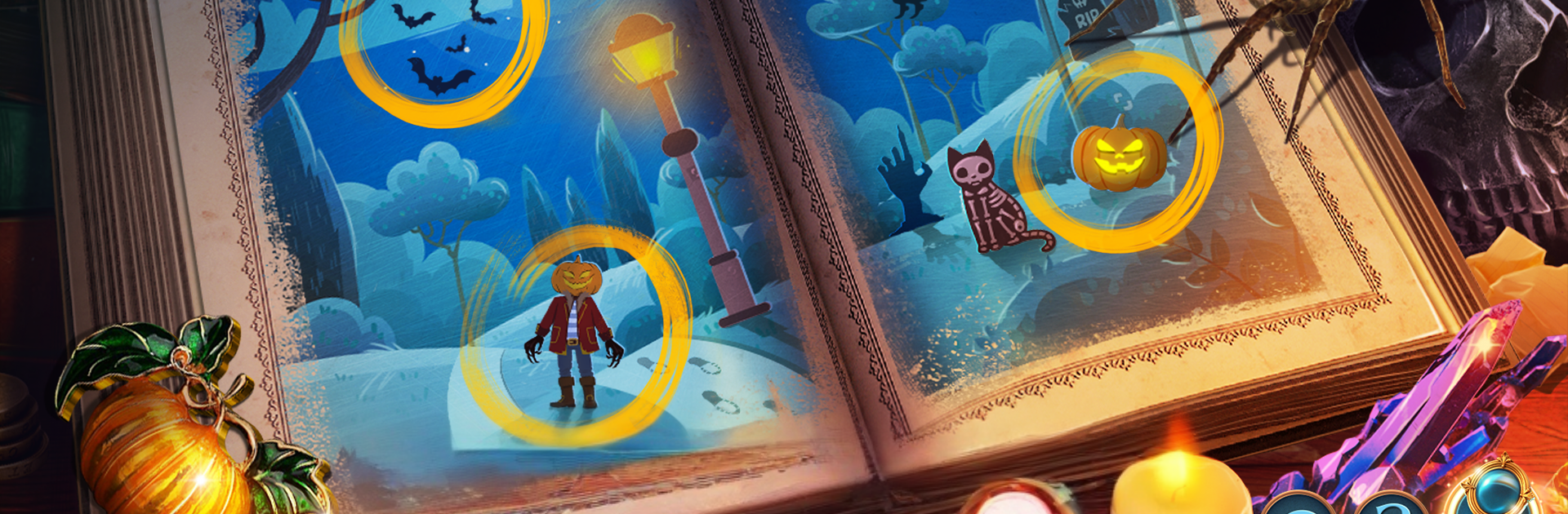
Gloomy Tales 1: Extra plays like a Halloween ghost story wrapped in a hidden object adventure. The hook is great. A small town party, a broken doll costume that truly is cursed, and a slick villain running a costume shop while trying to wake the Spirit of Halloween and turn everyone into puppets. The tone leans spooky without being gruesome, with lots of lantern light, puppet strings, and that cool orange-and-violet look. Gameplay is the usual hidden object mix, but polished. Search busy scenes for tiny items, piece together tools, and plug through mini puzzles that flip between relaxed and surprisingly clever. Expect symbol locks, pattern dials, and those set-this-here-then-that-there chains that feel cozy to work through.

It has side goals too. There are Halloween collectibles and achievements tucked around scenes, so there is a reason to poke every corner. The story moves fast and does not waste time, and the cast includes a dressmaker caught up in the mess who gives the plot a bit of heart. Navigation is simple and there is enough guidance that it rarely feels unfair. On PC with BlueStacks, the bigger screen helps a lot with item spotting, and clicking through scenes with a mouse feels natural for this genre. It is a compact chapter, good for a night in, with moody music, theatrical locations, and just enough twists to keep opening one more door even when the town clearly wants everyone to go home.

Start your journey now. Download the game on BlueStacks, invite your friends, and march on a new adventure.


Game Features

Enhancements

  • Macros
  • Multi Instance
  • Multi Instance Sync
  • Script
  • Enhancements
Macros

Macros

Automate the predictable in Gloomy Tales 1: Extra and transform your gameplay with Macros. Get access to inventive Macros in the BlueStacks Macro Community
Multi Instance

Multi Instance

Play Gloomy Tales 1: Extra on one window. And chat with your friend on the other. Press CTRL + Shift + 8 to open the Multi-Instance Manager. And start creating fresh instances or clone an existing one.
Multi Instance Sync

Multi Instance Sync

Play Gloomy Tales 1: Extra with the power of Multi-Instance Sync. Replicate what you are doing on the main instance on all other instances. Level up faster, play more.
Script

Script

Script your way to gaming glory in Gloomy Tales 1: Extra with BlueStacks Script. Write and run a set of commands to automate repeated tasks. Trigger the command by assigning it to any key.
Read More

How to Download and Play Gloomy Tales 1: Extra on PC or Mac

  • Download and install BlueStacks on your PC or Mac

  • Complete Google sign-in to access the Play Store, or do it later

  • Look for Gloomy Tales 1: Extra in the search bar at the top right corner

  • Click to install Gloomy Tales 1: Extra from the search results

  • Complete Google sign-in (if you skipped step 2) to install Gloomy Tales 1: Extra

  • Click the Gloomy Tales 1: Extra icon on the home screen to start playing

video
Watch Video

Minimum System Requirements

With BlueStacks 5, you can get started on a PC that fulfills the following requirements.

  • Operating System

    Microsoft Windows 7 or above, macOS 11 (Big Sur) or above

  • Processor

    Intel, AMD or Apple Silicon Processor

  • RAM

    at least 4GB

  • HDD

    10GB Free Disk Space

Note:

* You must be an Administrator on your PC. Up to date graphics drivers from Microsoft or the chipset vendor.

Gloomy Tales 1: Extra - FAQs

  • How to play Gloomy Tales 1: Extra on Windows PC & Mac?

    Play Gloomy Tales 1: Extra on your PC or Mac by following these simple steps.

    • Click on 'Play Gloomy Tales 1: Extra on PC’ to download BlueStacks
    • Install it and log-in to Google Play Store
    • Launch and play the game.
  • Why is BlueStacks the fastest and safest platform to play games on PC?

    BlueStacks respects your privacy and is always safe and secure to use. It does not carry any malware, spyware, or any sort of additional software that could harm your PC.

    It is engineered to optimize speed and performance for a seamless gaming experience.

  • What are Gloomy Tales 1: Extra PC requirements?

    Minimum requirement to run Gloomy Tales 1: Extra on your PC

    • OS: Microsoft Windows 7 or above MacOS 11 (Big Sur) or above
    • Processor: Intel, AMD or Apple Silicon Processor
    • RAM: Your PC must have at least 4GB of RAM. (Note that having 4GB or more disk space is not a substitute for RAM)
    • HDD: 10GB Free Disk Space.
    • You must be an Administrator on your PC.