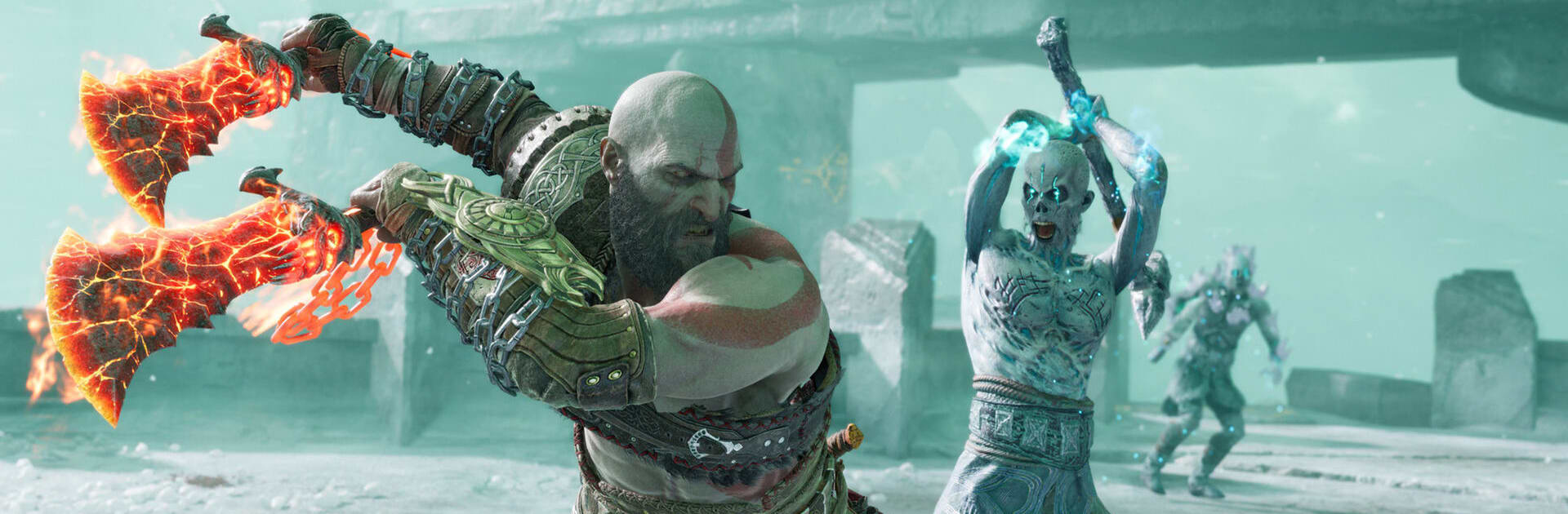
God of War Ragnarök
God of War Ragnarök

God of War Ragnarök

Puzzle

| UG GRAIN

Play on PC with BlueStacks or from our cloud

  • Overview
  • Game Features
  • How to Play

Page Modified On: July 07, 2026

Play God of War Ragnarök on PC or Mac

Play God of War Ragnarök by UG GRAIN on PC or Mac with BlueStacks. Use a bigger screen, mouse and keyboard controls, and smoother performance while you play.

About the Game

God of War Ragnarök turns myth and mystery into hands-on problem solving. Instead of button-mashing, you’re reading the world—lining up runes, nudging ancient machines to life, and unlocking clever pathways across windswept realms. It lands squarely in the Genre: Puzzle space, but with adventurous energy and a sense of discovery that keeps each area feeling fresh. Prefer a larger view and comfy controls? It also plays nicely on BlueStacks.

Game Features

  • Mythic Realms to Roam: Trek through frozen valleys, misty forests, and crumbling sanctuaries, each packed with visual clues and tucked-away routes if you’re paying attention.
  • Smart, Layered Puzzles: Rotate pillars, chain switches, redirect light, and time your moves—most challenges build on what you’ve learned without repeating the same trick twice.
  • Tactical Encounters: When creatures show up, it’s less about brute force and more about patterns, positioning, and using the environment to your advantage.
  • Tools and Abilities That Grow: Upgrade gear and unlock abilities that reframe earlier obstacles—suddenly that “impossible” gate or broken bridge makes perfect sense.
  • Secrets Worth the Detour: Find lore fragments, hidden chests, and optional shrines that reward curiosity with useful upgrades and cool world-building details.
  • Quests with a Twist: Short, focused challenges mix in time limits, restricted tools, or unusual rules to keep your brain on its toes.
  • Story Woven into the World: Environmental hints and dramatic set pieces sketch a land tipping toward fate, giving weight to even small victories.
  • Smooth Controls Anywhere: Clear touch controls feel natural on mobile; if you like a bigger screen and precision, BlueStacks is a convenient way to play.

BlueStacks gives you more room to focus on the game and less time adjusting around mobile limitations.


Game Features

Enhancements

  • Macros
  • Multi Instance
  • Multi Instance Sync
  • Script
  • Enhancements
Macros

Macros

Automate the predictable in God of War Ragnarök and transform your gameplay with Macros. Get access to inventive Macros in the BlueStacks Macro Community
Multi Instance

Multi Instance

Play God of War Ragnarök on one window. And chat with your friend on the other. Press CTRL + Shift + 8 to open the Multi-Instance Manager. And start creating fresh instances or clone an existing one.
Multi Instance Sync

Multi Instance Sync

Play God of War Ragnarök with the power of Multi-Instance Sync. Replicate what you are doing on the main instance on all other instances. Level up faster, play more.
Script

Script

Script your way to gaming glory in God of War Ragnarök with BlueStacks Script. Write and run a set of commands to automate repeated tasks. Trigger the command by assigning it to any key.
Read More

How to Download and Play God of War Ragnarök on PC or Mac

  • Download and install BlueStacks on your PC or Mac

  • Complete Google sign-in to access the Play Store, or do it later

  • Look for God of War Ragnarök in the search bar at the top right corner

  • Click to install God of War Ragnarök from the search results

  • Complete Google sign-in (if you skipped step 2) to install God of War Ragnarök

  • Click the God of War Ragnarök icon on the home screen to start playing

video
Watch Video

Minimum System Requirements

With BlueStacks 5, you can get started on a PC that fulfills the following requirements.

  • Operating System

    Microsoft Windows 7 or above, macOS 11 (Big Sur) or above

  • Processor

    Intel, AMD or Apple Silicon Processor

  • RAM

    at least 4GB

  • HDD

    10GB Free Disk Space

Note:

* You must be an Administrator on your PC. Up to date graphics drivers from Microsoft or the chipset vendor.

God of War Ragnarök - FAQs

  • How to play God of War Ragnarök on Windows PC & Mac?

    Play God of War Ragnarök on your PC or Mac by following these simple steps.

    • Click on 'Play God of War Ragnarök on PC’ to download BlueStacks
    • Install it and log-in to Google Play Store
    • Launch and play the game.
  • Why is BlueStacks the fastest and safest platform to play games on PC?

    BlueStacks respects your privacy and is always safe and secure to use. It does not carry any malware, spyware, or any sort of additional software that could harm your PC.

    It is engineered to optimize speed and performance for a seamless gaming experience.

  • What are God of War Ragnarök PC requirements?

    Minimum requirement to run God of War Ragnarök on your PC

    • OS: Microsoft Windows 7 or above MacOS 11 (Big Sur) or above
    • Processor: Intel, AMD or Apple Silicon Processor
    • RAM: Your PC must have at least 4GB of RAM. (Note that having 4GB or more disk space is not a substitute for RAM)
    • HDD: 10GB Free Disk Space.
    • You must be an Administrator on your PC.