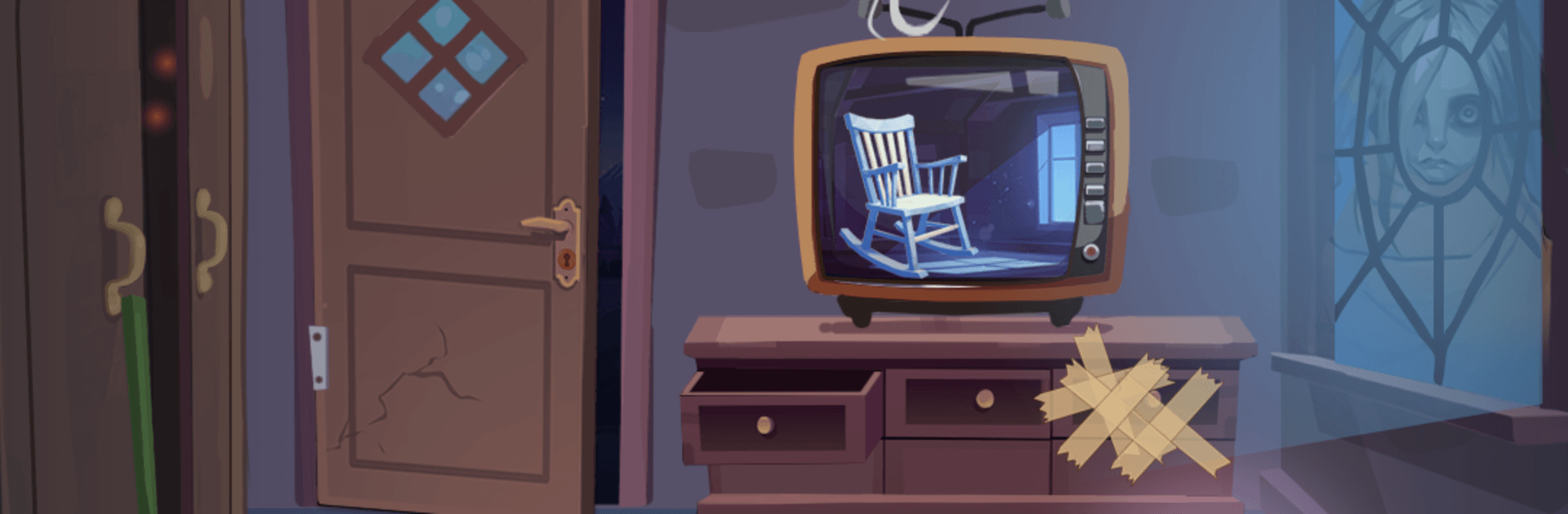
Haunted Story: Horror Puzzle

Haunted Story: Horror Puzzle

Puzzle

| MegaJoy Studio Global

Play on PC with BlueStacks or from our cloud

  • Overview
  • Game Features
  • How to Play

Page Modified On: July 06, 2026

Play Haunted Story: Horror Puzzle on PC or Mac

Play Haunted Story: Horror Puzzle by MegaJoy Studio Global on PC or Mac with BlueStacks. Use a bigger screen, mouse and keyboard controls, and smoother performance while you play.

About the Game

Haunted Story: Horror Puzzle is a Puzzle game that blends spooky storytelling with head-scratching brainteasers. Each level is its own little haunting, where common sense won’t always help and misdirection is part of the fun. It’s eerie, smart, and just tricky enough to make you second-guess every move.

Game Features

  • Twisted logic: Puzzles lean on oddball reasoning, so the “obvious” choice is often a trap. Look closer, try something weird, and expect a few gotchas along the way.
  • Short haunted tales: Every stage is a mini-story with its own mystery. Solving a puzzle peels back another layer of what’s really going on.
  • Eerie atmosphere: Dim rooms, unsettling props, and quiet little details sell the chills without shouting. It’s creepy in that slow-burn, something’s-off kind of way.
  • Simple to touch, tough to solve: Tap, hold, drag—easy enough. The challenge comes from mechanics that twist in unexpected directions once you think you’ve got them pinned down.
  • Surprising solutions: Answers often break routine patterns. Try reversing steps, interacting out of order, or poking at things you’d normally ignore.
  • Quick stages, long sessions: Levels are bite-sized, but the “just one more” pull is real. Minutes blur into hours before you even notice.
  • Built for puzzle fans: Great if you love riddles that mess with your assumptions and puzzles that reward curiosity over brute force.
  • Play your way: Works great on mobile, and it’s also comfortable on a bigger screen with BlueStacks if you prefer clicking around on PC.

Ready to top the leaderboard? We bet you do. Let precise controls and sharp visuals optimized on BlueStacks lead you to victory.


Game Features

Enhancements

  • Macros
  • Multi Instance
  • Multi Instance Sync
  • Script
  • Enhancements
Macros

Macros

Automate the predictable in Haunted Story: Horror Puzzle and transform your gameplay with Macros. Get access to inventive Macros in the BlueStacks Macro Community
Multi Instance

Multi Instance

Play Haunted Story: Horror Puzzle on one window. And chat with your friend on the other. Press CTRL + Shift + 8 to open the Multi-Instance Manager. And start creating fresh instances or clone an existing one.
Multi Instance Sync

Multi Instance Sync

Play Haunted Story: Horror Puzzle with the power of Multi-Instance Sync. Replicate what you are doing on the main instance on all other instances. Level up faster, play more.
Script

Script

Script your way to gaming glory in Haunted Story: Horror Puzzle with BlueStacks Script. Write and run a set of commands to automate repeated tasks. Trigger the command by assigning it to any key.
Read More

How to Download and Play Haunted Story: Horror Puzzle on PC or Mac

  • Download and install BlueStacks on your PC or Mac

  • Complete Google sign-in to access the Play Store, or do it later

  • Look for Haunted Story: Horror Puzzle in the search bar at the top right corner

  • Click to install Haunted Story: Horror Puzzle from the search results

  • Complete Google sign-in (if you skipped step 2) to install Haunted Story: Horror Puzzle

  • Click the Haunted Story: Horror Puzzle icon on the home screen to start playing

video
Watch Video

Minimum System Requirements

With BlueStacks 5, you can get started on a PC that fulfills the following requirements.

  • Operating System

    Microsoft Windows 7 or above, macOS 11 (Big Sur) or above

  • Processor

    Intel, AMD or Apple Silicon Processor

  • RAM

    at least 4GB

  • HDD

    10GB Free Disk Space

Note:

* You must be an Administrator on your PC. Up to date graphics drivers from Microsoft or the chipset vendor.

Haunted Story: Horror Puzzle - FAQs

  • How to play Haunted Story: Horror Puzzle on Windows PC & Mac?

    Play Haunted Story: Horror Puzzle on your PC or Mac by following these simple steps.

    • Click on 'Play Haunted Story: Horror Puzzle on PC’ to download BlueStacks
    • Install it and log-in to Google Play Store
    • Launch and play the game.
  • Why is BlueStacks the fastest and safest platform to play games on PC?

    BlueStacks respects your privacy and is always safe and secure to use. It does not carry any malware, spyware, or any sort of additional software that could harm your PC.

    It is engineered to optimize speed and performance for a seamless gaming experience.

  • What are Haunted Story: Horror Puzzle PC requirements?

    Minimum requirement to run Haunted Story: Horror Puzzle on your PC

    • OS: Microsoft Windows 7 or above MacOS 11 (Big Sur) or above
    • Processor: Intel, AMD or Apple Silicon Processor
    • RAM: Your PC must have at least 4GB of RAM. (Note that having 4GB or more disk space is not a substitute for RAM)
    • HDD: 10GB Free Disk Space.
    • You must be an Administrator on your PC.