Hellgate Escape
Hellgate Escape

Hellgate Escape

Puzzle

| Mobiplay

Play on PC with BlueStacks or from our cloud

  • Overview
  • Game Features
  • How to Play

Page Modified On: December 15, 2025

Play Hellgate Escape on PC or Mac

Step into the World of Hellgate Escape, a thrilling Puzzle game from the house of Mobiplay. Play this Android game on BlueStacks App Player and experience immersive gaming on PC or Mac.

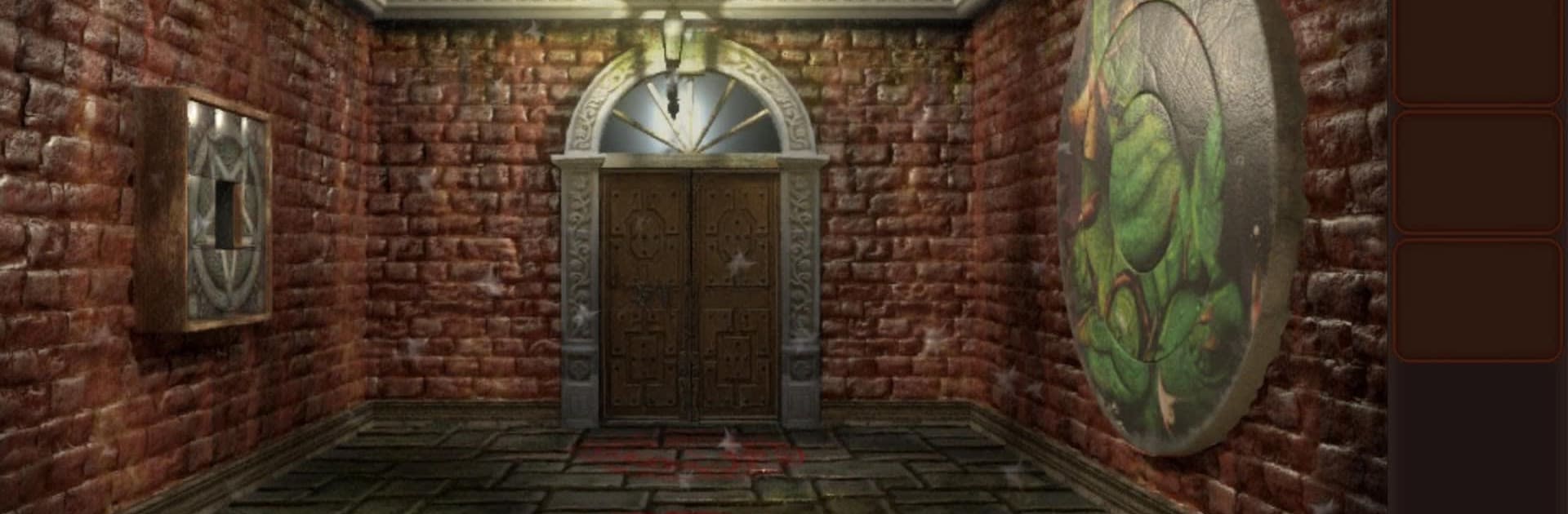
Hellgate Escape feels like an escape room set in the underworld, all ash, bones, and creepy little details that make the rooms feel wrong in a good way. The hook is simple but strong. Players wake up in a demon-run labyrinth and move from chamber to chamber by solving puzzles that are darker than the usual mansion or lab stuff. The Torture Room, Bone Cemetery, Hell’s Nursery, each area has its own theme and a couple tricks that change how a puzzle lands. It leans on careful searching and logic, not jump scares every two seconds. What stands out is how often a normal object turns into a clue. A cracked tile, a chained box, a symbol on a wall that does not match the others. Nothing screams at the player, but it keeps needling the brain.

Moment to moment, it is about picking up items, combining a few of them, and then testing codes or symbols until the next door slides open. Some locks are single step, others zigzag through three or four hints before they click, which feels fair rather than cheap. There is a light story about escaping damnation and piecing together what happened, mostly through environmental details instead of long text dumps. On PC through BlueStacks, the mouse makes scanning for tiny switches and hidden objects easier, and the bigger screen helps spot weird markings that would be missed on a phone. The pacing is calm but tense, and when a room finally solves, there is that small rush, like outsmarting a smug demon and walking into the next nasty surprise.

Slay your opponents with your epic moves. Play it your way on BlueStacks and dominate the battlefield.


Game Features

Enhancements

  • Macros
  • Multi Instance
  • Multi Instance Sync
  • Script
  • Enhancements
Macros

Macros

Automate the predictable in Hellgate Escape and transform your gameplay with Macros. Get access to inventive Macros in the BlueStacks Macro Community
Multi Instance

Multi Instance

Play Hellgate Escape on one window. And chat with your friend on the other. Press CTRL + Shift + 8 to open the Multi-Instance Manager. And start creating fresh instances or clone an existing one.
Multi Instance Sync

Multi Instance Sync

Play Hellgate Escape with the power of Multi-Instance Sync. Replicate what you are doing on the main instance on all other instances. Level up faster, play more.
Script

Script

Script your way to gaming glory in Hellgate Escape with BlueStacks Script. Write and run a set of commands to automate repeated tasks. Trigger the command by assigning it to any key.
Read More

How to Download and Play Hellgate Escape on PC or Mac

  • Download and install BlueStacks on your PC or Mac

  • Complete Google sign-in to access the Play Store, or do it later

  • Look for Hellgate Escape in the search bar at the top right corner

  • Click to install Hellgate Escape from the search results

  • Complete Google sign-in (if you skipped step 2) to install Hellgate Escape

  • Click the Hellgate Escape icon on the home screen to start playing

video
Watch Video

Minimum System Requirements

With BlueStacks 5, you can get started on a PC that fulfills the following requirements.

  • Operating System

    Microsoft Windows 7 or above, macOS 11 (Big Sur) or above

  • Processor

    Intel, AMD or Apple Silicon Processor

  • RAM

    at least 4GB

  • HDD

    10GB Free Disk Space

Note:

* You must be an Administrator on your PC. Up to date graphics drivers from Microsoft or the chipset vendor.

Hellgate Escape - FAQs

  • How to play Hellgate Escape on Windows PC & Mac?

    Play Hellgate Escape on your PC or Mac by following these simple steps.

    • Click on 'Play Hellgate Escape on PC’ to download BlueStacks
    • Install it and log-in to Google Play Store
    • Launch and play the game.
  • Why is BlueStacks the fastest and safest platform to play games on PC?

    BlueStacks respects your privacy and is always safe and secure to use. It does not carry any malware, spyware, or any sort of additional software that could harm your PC.

    It is engineered to optimize speed and performance for a seamless gaming experience.

  • What are Hellgate Escape PC requirements?

    Minimum requirement to run Hellgate Escape on your PC

    • OS: Microsoft Windows 7 or above MacOS 11 (Big Sur) or above
    • Processor: Intel, AMD or Apple Silicon Processor
    • RAM: Your PC must have at least 4GB of RAM. (Note that having 4GB or more disk space is not a substitute for RAM)
    • HDD: 10GB Free Disk Space.
    • You must be an Administrator on your PC.