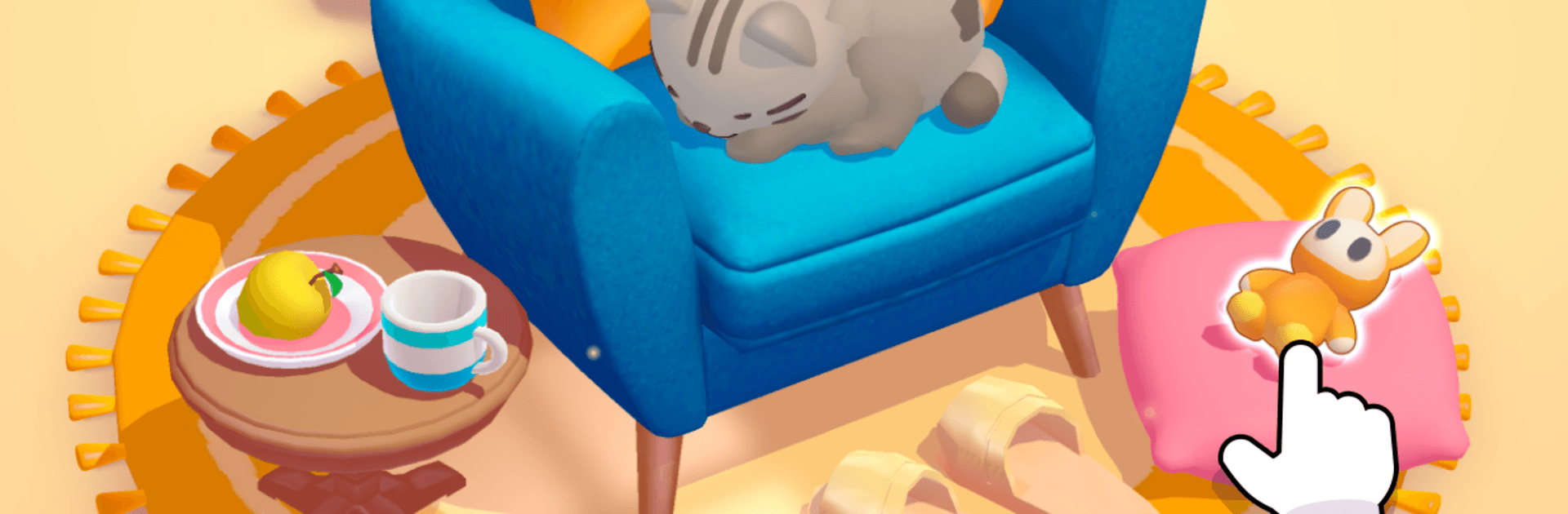
Hidden Association – 3D Puzzle

Hidden Association – 3D Puzzle

Puzzle

| SayGames Ltd

Play on PC with BlueStacks or from our cloud

  • Overview
  • Game Features
  • How to Play

Page Modified On: April 21, 2026

Play Hidden Association – 3D Puzzle on PC or Mac

Explore a whole new adventure with Hidden Association – 3D Puzzle, a Puzzle game created by SayGames Ltd. Experience great gameplay with BlueStacks, the most popular gaming platform to play Android games on your PC or Mac.

About the Game

Hidden Association – 3D Puzzle flips the classic hidden-object idea on its head: before you spot anything, you’ve got to figure out what you’re actually looking for. Each level is a tiny 3D diorama you can spin and zoom, packed with objects that may (or may not) fit a clue word. It’s a smart, cozy, and a little bit cheeky Puzzle experience from SayGames Ltd that blends sharp observation with quick word connections.

Game Features

  • Theme-First Searching: Every round starts with a clue—like “stars,” “cats,” “travel,” or “flight.” Work out what belongs, then hunt down the matching objects in the scene.
  • Fully 3D Scenes: Rotate, zoom, and peek behind things to reveal items tucked in corners or hiding in plain sight. It’s satisfyingly tactile.
  • Quick, Snack-Size Rounds: Short levels and a gentle timer keep the pace lively, perfect for a few brain-boosting minutes whenever you have a spare moment.
  • Boosters When You Need Them: Stuck on the last object or unsure what fits the theme? Handy helpers nudge you in the right direction without spoiling the fun.
  • Brain + Word Association: It’s not just “find the thing.” You’ll link ideas, make connections, and sharpen logic while you search.
  • Cute, Clean Visuals: Crisp dioramas and clear silhouettes make identifying items intuitive—no cluttered screens or confusing interfaces.
  • Straightforward Controls: Tap to pick, drag to spin, pinch to zoom. You’ll grasp the basics in seconds and focus on solving.
  • Great on PC with BlueStacks: Want a bigger view and precise mouse clicks for those tiny details? Playing on BlueStacks feels extra comfy.

Get ready for a buttery smooth, high-performance gaming action only on BlueStacks.

Game Features

Enhancements

  • Macros
  • Multi Instance
  • Multi Instance Sync
  • Script
  • Enhancements
Macros

Macros

Automate the predictable in Hidden Association – 3D Puzzle and transform your gameplay with Macros. Get access to inventive Macros in the BlueStacks Macro Community
Multi Instance

Multi Instance

Play Hidden Association – 3D Puzzle on one window. And chat with your friend on the other. Press CTRL + Shift + 8 to open the Multi-Instance Manager. And start creating fresh instances or clone an existing one.
Multi Instance Sync

Multi Instance Sync

Play Hidden Association – 3D Puzzle with the power of Multi-Instance Sync. Replicate what you are doing on the main instance on all other instances. Level up faster, play more.
Script

Script

Script your way to gaming glory in Hidden Association – 3D Puzzle with BlueStacks Script. Write and run a set of commands to automate repeated tasks. Trigger the command by assigning it to any key.
Read More

How to Download and Play Hidden Association – 3D Puzzle on PC or Mac

  • Download and install BlueStacks on your PC or Mac

  • Complete Google sign-in to access the Play Store, or do it later

  • Look for Hidden Association – 3D Puzzle in the search bar at the top right corner

  • Click to install Hidden Association – 3D Puzzle from the search results

  • Complete Google sign-in (if you skipped step 2) to install Hidden Association – 3D Puzzle

  • Click the Hidden Association – 3D Puzzle icon on the home screen to start playing

video
Watch Video

Minimum System Requirements

With BlueStacks 5, you can get started on a PC that fulfills the following requirements.

  • Operating System

    Microsoft Windows 7 or above, macOS 11 (Big Sur) or above

  • Processor

    Intel, AMD or Apple Silicon Processor

  • RAM

    at least 4GB

  • HDD

    10GB Free Disk Space

Note:

* You must be an Administrator on your PC. Up to date graphics drivers from Microsoft or the chipset vendor.

Hidden Association – 3D Puzzle - FAQs

  • How to play Hidden Association – 3D Puzzle on Windows PC & Mac?

    Play Hidden Association – 3D Puzzle on your PC or Mac by following these simple steps.

    • Click on 'Play Hidden Association – 3D Puzzle on PC’ to download BlueStacks
    • Install it and log-in to Google Play Store
    • Launch and play the game.
  • Why is BlueStacks the fastest and safest platform to play games on PC?

    BlueStacks respects your privacy and is always safe and secure to use. It does not carry any malware, spyware, or any sort of additional software that could harm your PC.

    It is engineered to optimize speed and performance for a seamless gaming experience.

  • What are Hidden Association – 3D Puzzle PC requirements?

    Minimum requirement to run Hidden Association – 3D Puzzle on your PC

    • OS: Microsoft Windows 7 or above MacOS 11 (Big Sur) or above
    • Processor: Intel, AMD or Apple Silicon Processor
    • RAM: Your PC must have at least 4GB of RAM. (Note that having 4GB or more disk space is not a substitute for RAM)
    • HDD: 10GB Free Disk Space.
    • You must be an Administrator on your PC.