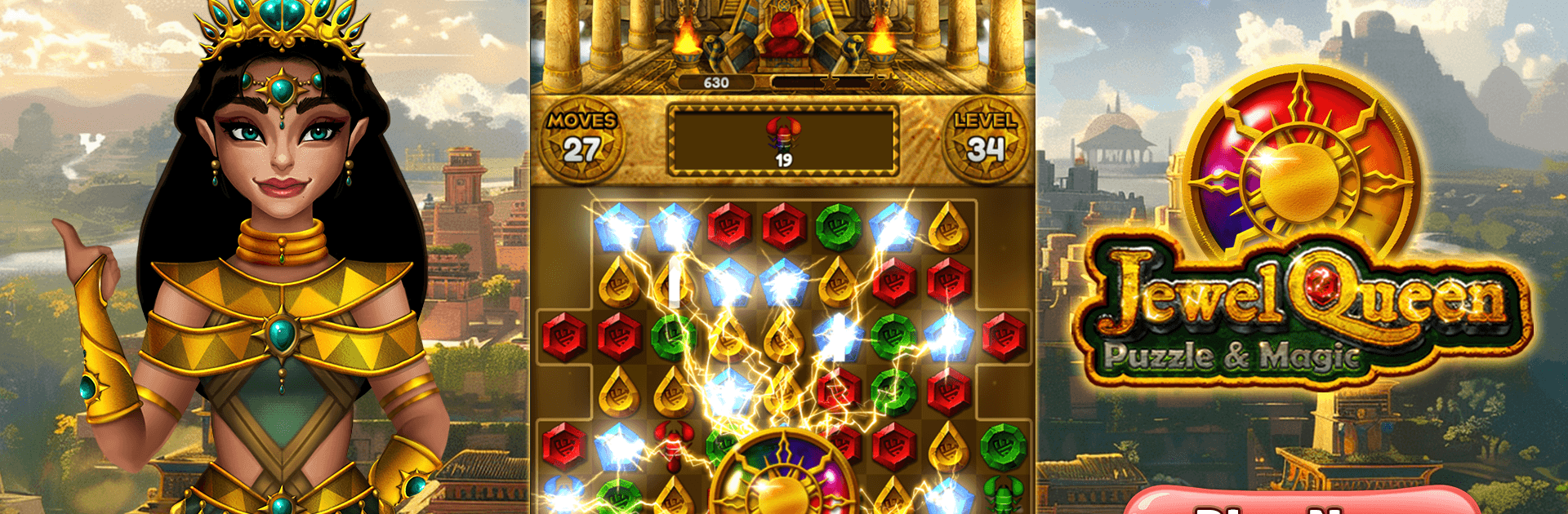
Jewel Queen: Puzzle & Magic

Jewel Queen: Puzzle & Magic

Puzzle

| MobOwl Games

Play on PC with BlueStacks or from our cloud

  • Overview
  • Game Features
  • How to Play

Page Modified On: September 11, 2026

Play Jewel Queen: Puzzle & Magic on PC or Mac

Play Jewel Queen: Puzzle & Magic by MobOwl Games on PC or Mac with BlueStacks. Use a bigger screen, mouse and keyboard controls, and smoother performance while you play.

About the Game

Jewel Queen: Puzzle & Magic is a bright, gem-swapping Puzzle adventure set in a mysterious ancient kingdom. You’ll team up with the queen, restore lost magic, and uncover relics as you clear colorful boards at a chill, satisfying pace. Prefer a bigger view? It also plays smoothly on PC with BlueStacks.

Game Features

  • Match-3 Made Satisfying: Swap shiny gems to make lines and clear the board, with crisp effects and snappy feedback that make every move feel good.
  • Power Gems & Combos: Line up 4 for board-blasting pieces, or connect 5 to craft the radiant Rainbow Sun that wipes out all gems of a chosen color.
  • Varied Level Goals: Free trapped critters, wake sleepy lamps, sweep away pewter goblets, unearth ancient gold, ride magic carpets, and even shoo pesky scorpions.
  • Thousands of Stages: Explore a long, lore-filled journey with fresh layouts, clever twists, and new obstacles that keep the challenge evolving.
  • Strategy-Friendly Boosters: Break through tough layouts using handy tools and on-board specials—plan ahead to chain effects and crack tricky corners.
  • Chain Reactions You Can Feel: Trigger colorful cascades and big clears; it’s extra satisfying when one smart swap sets the whole board humming.
  • Three-Star Targets: Aim for clean, efficient runs to bag all three stars on each stage and prove you’ve mastered its quirks.

Start your journey now. Download the game on BlueStacks, invite your friends, and march on a new adventure.


Game Features

Enhancements

  • Macros
  • Multi Instance
  • Multi Instance Sync
  • Script
  • Enhancements
Macros

Macros

Automate the predictable in Jewel Queen: Puzzle & Magic and transform your gameplay with Macros. Get access to inventive Macros in the BlueStacks Macro Community
Multi Instance

Multi Instance

Play Jewel Queen: Puzzle & Magic on one window. And chat with your friend on the other. Press CTRL + Shift + 8 to open the Multi-Instance Manager. And start creating fresh instances or clone an existing one.
Multi Instance Sync

Multi Instance Sync

Play Jewel Queen: Puzzle & Magic with the power of Multi-Instance Sync. Replicate what you are doing on the main instance on all other instances. Level up faster, play more.
Script

Script

Script your way to gaming glory in Jewel Queen: Puzzle & Magic with BlueStacks Script. Write and run a set of commands to automate repeated tasks. Trigger the command by assigning it to any key.
Read More

How to Download and Play Jewel Queen: Puzzle & Magic on PC or Mac

  • Download and install BlueStacks on your PC or Mac

  • Complete Google sign-in to access the Play Store, or do it later

  • Look for Jewel Queen: Puzzle & Magic in the search bar at the top right corner

  • Click to install Jewel Queen: Puzzle & Magic from the search results

  • Complete Google sign-in (if you skipped step 2) to install Jewel Queen: Puzzle & Magic

  • Click the Jewel Queen: Puzzle & Magic icon on the home screen to start playing

video
Watch Video

Minimum System Requirements

With BlueStacks 5, you can get started on a PC that fulfills the following requirements.

  • Operating System

    Microsoft Windows 7 or above, macOS 11 (Big Sur) or above

  • Processor

    Intel, AMD or Apple Silicon Processor

  • RAM

    at least 4GB

  • HDD

    10GB Free Disk Space

Note:

* You must be an Administrator on your PC. Up to date graphics drivers from Microsoft or the chipset vendor.

Jewel Queen: Puzzle & Magic - FAQs

  • How to play Jewel Queen: Puzzle & Magic on Windows PC & Mac?

    Play Jewel Queen: Puzzle & Magic on your PC or Mac by following these simple steps.

    • Click on 'Play Jewel Queen: Puzzle & Magic on PC’ to download BlueStacks
    • Install it and log-in to Google Play Store
    • Launch and play the game.
  • Why is BlueStacks the fastest and safest platform to play games on PC?

    BlueStacks respects your privacy and is always safe and secure to use. It does not carry any malware, spyware, or any sort of additional software that could harm your PC.

    It is engineered to optimize speed and performance for a seamless gaming experience.

  • What are Jewel Queen: Puzzle & Magic PC requirements?

    Minimum requirement to run Jewel Queen: Puzzle & Magic on your PC

    • OS: Microsoft Windows 7 or above MacOS 11 (Big Sur) or above
    • Processor: Intel, AMD or Apple Silicon Processor
    • RAM: Your PC must have at least 4GB of RAM. (Note that having 4GB or more disk space is not a substitute for RAM)
    • HDD: 10GB Free Disk Space.
    • You must be an Administrator on your PC.