Jewels Ocean
Jewels Ocean

Jewels Ocean

Puzzle

| Modle Studios Inc.

Play on PC with BlueStacks or from our cloud

  • Overview
  • Game Features
  • How to Play

Page Modified On: November 28, 2025

Play Jewels Ocean on PC or Mac

Jewels Ocean brings the Puzzle genre to life, and throws up exciting challenges for gamers. Developed by Modle Studios Inc., this Android game is best experienced on BlueStacks, the World’s #1 app player for PC and Mac users.

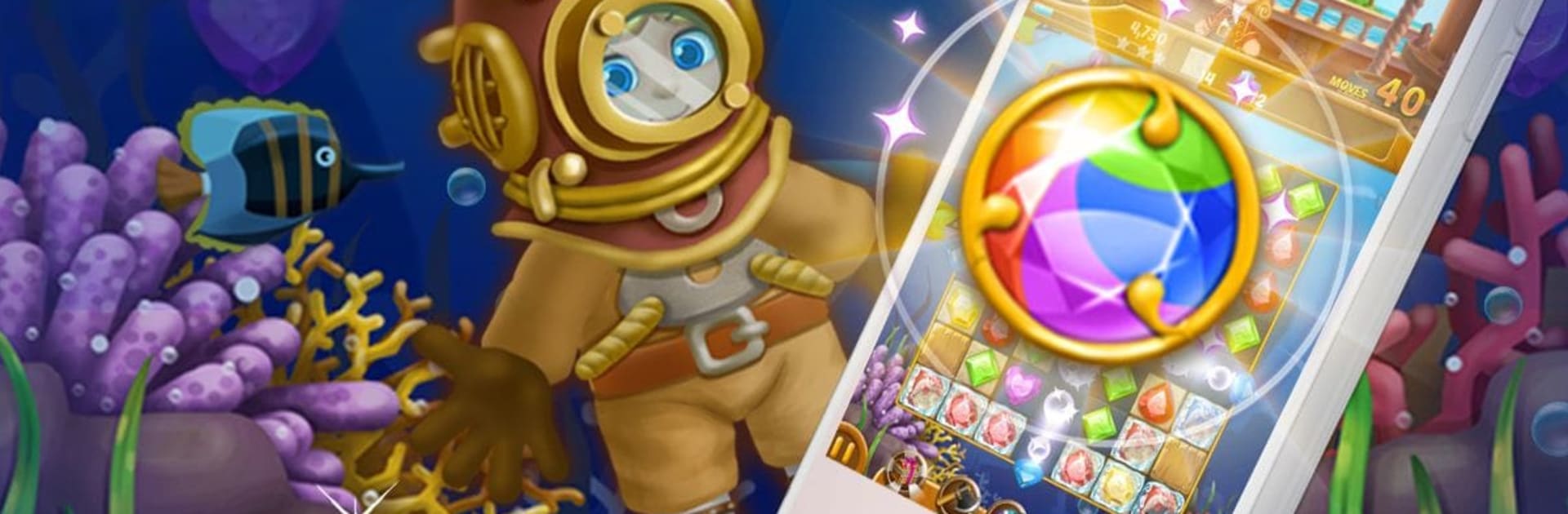
Jewels Ocean is a relaxed match-3 with a light pirate story about Pirate King Alph and Pirate Girl Tina hunting treasure under the waves. It plays like a solid gem swapper should: bright jewels, clean boards, satisfying pops when chains go off. Match four or five and it makes rockets, bombs, and rainbow pieces that clear huge chunks when they collide. There is no timer pushing the player, and there is no heart system, so it turns into a calm rhythm of planning a move or two, then letting the power-ups do the noisy work. Stages add blockers and little gadgets to crack open, so it stays simple but not dull. Going for three stars matters if someone wants more gold for helpers, and there are achievements and a leaderboard for extra goals without making it stressful.

Daily levels show up, free gift boxes hand out small boosts, and it works offline, which is handy for travel or patchy signal. Ads are there between parts, with an option to remove them, and in-app buys exist but do not get pushy. On PC with BlueStacks it feels nice, since mouse drags make swaps clean and the bigger screen makes it easier to spot rainbow setups and plan a chain. If a chill, ocean-themed match-3 with a ton of stages sounds good, this one hits that sweet spot without getting fussy.

Get ready for a buttery smooth, high-performance gaming action only on BlueStacks.

Game Features

Enhancements

  • Macros
  • Multi Instance
  • Multi Instance Sync
  • Script
  • Enhancements
Macros

Macros

Automate the predictable in Jewels Ocean and transform your gameplay with Macros. Get access to inventive Macros in the BlueStacks Macro Community
Multi Instance

Multi Instance

Play Jewels Ocean on one window. And chat with your friend on the other. Press CTRL + Shift + 8 to open the Multi-Instance Manager. And start creating fresh instances or clone an existing one.
Multi Instance Sync

Multi Instance Sync

Play Jewels Ocean with the power of Multi-Instance Sync. Replicate what you are doing on the main instance on all other instances. Level up faster, play more.
Script

Script

Script your way to gaming glory in Jewels Ocean with BlueStacks Script. Write and run a set of commands to automate repeated tasks. Trigger the command by assigning it to any key.
Read More

How to Download and Play Jewels Ocean on PC or Mac

  • Download and install BlueStacks on your PC or Mac

  • Complete Google sign-in to access the Play Store, or do it later

  • Look for Jewels Ocean in the search bar at the top right corner

  • Click to install Jewels Ocean from the search results

  • Complete Google sign-in (if you skipped step 2) to install Jewels Ocean

  • Click the Jewels Ocean icon on the home screen to start playing

video
Watch Video

Minimum System Requirements

With BlueStacks 5, you can get started on a PC that fulfills the following requirements.

  • Operating System

    Microsoft Windows 7 or above, macOS 11 (Big Sur) or above

  • Processor

    Intel, AMD or Apple Silicon Processor

  • RAM

    at least 4GB

  • HDD

    10GB Free Disk Space

Note:

* You must be an Administrator on your PC. Up to date graphics drivers from Microsoft or the chipset vendor.

Jewels Ocean - FAQs

  • How to play Jewels Ocean on Windows PC & Mac?

    Play Jewels Ocean on your PC or Mac by following these simple steps.

    • Click on 'Play Jewels Ocean on PC’ to download BlueStacks
    • Install it and log-in to Google Play Store
    • Launch and play the game.
  • Why is BlueStacks the fastest and safest platform to play games on PC?

    BlueStacks respects your privacy and is always safe and secure to use. It does not carry any malware, spyware, or any sort of additional software that could harm your PC.

    It is engineered to optimize speed and performance for a seamless gaming experience.

  • What are Jewels Ocean PC requirements?

    Minimum requirement to run Jewels Ocean on your PC

    • OS: Microsoft Windows 7 or above MacOS 11 (Big Sur) or above
    • Processor: Intel, AMD or Apple Silicon Processor
    • RAM: Your PC must have at least 4GB of RAM. (Note that having 4GB or more disk space is not a substitute for RAM)
    • HDD: 10GB Free Disk Space.
    • You must be an Administrator on your PC.