Jigsaw Art Puzzle Games

Jigsaw Art Puzzle Games

Puzzle

| Quest Owl

Play on PC with BlueStacks or from our cloud

  • Overview
  • Game Features
  • How to Play

Page Modified On: September 25, 2026

Play Jigsaw Art Puzzle Games on PC or Mac

Jigsaw Art Puzzle Games by Quest Owl has plenty to keep you busy. BlueStacks lets you play it on PC or Mac with more screen space, better control, and fewer mobile limits.

About the Game

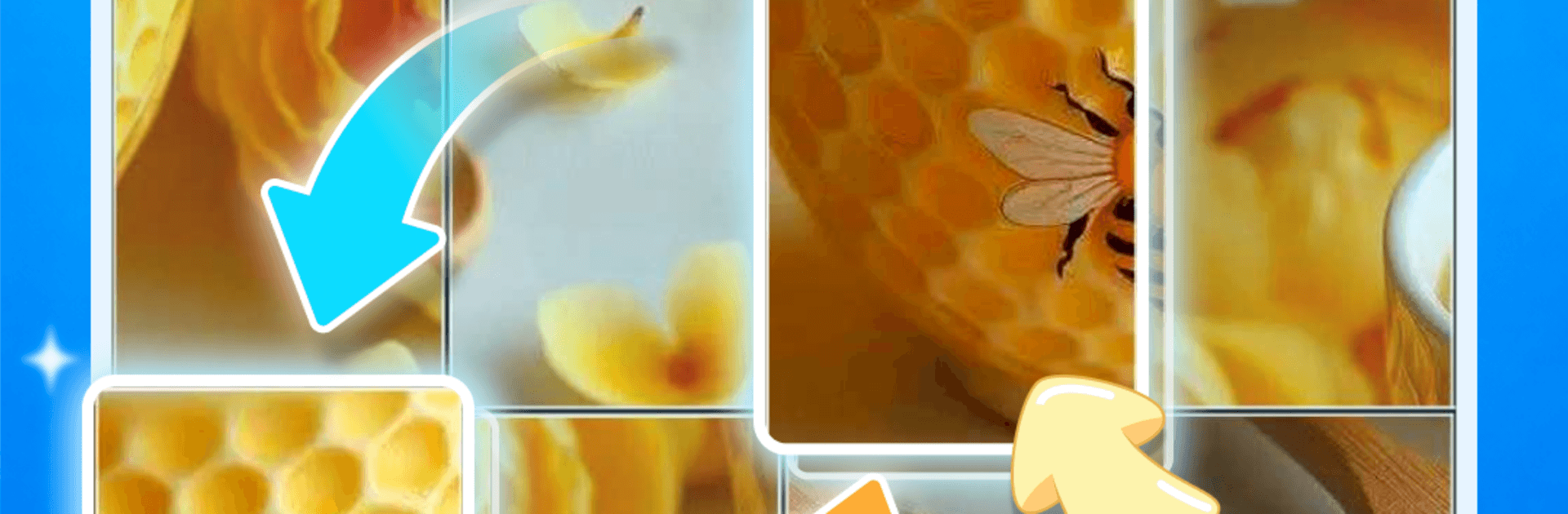
Jigsaw Art Puzzle Games is a Puzzle that blends classic piece-matching with a clever merge twist. Drop a piece into the right spot and adjoining pieces that belong together fuse into one, keeping the board neat while the artwork snaps into focus. It’s soothing, offline-friendly, and if you like a bigger view, you can play on PC with BlueStacks for a comfy session.

Game Features

  • Handpicked Art Collection: Work through a growing set of beautiful scenes—blooming gardens, cozy corners, dreamy vistas, and more designed to help you relax.
  • Merge-As-You-Place Pieces: When connected tiles meet, they combine into a single chunk, reducing clutter and keeping your momentum smooth.
  • Daily Challenge & Streaks: A fresh image arrives every day; complete it to maintain your streak and snag a small hint bonus.
  • Make Your Own From Photos: Turn favorite pictures into custom boards, crop them just right, and enjoy rebuilding personal memories piece by piece.
  • Your Personal Gallery: Every finished image is saved to a tidy gallery you can browse, revisit, or simply admire whenever you like.
  • Calming, Focus-Friendly Play: Gentle pacing and soothing visuals create a chill atmosphere that still keeps your brain engaged.
  • Helpful Hints: Use a nudge when a section gets tricky so the flow keeps going without frustration.
  • Achievements & Levels: Hit playful milestones, level up, and see your progress stack as your collection expands.
  • Works Offline: Pick up a board wherever you are—no connection required.

Start your journey now. Download the game on BlueStacks, invite your friends, and march on a new adventure.


Game Features

Enhancements

  • Macros
  • Multi Instance
  • Multi Instance Sync
  • Script
  • Enhancements
Macros

Macros

Automate the predictable in Jigsaw Art Puzzle Games and transform your gameplay with Macros. Get access to inventive Macros in the BlueStacks Macro Community
Multi Instance

Multi Instance

Play Jigsaw Art Puzzle Games on one window. And chat with your friend on the other. Press CTRL + Shift + 8 to open the Multi-Instance Manager. And start creating fresh instances or clone an existing one.
Multi Instance Sync

Multi Instance Sync

Play Jigsaw Art Puzzle Games with the power of Multi-Instance Sync. Replicate what you are doing on the main instance on all other instances. Level up faster, play more.
Script

Script

Script your way to gaming glory in Jigsaw Art Puzzle Games with BlueStacks Script. Write and run a set of commands to automate repeated tasks. Trigger the command by assigning it to any key.
Read More

How to Download and Play Jigsaw Art Puzzle Games on PC or Mac

  • Download and install BlueStacks on your PC or Mac

  • Complete Google sign-in to access the Play Store, or do it later

  • Look for Jigsaw Art Puzzle Games in the search bar at the top right corner

  • Click to install Jigsaw Art Puzzle Games from the search results

  • Complete Google sign-in (if you skipped step 2) to install Jigsaw Art Puzzle Games

  • Click the Jigsaw Art Puzzle Games icon on the home screen to start playing

video
Watch Video

Minimum System Requirements

With BlueStacks 5, you can get started on a PC that fulfills the following requirements.

  • Operating System

    Microsoft Windows 7 or above, macOS 11 (Big Sur) or above

  • Processor

    Intel, AMD or Apple Silicon Processor

  • RAM

    at least 4GB

  • HDD

    10GB Free Disk Space

Note:

* You must be an Administrator on your PC. Up to date graphics drivers from Microsoft or the chipset vendor.

Jigsaw Art Puzzle Games - FAQs

  • How to play Jigsaw Art Puzzle Games on Windows PC & Mac?

    Play Jigsaw Art Puzzle Games on your PC or Mac by following these simple steps.

    • Click on 'Play Jigsaw Art Puzzle Games on PC’ to download BlueStacks
    • Install it and log-in to Google Play Store
    • Launch and play the game.
  • Why is BlueStacks the fastest and safest platform to play games on PC?

    BlueStacks respects your privacy and is always safe and secure to use. It does not carry any malware, spyware, or any sort of additional software that could harm your PC.

    It is engineered to optimize speed and performance for a seamless gaming experience.

  • What are Jigsaw Art Puzzle Games PC requirements?

    Minimum requirement to run Jigsaw Art Puzzle Games on your PC

    • OS: Microsoft Windows 7 or above MacOS 11 (Big Sur) or above
    • Processor: Intel, AMD or Apple Silicon Processor
    • RAM: Your PC must have at least 4GB of RAM. (Note that having 4GB or more disk space is not a substitute for RAM)
    • HDD: 10GB Free Disk Space.
    • You must be an Administrator on your PC.