Merge Age: Stone Haven

Merge Age: Stone Haven

Puzzle

| Puzzle1Studio

Play on PC with BlueStacks or from our cloud

  • Overview
  • Game Features
  • How to Play

Page Modified On: May 11, 2026

Play Merge Age: Stone Haven on PC or Mac

Step into the World of Merge Age: Stone Haven, a thrilling Puzzle game from the house of Puzzle1Studio. Play this Android game on BlueStacks App Player and experience immersive gaming on PC or Mac.

About the Game

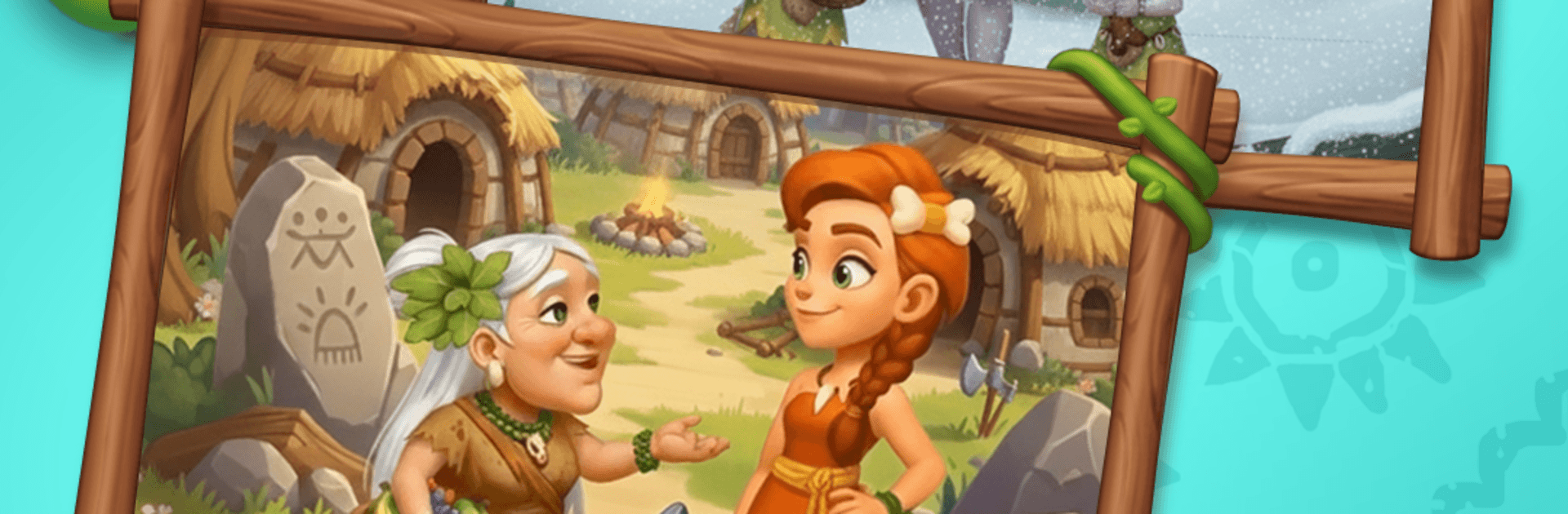
Merge Age: Stone Haven is a cozy, prehistoric twist on the Genre: Puzzle formula from Puzzle1Studio. You’re the Chief of a scrappy little tribe, shaping a shattered settlement into a lively home by merging resources, crafting tools, and helping your people thrive. It’s relaxed when you want it to be, surprisingly strategic when you start planning combos—and yes, it’s pretty satisfying to keep that board tidy. Prefer playing on a bigger screen? BlueStacks makes that easy.

Game Features

  • Be the Chief: Guide day-to-day life, set priorities, and keep your tribe moving forward as your Stone Haven grows from rubble to bustling village.
  • Merge-2 That Matters: Combine rocks, wood, and other finds to create tools and artifacts. Simple to learn, but there’s real depth in planning merges and managing space.
  • Village Beat Boost: Collect three Rhythm Tokens to kick off a special burst where generator cooldowns disappear for five minutes. It’s your window to merge like crazy.
  • Quirky “Stone‑punk” Inventions: Unearth clever prehistoric gadgets—from sturdy basics to ceremonial pieces—that open up new crafting paths.
  • A Cast of 13 Villagers: Get to know characters like a clumsy inventor and a quiet hunter. Fulfill their requests to score big rewards and strengthen your community.
  • Rebuild and Explore: Spend coins to repair huts, clear debris, and unlock new zones packed with hidden curios and fresh resources.
  • Daily Tribe Goals: Check your stone calendar, knock out missions, and collect exclusive goodies that nudge your settlement toward its next milestone.
  • Cozy Look and Feel: Bright colors, warm animations, and a laid-back vibe make every session feel welcoming—perfect for quick breaks or longer chill sessions.

Get ready for a buttery smooth, high-performance gaming action only on BlueStacks.

Game Features

Enhancements

  • Macros
  • Multi Instance
  • Multi Instance Sync
  • Script
  • Enhancements
Macros

Macros

Automate the predictable in Merge Age: Stone Haven and transform your gameplay with Macros. Get access to inventive Macros in the BlueStacks Macro Community
Multi Instance

Multi Instance

Play Merge Age: Stone Haven on one window. And chat with your friend on the other. Press CTRL + Shift + 8 to open the Multi-Instance Manager. And start creating fresh instances or clone an existing one.
Multi Instance Sync

Multi Instance Sync

Play Merge Age: Stone Haven with the power of Multi-Instance Sync. Replicate what you are doing on the main instance on all other instances. Level up faster, play more.
Script

Script

Script your way to gaming glory in Merge Age: Stone Haven with BlueStacks Script. Write and run a set of commands to automate repeated tasks. Trigger the command by assigning it to any key.
Read More

How to Download and Play Merge Age: Stone Haven on PC or Mac

  • Download and install BlueStacks on your PC or Mac

  • Complete Google sign-in to access the Play Store, or do it later

  • Look for Merge Age: Stone Haven in the search bar at the top right corner

  • Click to install Merge Age: Stone Haven from the search results

  • Complete Google sign-in (if you skipped step 2) to install Merge Age: Stone Haven

  • Click the Merge Age: Stone Haven icon on the home screen to start playing

video
Watch Video

Minimum System Requirements

With BlueStacks 5, you can get started on a PC that fulfills the following requirements.

  • Operating System

    Microsoft Windows 7 or above, macOS 11 (Big Sur) or above

  • Processor

    Intel, AMD or Apple Silicon Processor

  • RAM

    at least 4GB

  • HDD

    10GB Free Disk Space

Note:

* You must be an Administrator on your PC. Up to date graphics drivers from Microsoft or the chipset vendor.

Merge Age: Stone Haven - FAQs

  • How to play Merge Age: Stone Haven on Windows PC & Mac?

    Play Merge Age: Stone Haven on your PC or Mac by following these simple steps.

    • Click on 'Play Merge Age: Stone Haven on PC’ to download BlueStacks
    • Install it and log-in to Google Play Store
    • Launch and play the game.
  • Why is BlueStacks the fastest and safest platform to play games on PC?

    BlueStacks respects your privacy and is always safe and secure to use. It does not carry any malware, spyware, or any sort of additional software that could harm your PC.

    It is engineered to optimize speed and performance for a seamless gaming experience.

  • What are Merge Age: Stone Haven PC requirements?

    Minimum requirement to run Merge Age: Stone Haven on your PC

    • OS: Microsoft Windows 7 or above MacOS 11 (Big Sur) or above
    • Processor: Intel, AMD or Apple Silicon Processor
    • RAM: Your PC must have at least 4GB of RAM. (Note that having 4GB or more disk space is not a substitute for RAM)
    • HDD: 10GB Free Disk Space.
    • You must be an Administrator on your PC.