Moo Loop
Moo Loop

Moo Loop

Puzzle

| Onetap Global

Play on PC with BlueStacks or from our cloud

  • Overview
  • Game Features
  • How to Play

Page Modified On: September 11, 2026

Play Moo Loop on PC or Mac

Explore a whole new adventure with Moo Loop, a Puzzle game created by Onetap Global. Experience great gameplay with BlueStacks, the most popular gaming platform to play Android games on your PC or Mac.

About the Game

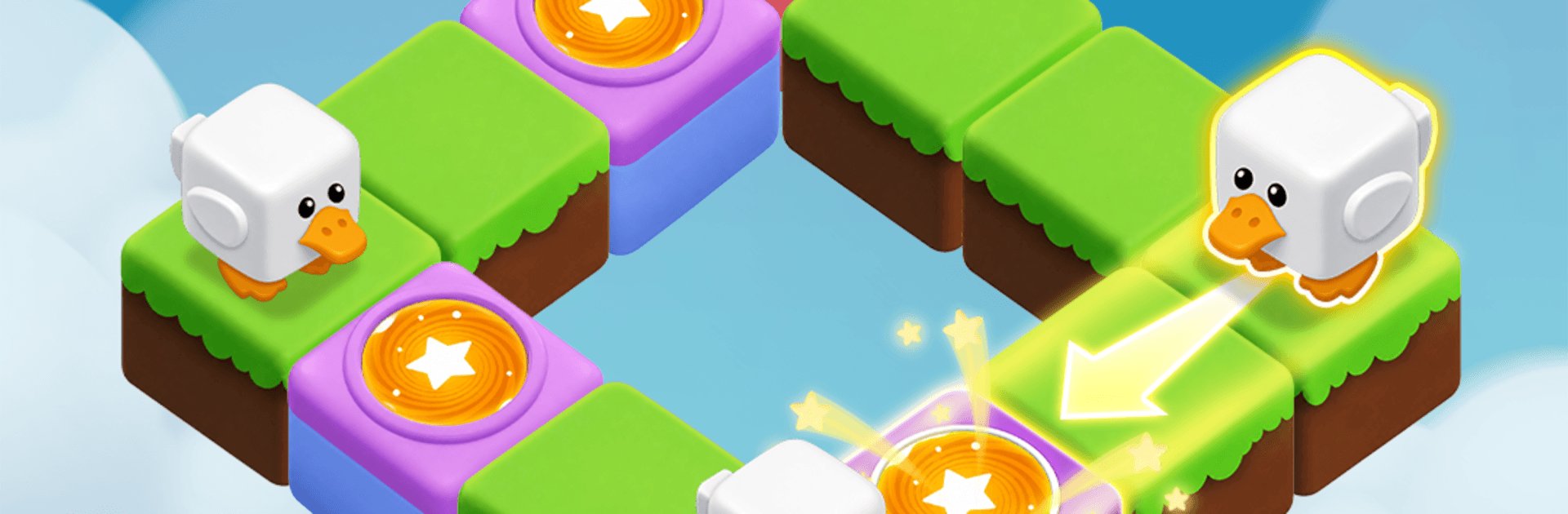
Moo Loop is a Puzzle that’s equal parts cute and cunning. You guide a crew of chunky, blocky animals across compact boards, plotting paths, juggling limited moves, and outsmarting anything that wants to snack on your pals. It’s cozy, a little sly, and super satisfying when every critter lands right on target—especially on BlueStacks if you prefer a bigger view.

Game Features

  • Charming animal crew: Meet a growing cast of lovable creatures, each with a distinct way of moving and a personality that sneaks through every animation.
  • Route-planning that clicks: Tap and swipe to chart paths, keep an eye on the move counter, and line up turns so everyone reaches their goals without colliding.
  • Unique movement styles: Some animals sprint in lines, others turn in quirky patterns—mastering how they travel is the heart of every clever solution.
  • Hunters and hazards: Not every face on the board is friendly; foxes, hippos, and other troublemakers force you to think twice before you move.
  • Handcrafted stages: Tidy, thoughtfully built levels ramp up from breezy warm-ups to real brain-benders, rewarding patience and a good “aha!” moment.
  • Smart combos with obstacles: Use walls, blocks, and layout tricks to bounce, block, and funnel animals into just-right positions.
  • Tight move limits: Every decision counts—hit all targets before you run out of steps, or rethink the order and try a fresh approach.
  • New critters to discover: Progress unlocks more animals and fresh mechanics, keeping strategies evolving without overwhelming the board.

Start your journey now. Download the game on BlueStacks, invite your friends, and march on a new adventure.


Game Features

Enhancements

  • Macros
  • Multi Instance
  • Multi Instance Sync
  • Script
  • Enhancements
Macros

Macros

Automate the predictable in Moo Loop and transform your gameplay with Macros. Get access to inventive Macros in the BlueStacks Macro Community
Multi Instance

Multi Instance

Play Moo Loop on one window. And chat with your friend on the other. Press CTRL + Shift + 8 to open the Multi-Instance Manager. And start creating fresh instances or clone an existing one.
Multi Instance Sync

Multi Instance Sync

Play Moo Loop with the power of Multi-Instance Sync. Replicate what you are doing on the main instance on all other instances. Level up faster, play more.
Script

Script

Script your way to gaming glory in Moo Loop with BlueStacks Script. Write and run a set of commands to automate repeated tasks. Trigger the command by assigning it to any key.
Read More

How to Download and Play Moo Loop on PC or Mac

  • Download and install BlueStacks on your PC or Mac

  • Complete Google sign-in to access the Play Store, or do it later

  • Look for Moo Loop in the search bar at the top right corner

  • Click to install Moo Loop from the search results

  • Complete Google sign-in (if you skipped step 2) to install Moo Loop

  • Click the Moo Loop icon on the home screen to start playing

video
Watch Video

Minimum System Requirements

With BlueStacks 5, you can get started on a PC that fulfills the following requirements.

  • Operating System

    Microsoft Windows 7 or above, macOS 11 (Big Sur) or above

  • Processor

    Intel, AMD or Apple Silicon Processor

  • RAM

    at least 4GB

  • HDD

    10GB Free Disk Space

Note:

* You must be an Administrator on your PC. Up to date graphics drivers from Microsoft or the chipset vendor.

Moo Loop - FAQs

  • How to play Moo Loop on Windows PC & Mac?

    Play Moo Loop on your PC or Mac by following these simple steps.

    • Click on 'Play Moo Loop on PC’ to download BlueStacks
    • Install it and log-in to Google Play Store
    • Launch and play the game.
  • Why is BlueStacks the fastest and safest platform to play games on PC?

    BlueStacks respects your privacy and is always safe and secure to use. It does not carry any malware, spyware, or any sort of additional software that could harm your PC.

    It is engineered to optimize speed and performance for a seamless gaming experience.

  • What are Moo Loop PC requirements?

    Minimum requirement to run Moo Loop on your PC

    • OS: Microsoft Windows 7 or above MacOS 11 (Big Sur) or above
    • Processor: Intel, AMD or Apple Silicon Processor
    • RAM: Your PC must have at least 4GB of RAM. (Note that having 4GB or more disk space is not a substitute for RAM)
    • HDD: 10GB Free Disk Space.
    • You must be an Administrator on your PC.