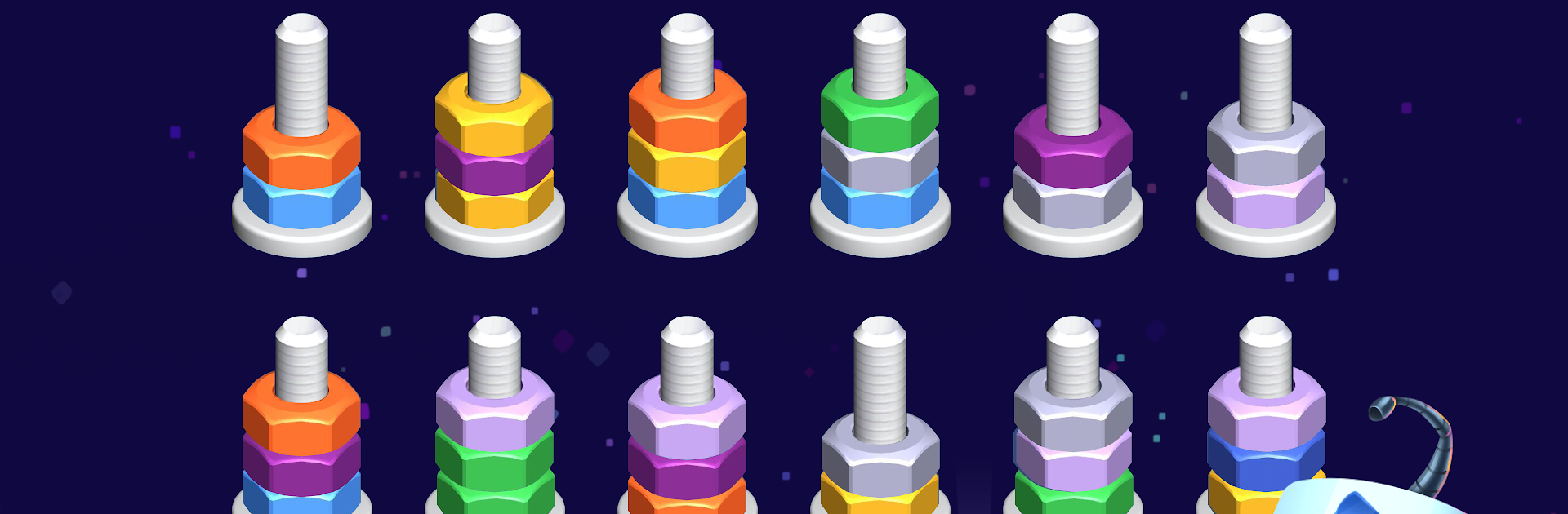
Nut Sort Blast: Color Puzzle

Nut Sort Blast: Color Puzzle

Puzzle

| Tatem Games Inc.

Play on PC with BlueStacks or from our cloud

  • Overview
  • Game Features
  • How to Play

Page Modified On: December 05, 2025

Play Nut Sort Blast: Color Puzzle on PC or Mac

From the innovators and creators at Tatem Games Inc., Nut Sort Blast: Color Puzzle is another fun addition to the World of Puzzle games. Go beyond your mobile screen and play it bigger and better on your PC or Mac. An immersive experience awaits you.

About the Game

Nut Sort Blast: Color Puzzle turns a jumbled pile of metal hardware into pure, satisfying order. You’ll slide colorful nuts, bolts, and screws onto tall rods, matching by color or type until every stack looks just right. It’s calm but clever—perfect when you want a little brain tease without the rush, with cute surprises and themes sprinkled in by Tatem Games Inc. for extra charm in this Puzzle favorite.

Game Features

  • Easy-to-grasp rules: Move one piece at a time onto a matching type or an empty rod. No timers, no stress—just clean logic.
  • Challenges that grow: New twists pop up as you go, like locked rods, mixed shapes, and multi-tier stacks that ask for smart planning.
  • Smooth, satisfying feel: Crisp animations, gentle sounds, and tactile feedback make every drop and click feel great.
  • Your workshop, your style: Swap backgrounds (forest workbench, techy garage, cozy attic), rod skins (wood, neon, rainbow), and hardware textures to match your vibe.
  • Zen Mode: Endless sorting when you want pure relaxation with zero objectives.
  • Daily goodies: Pop in each day for bonuses—collectible critters, rod skins, and handy power-ups.
  • Progress at your pace: Start simple, then unlock trickier boards that reward careful thinking rather than speed.
  • Collectible critters: Build a quirky collection and peek at their odd little backstories as you play.
  • Family-friendly and offline: Great for quick sessions on the go or a chill wind-down at night.
  • Play your way: Prefer a bigger screen and mouse control? It works nicely on BlueStacks too.

Make your gaming sessions memorable with precise controls that give you an edge in close combats and visuals that pop up, bringing every character to life.


Game Features

Enhancements

  • Macros
  • Multi Instance
  • Multi Instance Sync
  • Script
  • Enhancements
Macros

Macros

Automate the predictable in Nut Sort Blast: Color Puzzle and transform your gameplay with Macros. Get access to inventive Macros in the BlueStacks Macro Community
Multi Instance

Multi Instance

Play Nut Sort Blast: Color Puzzle on one window. And chat with your friend on the other. Press CTRL + Shift + 8 to open the Multi-Instance Manager. And start creating fresh instances or clone an existing one.
Multi Instance Sync

Multi Instance Sync

Play Nut Sort Blast: Color Puzzle with the power of Multi-Instance Sync. Replicate what you are doing on the main instance on all other instances. Level up faster, play more.
Script

Script

Script your way to gaming glory in Nut Sort Blast: Color Puzzle with BlueStacks Script. Write and run a set of commands to automate repeated tasks. Trigger the command by assigning it to any key.
Read More

How to Download and Play Nut Sort Blast: Color Puzzle on PC or Mac

  • Download and install BlueStacks on your PC or Mac

  • Complete Google sign-in to access the Play Store, or do it later

  • Look for Nut Sort Blast: Color Puzzle in the search bar at the top right corner

  • Click to install Nut Sort Blast: Color Puzzle from the search results

  • Complete Google sign-in (if you skipped step 2) to install Nut Sort Blast: Color Puzzle

  • Click the Nut Sort Blast: Color Puzzle icon on the home screen to start playing

video
Watch Video

Minimum System Requirements

With BlueStacks 5, you can get started on a PC that fulfills the following requirements.

  • Operating System

    Microsoft Windows 7 or above, macOS 11 (Big Sur) or above

  • Processor

    Intel, AMD or Apple Silicon Processor

  • RAM

    at least 4GB

  • HDD

    10GB Free Disk Space

Note:

* You must be an Administrator on your PC. Up to date graphics drivers from Microsoft or the chipset vendor.

Nut Sort Blast: Color Puzzle - FAQs

  • How to play Nut Sort Blast: Color Puzzle on Windows PC & Mac?

    Play Nut Sort Blast: Color Puzzle on your PC or Mac by following these simple steps.

    • Click on 'Play Nut Sort Blast: Color Puzzle on PC’ to download BlueStacks
    • Install it and log-in to Google Play Store
    • Launch and play the game.
  • Why is BlueStacks the fastest and safest platform to play games on PC?

    BlueStacks respects your privacy and is always safe and secure to use. It does not carry any malware, spyware, or any sort of additional software that could harm your PC.

    It is engineered to optimize speed and performance for a seamless gaming experience.

  • What are Nut Sort Blast: Color Puzzle PC requirements?

    Minimum requirement to run Nut Sort Blast: Color Puzzle on your PC

    • OS: Microsoft Windows 7 or above MacOS 11 (Big Sur) or above
    • Processor: Intel, AMD or Apple Silicon Processor
    • RAM: Your PC must have at least 4GB of RAM. (Note that having 4GB or more disk space is not a substitute for RAM)
    • HDD: 10GB Free Disk Space.
    • You must be an Administrator on your PC.