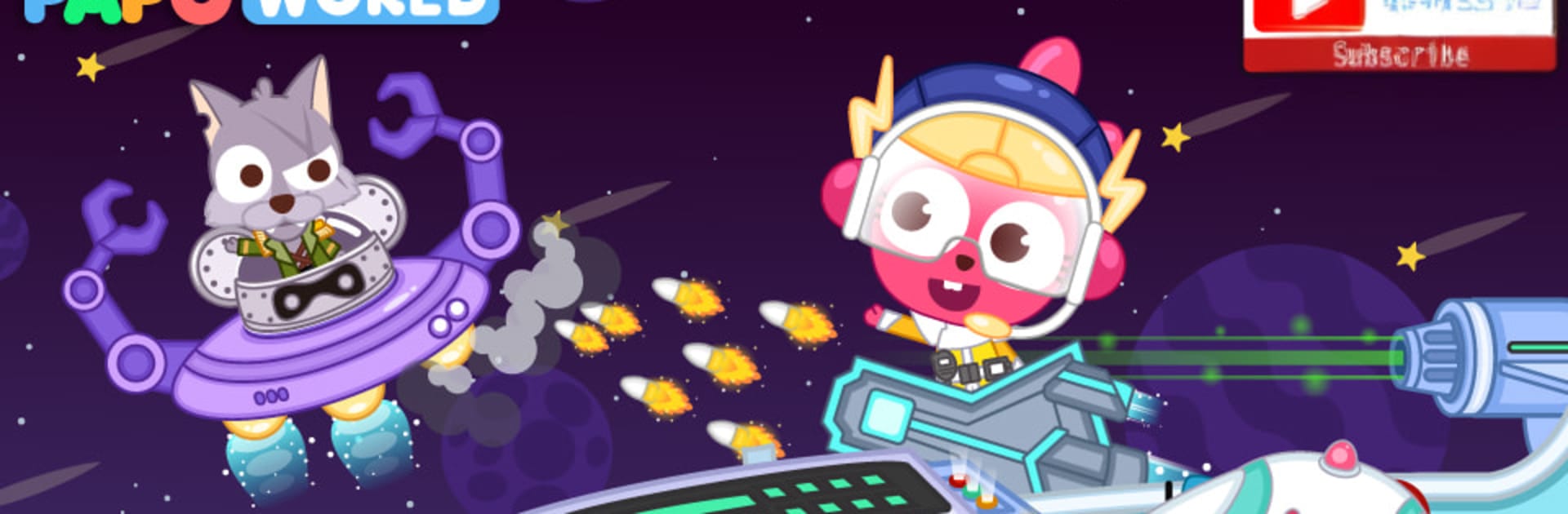
Papo Town Spaceship
Papo Town Spaceship

Papo Town Spaceship

Puzzle

| Papo World

Play on PC with BlueStacks or from our cloud

  • Overview
  • Game Features
  • How to Play

Page Modified On: June 02, 2026

Play Papo Town Spaceship on PC or Mac

Papo Town Spaceship brings the Puzzle genre to life, and throws up exciting challenges for gamers. Developed by Papo World, this Android game is best experienced on BlueStacks, the World’s #1 app player for PC and Mac users.

About the Game

Papo Town Spaceship puts you in the captain’s chair of a cheerful space-police crew on a mission to keep the galaxy calm and collected. Genre: Puzzle, with an easygoing mix of exploration and bite-size challenges. Chase down quirky troublemakers, poke around every room of your ship, and grow your team as you hop between planets.

Game Features

  • Be the Captain: Lead a space squad, set the plan, and decide how to outsmart interstellar mischief-makers.

  • Explore the Ship: Wander through the cockpit, lab, maintenance bay, crew bedroom, and dining area. Every corner has something to tap, switch, slide, or discover.

  • Galactic Missions: Pick up short objectives that teach the ropes, earn credits, and sharpen your chase skills so you can catch those space villains.

  • Recruit Your Crew: Visit different planets to meet new specialists. Add them to your team to open up fresh strategies and fun interactions on board.

  • Upgrade and Tinker: Boost engines, shields, and systems to keep your spaceship in top shape for the next pursuit.

  • Mini Games and Puzzles: Light challenges and playful tasks keep things fresh—perfect for curious minds that love to experiment.

  • So Many Things to Try: There are over a hundred interactive doodads, gadgets, and surprises to mess with—great for hands-on learners.

  • Kid-Friendly Sandbox: No strict rules or pressure. Just imaginative play, creative problem-solving, and a safe space to explore.

  • Play Anywhere: Works offline, so the adventure keeps going whether you’re on the couch or buckled in for a road trip.

  • BlueStacks Support: Prefer a bigger screen? You can also play on PC with BlueStacks for comfy controls and extra room to explore.

Start your journey now. Download the game on BlueStacks, invite your friends, and march on a new adventure.


Game Features

Enhancements

  • Macros
  • Multi Instance
  • Multi Instance Sync
  • Script
  • Enhancements
Macros

Macros

Automate the predictable in Papo Town Spaceship and transform your gameplay with Macros. Get access to inventive Macros in the BlueStacks Macro Community
Multi Instance

Multi Instance

Play Papo Town Spaceship on one window. And chat with your friend on the other. Press CTRL + Shift + 8 to open the Multi-Instance Manager. And start creating fresh instances or clone an existing one.
Multi Instance Sync

Multi Instance Sync

Play Papo Town Spaceship with the power of Multi-Instance Sync. Replicate what you are doing on the main instance on all other instances. Level up faster, play more.
Script

Script

Script your way to gaming glory in Papo Town Spaceship with BlueStacks Script. Write and run a set of commands to automate repeated tasks. Trigger the command by assigning it to any key.
Read More

How to Download and Play Papo Town Spaceship on PC or Mac

  • Download and install BlueStacks on your PC or Mac

  • Complete Google sign-in to access the Play Store, or do it later

  • Look for Papo Town Spaceship in the search bar at the top right corner

  • Click to install Papo Town Spaceship from the search results

  • Complete Google sign-in (if you skipped step 2) to install Papo Town Spaceship

  • Click the Papo Town Spaceship icon on the home screen to start playing

video
Watch Video

Minimum System Requirements

With BlueStacks 5, you can get started on a PC that fulfills the following requirements.

  • Operating System

    Microsoft Windows 7 or above, macOS 11 (Big Sur) or above

  • Processor

    Intel, AMD or Apple Silicon Processor

  • RAM

    at least 4GB

  • HDD

    10GB Free Disk Space

Note:

* You must be an Administrator on your PC. Up to date graphics drivers from Microsoft or the chipset vendor.

Papo Town Spaceship - FAQs

  • How to play Papo Town Spaceship on Windows PC & Mac?

    Play Papo Town Spaceship on your PC or Mac by following these simple steps.

    • Click on 'Play Papo Town Spaceship on PC’ to download BlueStacks
    • Install it and log-in to Google Play Store
    • Launch and play the game.
  • Why is BlueStacks the fastest and safest platform to play games on PC?

    BlueStacks respects your privacy and is always safe and secure to use. It does not carry any malware, spyware, or any sort of additional software that could harm your PC.

    It is engineered to optimize speed and performance for a seamless gaming experience.

  • What are Papo Town Spaceship PC requirements?

    Minimum requirement to run Papo Town Spaceship on your PC

    • OS: Microsoft Windows 7 or above MacOS 11 (Big Sur) or above
    • Processor: Intel, AMD or Apple Silicon Processor
    • RAM: Your PC must have at least 4GB of RAM. (Note that having 4GB or more disk space is not a substitute for RAM)
    • HDD: 10GB Free Disk Space.
    • You must be an Administrator on your PC.