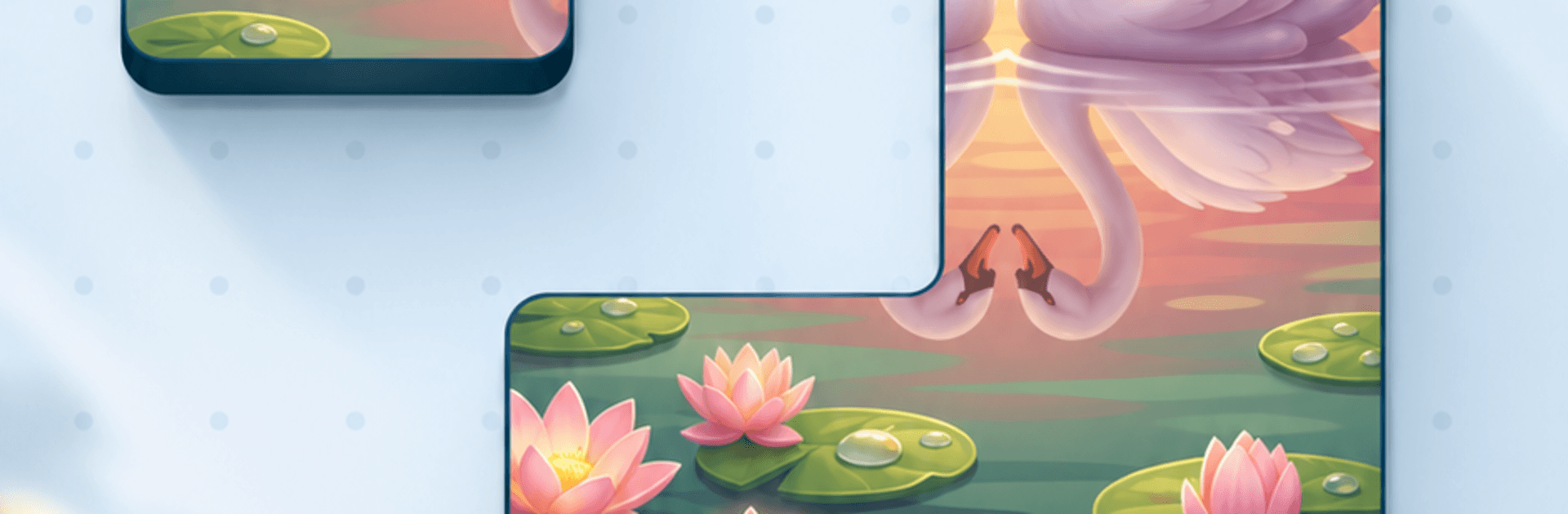
Picture Blocks: Living Puzzles

Picture Blocks: Living Puzzles

Puzzle

| Fugo Games

Play on PC with BlueStacks or from our cloud

  • Overview
  • Game Features
  • How to Play

Page Modified On: September 25, 2026

Play Picture Blocks: Living Puzzles on PC or Mac

Picture Blocks: Living Puzzles by Fugo Games has plenty to keep you busy. BlueStacks lets you play it on PC or Mac with more screen space, better control, and fewer mobile limits.

About the Game

Picture Blocks: Living Puzzles turns serene, animated scenes into something you can rebuild piece by piece. It’s a calming yet thoughtful Puzzle experience where snow keeps falling, lanterns sway, and rivers ripple even while the image is in parts. You place chunky blocks anywhere you like—no frame to fill, no rigid grid—just quiet focus, gentle feedback, and a fair challenge that grows as you go. Prefer a larger display? It runs nicely on BlueStacks without getting in the way of the mellow vibe.

Game Features

  • Moving scenes: Landscapes and little moments keep animating while you connect pieces, bringing the image to life as it forms.
  • Build-anywhere play: Start from the center, an edge, or a color streak—there’s no fixed border or grid dictating your path.
  • Visual-first challenge: Early images use bold shapes; later ones lean on lookalike textures, repeating patterns, and subtle color shifts that test your eye.
  • Smart mistakes allowed: Some pieces “fit” but don’t belong, so spotting the imposter becomes part of the fun—and the aha moment.
  • Designed for comfort: Large, clean blocks feel good to move and are easy to manage with one hand.
  • Satisfying feedback: Snappy clicks and gentle ambience make every correct connection feel rewarding; mute sounds with a tap if you want quiet.
  • Zero pressure: No countdowns or energy systems; step away anytime and return to find your progress exactly where you left it, with stats shown at the finish.
  • Optional help: Earn hints as you play; each one places a single piece to nudge you forward without solving it for you.
  • Clean experience: Your progress auto-saves, and there are no pop-up ads, account hoops, or microtransactions getting between you and the picture.

Start playing Picture Blocks: Living Puzzles on BlueStacks and get a smoother, more comfortable PC or Mac setup.


Game Features

Enhancements

  • Macros
  • Multi Instance
  • Multi Instance Sync
  • Script
  • Enhancements
Macros

Macros

Automate the predictable in Picture Blocks: Living Puzzles and transform your gameplay with Macros. Get access to inventive Macros in the BlueStacks Macro Community
Multi Instance

Multi Instance

Play Picture Blocks: Living Puzzles on one window. And chat with your friend on the other. Press CTRL + Shift + 8 to open the Multi-Instance Manager. And start creating fresh instances or clone an existing one.
Multi Instance Sync

Multi Instance Sync

Play Picture Blocks: Living Puzzles with the power of Multi-Instance Sync. Replicate what you are doing on the main instance on all other instances. Level up faster, play more.
Script

Script

Script your way to gaming glory in Picture Blocks: Living Puzzles with BlueStacks Script. Write and run a set of commands to automate repeated tasks. Trigger the command by assigning it to any key.
Read More

How to Download and Play Picture Blocks: Living Puzzles on PC or Mac

  • Download and install BlueStacks on your PC or Mac

  • Complete Google sign-in to access the Play Store, or do it later

  • Look for Picture Blocks: Living Puzzles in the search bar at the top right corner

  • Click to install Picture Blocks: Living Puzzles from the search results

  • Complete Google sign-in (if you skipped step 2) to install Picture Blocks: Living Puzzles

  • Click the Picture Blocks: Living Puzzles icon on the home screen to start playing

video
Watch Video

Minimum System Requirements

With BlueStacks 5, you can get started on a PC that fulfills the following requirements.

  • Operating System

    Microsoft Windows 7 or above, macOS 11 (Big Sur) or above

  • Processor

    Intel, AMD or Apple Silicon Processor

  • RAM

    at least 4GB

  • HDD

    10GB Free Disk Space

Note:

* You must be an Administrator on your PC. Up to date graphics drivers from Microsoft or the chipset vendor.

Picture Blocks: Living Puzzles - FAQs

  • How to play Picture Blocks: Living Puzzles on Windows PC & Mac?

    Play Picture Blocks: Living Puzzles on your PC or Mac by following these simple steps.

    • Click on 'Play Picture Blocks: Living Puzzles on PC’ to download BlueStacks
    • Install it and log-in to Google Play Store
    • Launch and play the game.
  • Why is BlueStacks the fastest and safest platform to play games on PC?

    BlueStacks respects your privacy and is always safe and secure to use. It does not carry any malware, spyware, or any sort of additional software that could harm your PC.

    It is engineered to optimize speed and performance for a seamless gaming experience.

  • What are Picture Blocks: Living Puzzles PC requirements?

    Minimum requirement to run Picture Blocks: Living Puzzles on your PC

    • OS: Microsoft Windows 7 or above MacOS 11 (Big Sur) or above
    • Processor: Intel, AMD or Apple Silicon Processor
    • RAM: Your PC must have at least 4GB of RAM. (Note that having 4GB or more disk space is not a substitute for RAM)
    • HDD: 10GB Free Disk Space.
    • You must be an Administrator on your PC.