Poppy Playtime Chapter 4

Poppy Playtime Chapter 4

Puzzle

| Mob Entertainment

Play on PC with BlueStacks or from our cloud

  • Overview
  • How to Download

Page Modified On: August 05, 2026

Run Poppy Playtime Chapter 4 on PC or Mac

Explore a whole new adventure with Poppy Playtime Chapter 4, a Puzzle game created by Mob Entertainment. Experience great gameplay with BlueStacks, the most popular gaming platform to play Android games on your PC or Mac.

About the Game

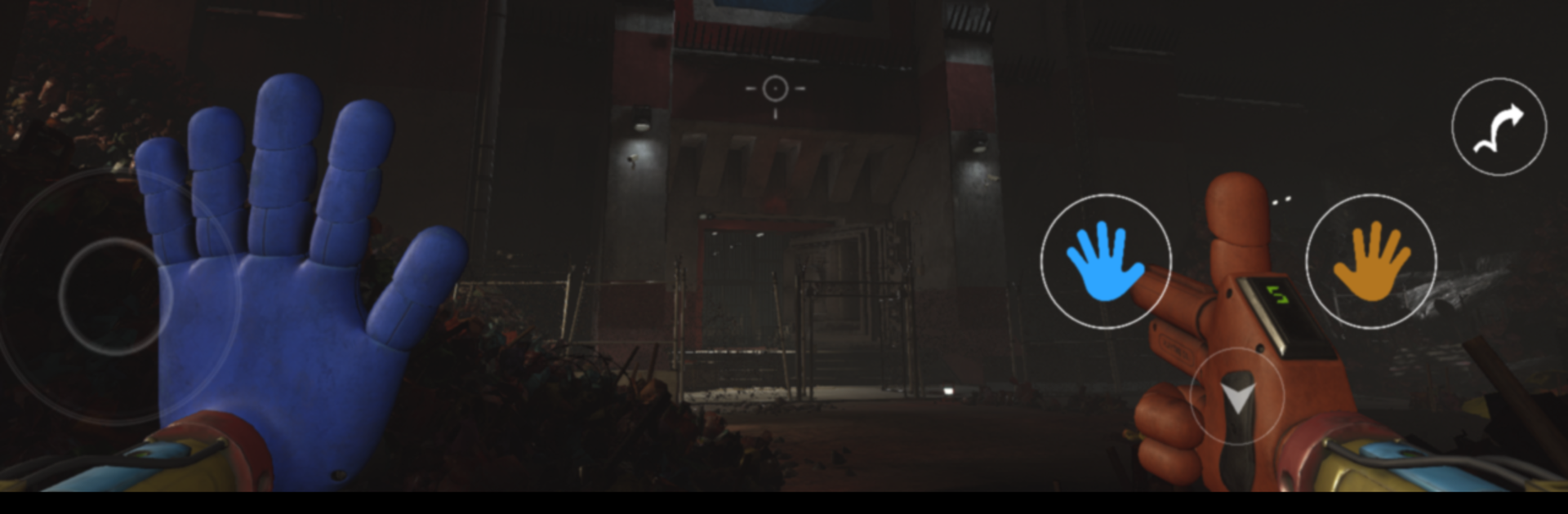
Poppy Playtime Chapter 4 pulls you even farther beneath the factory floor, where the lights are dim, the halls feel wrong, and every sound makes you freeze for a second. It’s a Puzzle experience that blends tense exploration with eerie storytelling, pushing you to think fast and keep your cool when things get weird. Play on mobile, or try it on BlueStacks if you’d rather face those shadows on a bigger screen.

Game Features

  • Deeper Into the Unknown: Explore hidden wings of the Playtime Co. complex—maintenance corridors, sealed labs, and spaces no one was meant to enter—each with its own rules and risks.
  • New Faces, New Frights: Meet unusual characters who might help, hinder, or do a little of both. Some offer guidance; others just stare too long in the dark.
  • Secrets That Actually Matter: Unearth recordings, clues, and strange artifacts that piece together what really happened at Playtime Co., expanding the story without giving everything away at once.
  • Puzzles With Pressure: Unlock doors, reroute power, and untangle multi-step contraptions where one wrong move can make a quiet room very loud. Clear thinking beats quick reactions here.
  • Tension You Can Hear: From distant machinery to sudden scratches behind a wall, sound design keeps you guessing while moody visuals make every corner feel like a question mark.
  • Survival Through Smarts: Plan your path, watch your timing, and use the environment to stay one step ahead of whatever’s stalking the next hallway.

BlueStacks gives you more room to focus on the game and less time adjusting around mobile limitations.

How to Download and Run Poppy Playtime Chapter 4 on PC or Mac

  • Download and install BlueStacks on your PC or Mac

  • Complete Google sign-in to access the Play Store, or do it later

  • Look for Poppy Playtime Chapter 4 in the search bar at the top right corner

  • Click to install Poppy Playtime Chapter 4 from the search results

  • Complete Google sign-in (if you skipped step 2) to install Poppy Playtime Chapter 4

  • Click the Poppy Playtime Chapter 4 icon on the home screen to start playing

video
Watch Video

Minimum System Requirements

With BlueStacks 5, you can get started on a PC that fulfills the following requirements.

  • Operating System

    Microsoft Windows 7 or above, macOS 11 (Big Sur) or above

  • Processor

    Intel, AMD or Apple Silicon Processor

  • RAM

    at least 4GB

  • HDD

    10GB Free Disk Space

Note:

* You must be an Administrator on your PC. Up to date graphics drivers from Microsoft or the chipset vendor.

Poppy Playtime Chapter 4 - FAQs

  • How to Run Poppy Playtime Chapter 4 on Windows PC & Mac?

    Run Poppy Playtime Chapter 4 on your PC or Mac by following these simple steps.

    • Click on ‘Download Poppy Playtime Chapter 4 on PC’ to download BlueStacks
    • Install it and log-in to Google Play Store
    • Launch and run the app.
  • Why is BlueStacks the fastest and safest platform to play games on PC?

    BlueStacks respects your privacy and is always safe and secure to use. It does not carry any malware, spyware, or any sort of additional software that could harm your PC.

    It is engineered to optimize speed and performance for a seamless gaming experience.

  • What are Poppy Playtime Chapter 4 PC requirements?

    Minimum requirement to run Poppy Playtime Chapter 4 on your PC

    • OS: Microsoft Windows 7 and above:
    • Processor: Intel or AMD Processor:
    • RAM: Your PC must have at least 2GB of RAM. (Note that having 2GB or more disk space is not a substitute for RAM):
    • HDD: 5GB Free Disk Space.
    • You must be an Administrator on your PC.