Rescue the astronaut : Puzzle

Rescue the astronaut : Puzzle

Puzzle

| BARUM

Play on PC with BlueStacks or from our cloud

  • Overview
  • Game Features
  • How to Play

Page Modified On: September 11, 2026

Play Rescue the astronaut : Puzzle on PC or Mac

Play Rescue the astronaut : Puzzle by BARUM on PC or Mac with BlueStacks. Use a bigger screen, mouse and keyboard controls, and smoother performance while you play.

About the Game

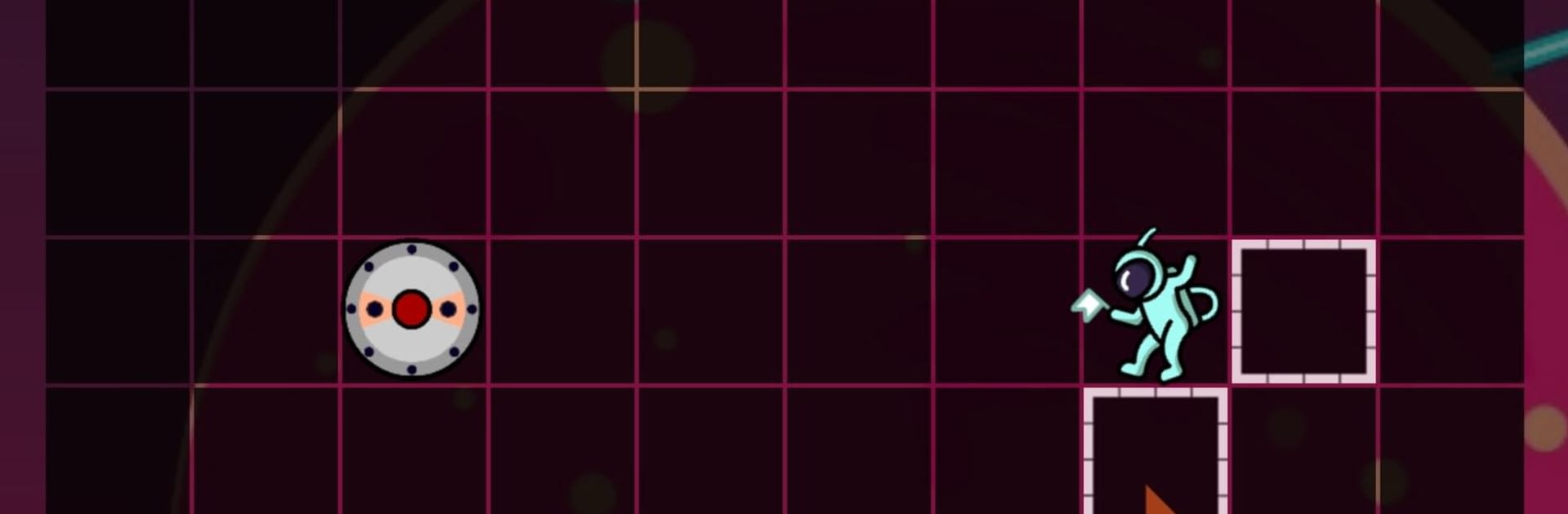
Rescue the astronaut : Puzzle is a calm-but-tense space rescue where planning matters more than speed. As the pilot of a small craft, you study the layout of each sector—walls, curves, and tricky portals—then chart a path to a drifting astronaut and guide everyone safely back to Earth. It’s a clean, thoughtful Puzzle experience that rewards careful routes and clever timing.

Game Features

  • Survey the field: Take a beat to read the map—note walls, tight curves, and portal placements before you move.
  • Plot smart routes: Pick lines that thread through narrow gaps and avoid dead ends so you actually reach the stranded crew.
  • Master the portals: Use portal pairs to bend distance, outmaneuver obstacles, and set up safer approaches.
  • Rescue and return: Snag the astronaut, then navigate the trip home to Earth—getting there is only half the mission.
  • Smooth, simple controls: Steer the rescue craft with straightforward inputs so your focus stays on planning, not fumbling.
  • Missions that escalate: Early sectors warm you up; later layouts twist, loop, and demand sharper foresight.
  • Nice on BlueStacks: Prefer playing on a bigger screen? It runs crisp and feels precise on BlueStacks without adding fuss.

Ready to top the leaderboard? We bet you do. Let precise controls and sharp visuals optimized on BlueStacks lead you to victory.


Game Features

Enhancements

  • Macros
  • Multi Instance
  • Multi Instance Sync
  • Script
  • Enhancements
Macros

Macros

Automate the predictable in Rescue the astronaut : Puzzle and transform your gameplay with Macros. Get access to inventive Macros in the BlueStacks Macro Community
Multi Instance

Multi Instance

Play Rescue the astronaut : Puzzle on one window. And chat with your friend on the other. Press CTRL + Shift + 8 to open the Multi-Instance Manager. And start creating fresh instances or clone an existing one.
Multi Instance Sync

Multi Instance Sync

Play Rescue the astronaut : Puzzle with the power of Multi-Instance Sync. Replicate what you are doing on the main instance on all other instances. Level up faster, play more.
Script

Script

Script your way to gaming glory in Rescue the astronaut : Puzzle with BlueStacks Script. Write and run a set of commands to automate repeated tasks. Trigger the command by assigning it to any key.
Read More

How to Download and Play Rescue the astronaut : Puzzle on PC or Mac

  • Download and install BlueStacks on your PC or Mac

  • Complete Google sign-in to access the Play Store, or do it later

  • Look for Rescue the astronaut : Puzzle in the search bar at the top right corner

  • Click to install Rescue the astronaut : Puzzle from the search results

  • Complete Google sign-in (if you skipped step 2) to install Rescue the astronaut : Puzzle

  • Click the Rescue the astronaut : Puzzle icon on the home screen to start playing

video
Watch Video

Minimum System Requirements

With BlueStacks 5, you can get started on a PC that fulfills the following requirements.

  • Operating System

    Microsoft Windows 7 or above, macOS 11 (Big Sur) or above

  • Processor

    Intel, AMD or Apple Silicon Processor

  • RAM

    at least 4GB

  • HDD

    10GB Free Disk Space

Note:

* You must be an Administrator on your PC. Up to date graphics drivers from Microsoft or the chipset vendor.

Rescue the astronaut : Puzzle - FAQs

  • How to play Rescue the astronaut : Puzzle on Windows PC & Mac?

    Play Rescue the astronaut : Puzzle on your PC or Mac by following these simple steps.

    • Click on 'Play Rescue the astronaut : Puzzle on PC’ to download BlueStacks
    • Install it and log-in to Google Play Store
    • Launch and play the game.
  • Why is BlueStacks the fastest and safest platform to play games on PC?

    BlueStacks respects your privacy and is always safe and secure to use. It does not carry any malware, spyware, or any sort of additional software that could harm your PC.

    It is engineered to optimize speed and performance for a seamless gaming experience.

  • What are Rescue the astronaut : Puzzle PC requirements?

    Minimum requirement to run Rescue the astronaut : Puzzle on your PC

    • OS: Microsoft Windows 7 or above MacOS 11 (Big Sur) or above
    • Processor: Intel, AMD or Apple Silicon Processor
    • RAM: Your PC must have at least 4GB of RAM. (Note that having 4GB or more disk space is not a substitute for RAM)
    • HDD: 10GB Free Disk Space.
    • You must be an Administrator on your PC.