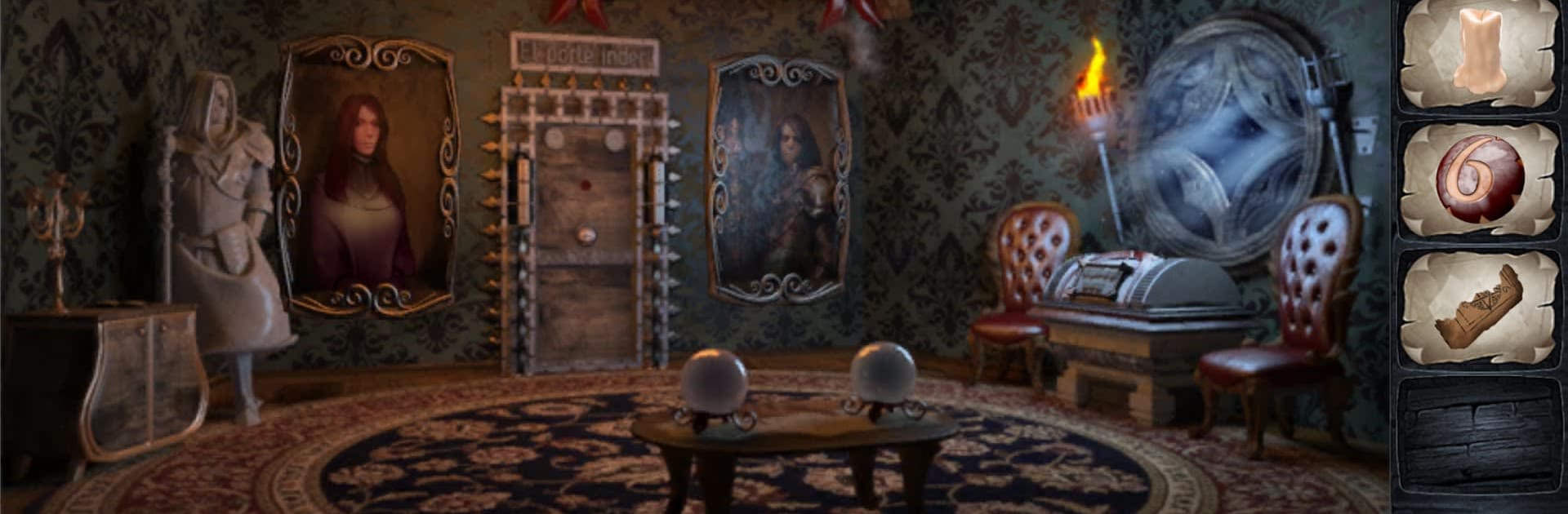
Scary Escape - Room Escape

Scary Escape - Room Escape

Puzzle

| Mobiplay

Play on PC with BlueStacks or from our cloud

  • Overview
  • Game Features
  • How to Play

Page Modified On: August 15, 2026

Play Scary Escape - Room Escape on PC or Mac

Bring your A-game to Scary Escape – Room Escape, the Puzzle game sensation from Mobiplay. Give your gameplay the much-needed boost with precise game controls, high FPS graphics, and top-tier features on your PC or Mac with BlueStacks.

About the Game

Scary Escape – Room Escape is a Puzzle game that strands you in a looping nightmare with one goal: wake up. You’ll move from one unnerving chamber to the next, poking at strange mechanisms, pocketing odd trinkets, and piecing together clues that actually make sense once they click. Prefer a bigger view and steady controls? It feels right at home on BlueStacks.

Game Features

  • Fifteen Haunted Chambers: Tackle a sequence of hand-crafted rooms, each with its own theme, logic twists, and hair-raising surprises waiting in the corners.
  • Layered Brain Teasers: Match symbols, follow patterns, reassemble scraps, and figure out how bizarre contraptions are meant to work—then watch the next door creak open.
  • Find, Combine, Use: Nothing is just set dressing. Scour shelves and shadows for items, stash them, and combine or deploy them in clever ways.
  • Codes That Count: Numbers, runes, and cryptic sequences are everywhere. Read the room, connect the dots, and crack the ciphers to move on.
  • Tension You Can Feel: Moody audio, stark lighting, and sudden stings keep the pressure on while you think through each step.
  • Progress That Clicks: Every solution rewards careful observation and curiosity, nudging you from one eerie space to the next with satisfying “aha” moments.
  • Built for Escape Fans: If you love hunting for clues, opening tricky locks, and outsmarting creepy setups, this one scratches that itch.

Ready to top the leaderboard? We bet you do. Let precise controls and sharp visuals optimized on BlueStacks lead you to victory.


Game Features

Enhancements

  • Macros
  • Multi Instance
  • Multi Instance Sync
  • Script
  • Enhancements
Macros

Macros

Automate the predictable in Scary Escape - Room Escape and transform your gameplay with Macros. Get access to inventive Macros in the BlueStacks Macro Community
Multi Instance

Multi Instance

Play Scary Escape - Room Escape on one window. And chat with your friend on the other. Press CTRL + Shift + 8 to open the Multi-Instance Manager. And start creating fresh instances or clone an existing one.
Multi Instance Sync

Multi Instance Sync

Play Scary Escape - Room Escape with the power of Multi-Instance Sync. Replicate what you are doing on the main instance on all other instances. Level up faster, play more.
Script

Script

Script your way to gaming glory in Scary Escape - Room Escape with BlueStacks Script. Write and run a set of commands to automate repeated tasks. Trigger the command by assigning it to any key.
Read More

How to Download and Play Scary Escape - Room Escape on PC or Mac

  • Download and install BlueStacks on your PC or Mac

  • Complete Google sign-in to access the Play Store, or do it later

  • Look for Scary Escape - Room Escape in the search bar at the top right corner

  • Click to install Scary Escape - Room Escape from the search results

  • Complete Google sign-in (if you skipped step 2) to install Scary Escape - Room Escape

  • Click the Scary Escape - Room Escape icon on the home screen to start playing

video
Watch Video

Minimum System Requirements

With BlueStacks 5, you can get started on a PC that fulfills the following requirements.

  • Operating System

    Microsoft Windows 7 or above, macOS 11 (Big Sur) or above

  • Processor

    Intel, AMD or Apple Silicon Processor

  • RAM

    at least 4GB

  • HDD

    10GB Free Disk Space

Note:

* You must be an Administrator on your PC. Up to date graphics drivers from Microsoft or the chipset vendor.

Scary Escape - Room Escape - FAQs

  • How to play Scary Escape - Room Escape on Windows PC & Mac?

    Play Scary Escape - Room Escape on your PC or Mac by following these simple steps.

    • Click on 'Play Scary Escape - Room Escape on PC’ to download BlueStacks
    • Install it and log-in to Google Play Store
    • Launch and play the game.
  • Why is BlueStacks the fastest and safest platform to play games on PC?

    BlueStacks respects your privacy and is always safe and secure to use. It does not carry any malware, spyware, or any sort of additional software that could harm your PC.

    It is engineered to optimize speed and performance for a seamless gaming experience.

  • What are Scary Escape - Room Escape PC requirements?

    Minimum requirement to run Scary Escape - Room Escape on your PC

    • OS: Microsoft Windows 7 or above MacOS 11 (Big Sur) or above
    • Processor: Intel, AMD or Apple Silicon Processor
    • RAM: Your PC must have at least 4GB of RAM. (Note that having 4GB or more disk space is not a substitute for RAM)
    • HDD: 10GB Free Disk Space.
    • You must be an Administrator on your PC.