Scary Night Shawrma Shop

Scary Night Shawrma Shop

Puzzle

| PlayMaxGames

Play on PC with BlueStacks or from our cloud

  • Overview
  • Game Features
  • How to Play

Page Modified On: April 21, 2026

Play Scary Night Shawrma Shop on PC or Mac

Explore a whole new adventure with Scary Night Shawrma Shop, a Puzzle game created by PlayMaxGames. Experience great gameplay with BlueStacks, the most popular gaming platform to play Android games on your PC or Mac.

About the Game

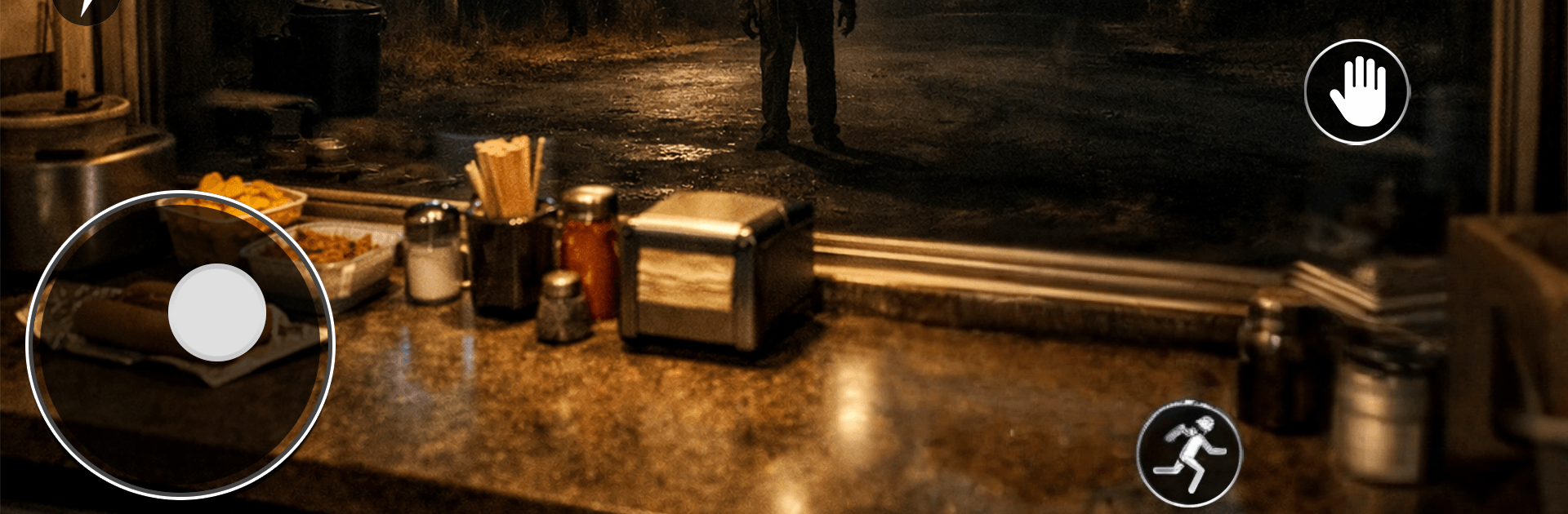
Scary Night Shawrma Shop from PlayMaxGames is a late-night Puzzle experience that mixes food prep with creeping unease. You’re holding down a tiny shawarma stand, taking orders and keeping the grill hot while the neighborhood gets…strange. It’s part cooking rush, part “what was that noise,” with every minute asking you to stay sharp, move fast, and keep your cool.

Game Features

  • Cook Under Pressure: Slice the spit, toast the bread, stack the fillings, and fire off orders while the clock—and your nerves—keep ticking.
  • Unsettling Customers: Some people are just hungry. Others linger, glare, or act off. Read the room and decide how to handle them without stalling the line.
  • Watch the Room: Lights flicker, shadows slide, and distant knocks hint at trouble. Small clues matter if you want the night to go smoothly.
  • Missions and Progress: Complete nightly objectives to unlock tougher shifts, fresh twists, and handy upgrades that make the chaos a little more manageable.
  • Smart Resource Juggling: Balance speed, cleanliness, and safety checks. Neglect one, and problems pile up fast.
  • Jumps and Suspense: Tense ambience builds into sharp, well-timed scares—especially when you miss a warning or forget that one door.
  • Simple Controls, Real Stress: Actions are snappy so you can focus on decisions under pressure rather than fiddly inputs.
  • Optional PC Comfort: Prefer a bigger screen and keyboard? It runs smoothly on BlueStacks while keeping the late-night mood intact.

Slay your opponents with your epic moves. Play it your way on BlueStacks and dominate the battlefield.


Game Features

Enhancements

  • Macros
  • Multi Instance
  • Multi Instance Sync
  • Script
  • Enhancements
Macros

Macros

Automate the predictable in Scary Night Shawrma Shop and transform your gameplay with Macros. Get access to inventive Macros in the BlueStacks Macro Community
Multi Instance

Multi Instance

Play Scary Night Shawrma Shop on one window. And chat with your friend on the other. Press CTRL + Shift + 8 to open the Multi-Instance Manager. And start creating fresh instances or clone an existing one.
Multi Instance Sync

Multi Instance Sync

Play Scary Night Shawrma Shop with the power of Multi-Instance Sync. Replicate what you are doing on the main instance on all other instances. Level up faster, play more.
Script

Script

Script your way to gaming glory in Scary Night Shawrma Shop with BlueStacks Script. Write and run a set of commands to automate repeated tasks. Trigger the command by assigning it to any key.
Read More

How to Download and Play Scary Night Shawrma Shop on PC or Mac

  • Download and install BlueStacks on your PC or Mac

  • Complete Google sign-in to access the Play Store, or do it later

  • Look for Scary Night Shawrma Shop in the search bar at the top right corner

  • Click to install Scary Night Shawrma Shop from the search results

  • Complete Google sign-in (if you skipped step 2) to install Scary Night Shawrma Shop

  • Click the Scary Night Shawrma Shop icon on the home screen to start playing

video
Watch Video

Minimum System Requirements

With BlueStacks 5, you can get started on a PC that fulfills the following requirements.

  • Operating System

    Microsoft Windows 7 or above, macOS 11 (Big Sur) or above

  • Processor

    Intel, AMD or Apple Silicon Processor

  • RAM

    at least 4GB

  • HDD

    10GB Free Disk Space

Note:

* You must be an Administrator on your PC. Up to date graphics drivers from Microsoft or the chipset vendor.

Scary Night Shawrma Shop - FAQs

  • How to play Scary Night Shawrma Shop on Windows PC & Mac?

    Play Scary Night Shawrma Shop on your PC or Mac by following these simple steps.

    • Click on 'Play Scary Night Shawrma Shop on PC’ to download BlueStacks
    • Install it and log-in to Google Play Store
    • Launch and play the game.
  • Why is BlueStacks the fastest and safest platform to play games on PC?

    BlueStacks respects your privacy and is always safe and secure to use. It does not carry any malware, spyware, or any sort of additional software that could harm your PC.

    It is engineered to optimize speed and performance for a seamless gaming experience.

  • What are Scary Night Shawrma Shop PC requirements?

    Minimum requirement to run Scary Night Shawrma Shop on your PC

    • OS: Microsoft Windows 7 or above MacOS 11 (Big Sur) or above
    • Processor: Intel, AMD or Apple Silicon Processor
    • RAM: Your PC must have at least 4GB of RAM. (Note that having 4GB or more disk space is not a substitute for RAM)
    • HDD: 10GB Free Disk Space.
    • You must be an Administrator on your PC.