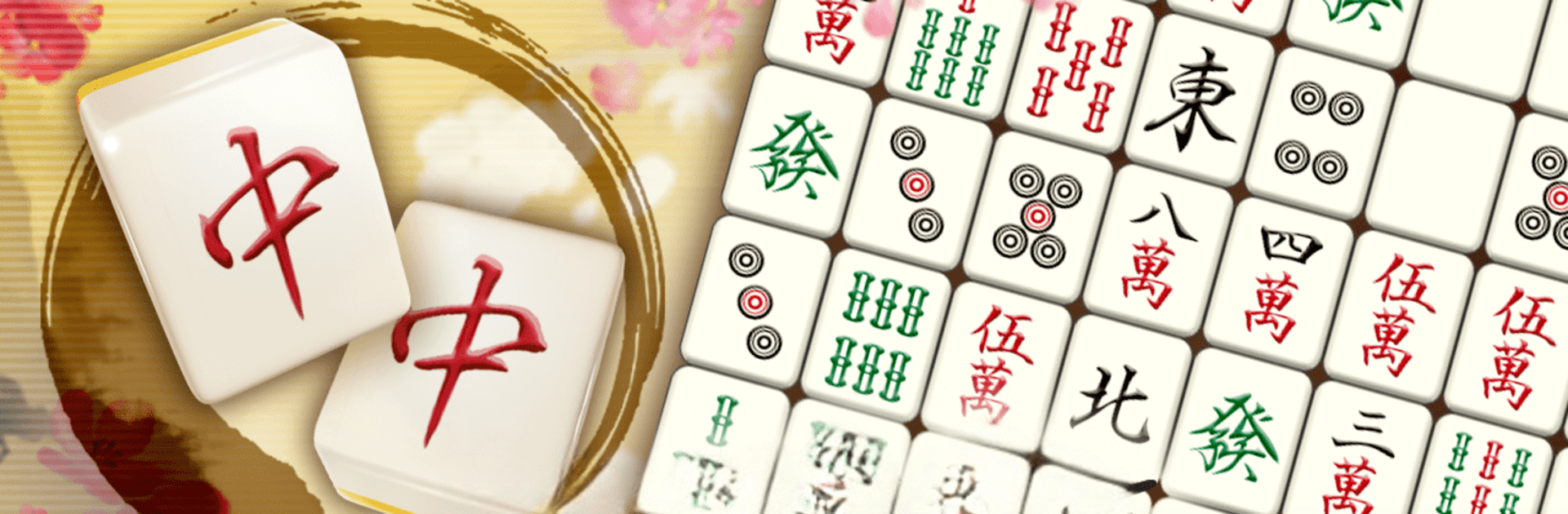
Mahjong Puzzle Shisensho

Mahjong Puzzle Shisensho

Puzzle

| Cross Field Inc.

Play on PC with BlueStacks or from our cloud

  • Overview
  • Game Features
  • How to Play

Page Modified On: August 22, 2025

Play Mahjong Puzzle Shisensho on PC or Mac

Bring your A-game to Mahjong Puzzle Shisensho, the Puzzle game sensation from Cross Field Inc.. Give your gameplay the much-needed boost with precise game controls, high FPS graphics, and top-tier features on your PC or Mac with BlueStacks.

About the Game

Mahjong Puzzle Shisensho is that perfect mix of relaxing and brain-teasing—think classic mahjong tiles with a fresh twist. Whether you’re looking to zone out after a long day or want to really stretch your puzzle-solving muscles, this Puzzle game from Cross Field Inc. has something for both moods. No timers, no pressure—just you, some tiles, and as much time as you want to unravel each board. It works great on your phone or on BlueStacks if you want a little more screen space.

Game Features

  • No Rush Gameplay
    Forget the clock—here, you can take your time with each puzzle. It’s ideal if you like working things out step by step, or just want a pocket game that doesn’t stress you out.

  • Classic & Unique Modes
    There’s the familiar Sichuan tile matching for that classic feel, but then you get Gravity Mode (where tiles fall down and surprise you), Frame Mode (with tougher conditions), and a constantly refreshed Daily Challenge.

  • Loads of Daily Content
    Challenge yourself with new puzzles every day. There are over two years’ worth of hand-crafted daily stages so you’ll rarely run out of things to do.

  • Tournament Vibes
    Up for a little competition? Seven daily convention modes let you go up against other players nationwide to rack up high scores.

  • Helpful Hints & Undo
    Stuck? The hint button gives you a nudge in the right direction. Made a mistake? Use the handy waiting function to undo your last move.

  • Clearable Stages Every Time
    Every puzzle on Mahjong Puzzle Shisensho is tested to be solvable, so you’ll never get stuck in an impossible scenario—unless you outsmart yourself!

  • Rank Up as You Play
    The more boards you clear, the higher your rank climbs. But keep your wits sharp—mess up too many times and your rate goes down.

  • Chill Mahjong Vibe
    With its calm design and classic mahjong-style visuals, it’s got a laid-back look that feels just right for those quiet, thoughtful moments. You’ll even hear some relaxing sounds by 369 as you play.

Get ready for a buttery smooth, high-performance gaming action only on BlueStacks.

Game Features

Enhancements

  • Macros
  • Multi Instance
  • Multi Instance Sync
  • Script
  • Enhancements
Macros

Macros

Automate the predictable in Mahjong Puzzle Shisensho and transform your gameplay with Macros. Get access to inventive Macros in the BlueStacks Macro Community
Multi Instance

Multi Instance

Play Mahjong Puzzle Shisensho on one window. And chat with your friend on the other. Press CTRL + Shift + 8 to open the Multi-Instance Manager. And start creating fresh instances or clone an existing one.
Multi Instance Sync

Multi Instance Sync

Play Mahjong Puzzle Shisensho with the power of Multi-Instance Sync. Replicate what you are doing on the main instance on all other instances. Level up faster, play more.
Script

Script

Script your way to gaming glory in Mahjong Puzzle Shisensho with BlueStacks Script. Write and run a set of commands to automate repeated tasks. Trigger the command by assigning it to any key.
Read More

How to Download and Play Mahjong Puzzle Shisensho on PC or Mac

  • Download and install BlueStacks on your PC or Mac

  • Complete Google sign-in to access the Play Store, or do it later

  • Look for Mahjong Puzzle Shisensho in the search bar at the top right corner

  • Click to install Mahjong Puzzle Shisensho from the search results

  • Complete Google sign-in (if you skipped step 2) to install Mahjong Puzzle Shisensho

  • Click the Mahjong Puzzle Shisensho icon on the home screen to start playing

video
Watch Video

Minimum System Requirements

With BlueStacks 5, you can get started on a PC that fulfills the following requirements.

  • Operating System

    Microsoft Windows 7 or above, macOS 11 (Big Sur) or above

  • Processor

    Intel, AMD or Apple Silicon Processor

  • RAM

    at least 4GB

  • HDD

    10GB Free Disk Space

Note:

* You must be an Administrator on your PC. Up to date graphics drivers from Microsoft or the chipset vendor.

Mahjong Puzzle Shisensho - FAQs

  • How to play Mahjong Puzzle Shisensho on Windows PC & Mac?

    Play Mahjong Puzzle Shisensho on your PC or Mac by following these simple steps.

    • Click on 'Play Mahjong Puzzle Shisensho on PC’ to download BlueStacks
    • Install it and log-in to Google Play Store
    • Launch and play the game.
  • Why is BlueStacks the fastest and safest platform to play games on PC?

    BlueStacks respects your privacy and is always safe and secure to use. It does not carry any malware, spyware, or any sort of additional software that could harm your PC.

    It is engineered to optimize speed and performance for a seamless gaming experience.

  • What are Mahjong Puzzle Shisensho PC requirements?

    Minimum requirement to run Mahjong Puzzle Shisensho on your PC

    • OS: Microsoft Windows 7 or above MacOS 11 (Big Sur) or above
    • Processor: Intel, AMD or Apple Silicon Processor
    • RAM: Your PC must have at least 4GB of RAM. (Note that having 4GB or more disk space is not a substitute for RAM)
    • HDD: 10GB Free Disk Space.
    • You must be an Administrator on your PC.