Supermarket Affairs - Merge

Supermarket Affairs - Merge

Puzzle

| Potato Play

Play on PC with BlueStacks or from our cloud

  • Overview
  • Game Features
  • How to Play

Page Modified On: September 07, 2026

Play Supermarket Affairs - Merge on PC or Mac

Step into the World of Supermarket Affairs – Merge, a thrilling Puzzle game from the house of Potato Play. Play this Android game on BlueStacks App Player and experience immersive gaming on PC or Mac.

About the Game

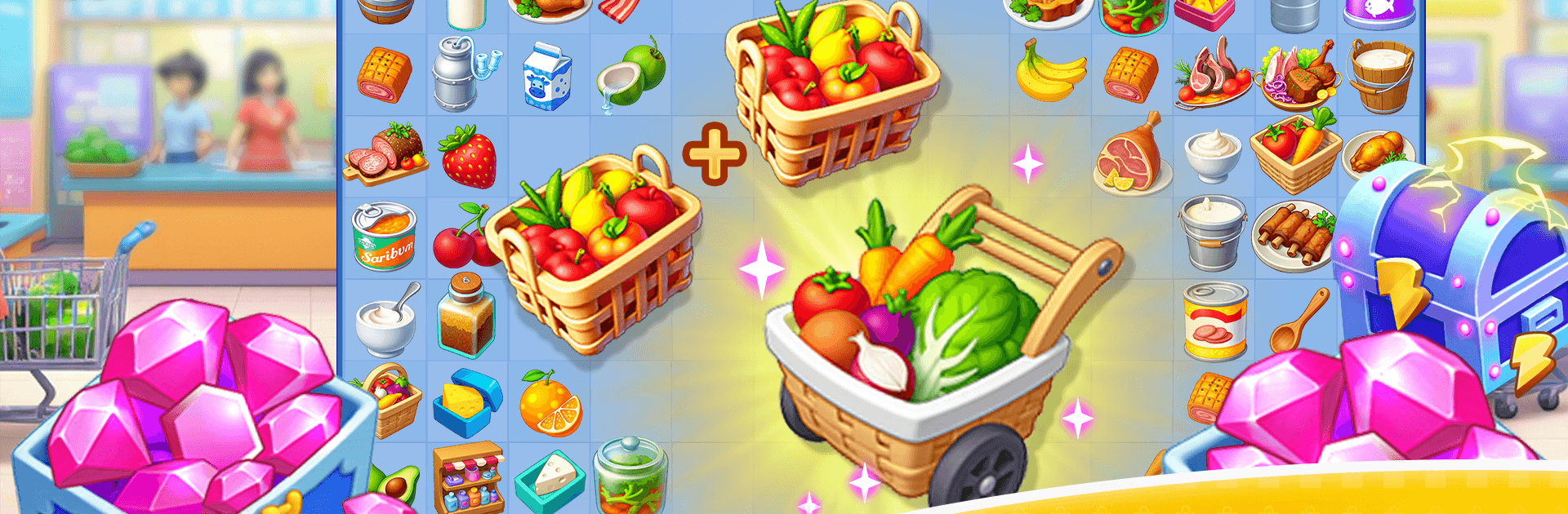
Supermarket Affairs – Merge is a Puzzle game where a woman named Amy stages a comeback, one item merge and aisle cleanup at a time. After a rough betrayal and a supermarket left in shambles, she rolls up her sleeves to rebuild the family business, untangle old grudges, and maybe open her heart again. Prefer playing at a desk? It runs nicely on BlueStacks without making a fuss.

Game Features

  • Merge-and-Sell Flow: Combine everyday goods to create better items, stock the shelves, and turn those upgrades into steady cash for the store.
  • From Ruins to Reopening: Fix counters, brighten up departments, and watch each renovation breathe life back into a once-bustling market.
  • A Later-in-Life Comeback: Follow Amy’s fresh start as she proves resilience isn’t bound by age—and neither is ambition.
  • Family Secrets Unboxed: Piece together messy histories, clashing loyalties, and long-held scandals that shaped the supermarket’s downfall.
  • Rivals at the Door: Deal with competitors who don’t play fair, making every victory feel earned.
  • An Unexpected Spark: Meet a mysterious blind date who isn’t quite what he seems, adding warmth—and a few butterflies—to the chaos.
  • Strategy with Heart: Plan your merges, balance limited board space, and choose what to craft next to hit goals faster.
  • Characters with Bite: Juggle quirky staff, sharp-tongued customers, and surprising allies, each pushing the story forward.
  • Goals That Keep You Moving: Clear tasks, unlock fresh stations, and open new aisles as the supermarket grows from scrappy to stunning.
  • Cozy, Story-First Vibe: Settle into a narrative full of twists, tender moments, and tough choices wrapped in relaxing, satisfying play.

Get ready for a buttery smooth, high-performance gaming action only on BlueStacks.

Game Features

Enhancements

  • Macros
  • Multi Instance
  • Multi Instance Sync
  • Script
  • Enhancements
Macros

Macros

Automate the predictable in Supermarket Affairs - Merge and transform your gameplay with Macros. Get access to inventive Macros in the BlueStacks Macro Community
Multi Instance

Multi Instance

Play Supermarket Affairs - Merge on one window. And chat with your friend on the other. Press CTRL + Shift + 8 to open the Multi-Instance Manager. And start creating fresh instances or clone an existing one.
Multi Instance Sync

Multi Instance Sync

Play Supermarket Affairs - Merge with the power of Multi-Instance Sync. Replicate what you are doing on the main instance on all other instances. Level up faster, play more.
Script

Script

Script your way to gaming glory in Supermarket Affairs - Merge with BlueStacks Script. Write and run a set of commands to automate repeated tasks. Trigger the command by assigning it to any key.
Read More

How to Download and Play Supermarket Affairs - Merge on PC or Mac

  • Download and install BlueStacks on your PC or Mac

  • Complete Google sign-in to access the Play Store, or do it later

  • Look for Supermarket Affairs - Merge in the search bar at the top right corner

  • Click to install Supermarket Affairs - Merge from the search results

  • Complete Google sign-in (if you skipped step 2) to install Supermarket Affairs - Merge

  • Click the Supermarket Affairs - Merge icon on the home screen to start playing

video
Watch Video

Minimum System Requirements

With BlueStacks 5, you can get started on a PC that fulfills the following requirements.

  • Operating System

    Microsoft Windows 7 or above, macOS 11 (Big Sur) or above

  • Processor

    Intel, AMD or Apple Silicon Processor

  • RAM

    at least 4GB

  • HDD

    10GB Free Disk Space

Note:

* You must be an Administrator on your PC. Up to date graphics drivers from Microsoft or the chipset vendor.

Supermarket Affairs - Merge - FAQs

  • How to play Supermarket Affairs - Merge on Windows PC & Mac?

    Play Supermarket Affairs - Merge on your PC or Mac by following these simple steps.

    • Click on 'Play Supermarket Affairs - Merge on PC’ to download BlueStacks
    • Install it and log-in to Google Play Store
    • Launch and play the game.
  • Why is BlueStacks the fastest and safest platform to play games on PC?

    BlueStacks respects your privacy and is always safe and secure to use. It does not carry any malware, spyware, or any sort of additional software that could harm your PC.

    It is engineered to optimize speed and performance for a seamless gaming experience.

  • What are Supermarket Affairs - Merge PC requirements?

    Minimum requirement to run Supermarket Affairs - Merge on your PC

    • OS: Microsoft Windows 7 or above MacOS 11 (Big Sur) or above
    • Processor: Intel, AMD or Apple Silicon Processor
    • RAM: Your PC must have at least 4GB of RAM. (Note that having 4GB or more disk space is not a substitute for RAM)
    • HDD: 10GB Free Disk Space.
    • You must be an Administrator on your PC.