Threaded Color Paint By Number

Threaded Color Paint By Number

Puzzle

| Art Coloring Group

Play on PC with BlueStacks or from our cloud

  • Overview
  • Game Features
  • How to Play

Page Modified On: August 10, 2026

Play Threaded Color Paint By Number on PC or Mac

Explore a whole new adventure with Threaded Color Paint By Number, a Puzzle game created by Art Coloring Group. Experience great gameplay with BlueStacks, the most popular gaming platform to play Android games on your PC or Mac.

About the Game

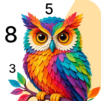
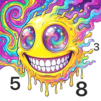
Threaded Color Paint By Number turns relaxing coloring into something you can almost feel. It’s a cozy Puzzle experience where every tap lays down soft, yarn-like stitches instead of flat paint. Expect calm, no-stress sessions filled with warm textures, gentle colors, and scenes that look like they were lovingly knit by hand.

Game Features

  • Tactile knit textures: Color with stitches, loops, and fuzzy fibers that give each picture real textile depth—think cable knits, soft wool, and handcrafted details.
  • Cozy, heartwarming themes: Fill in scarf-wearing kittens, cuddly bears, and woodland friends, plus slow-living spaces like winter cabins, woven baskets, and sunlit rooms.
  • Easy color-by-number flow: Tap the matching numbers and watch each area “weave” together—no art skills needed, just a calm moment to yourself.
  • Mindful, no-pressure design: No timers, no leaderboards, no cluttered menus; just peaceful coloring that helps you unwind before bed.
  • Rich 3D look: Layered stitches and subtle shading make finished pieces feel plush and dimensional, almost like a tiny knitted tapestry.
  • Gentle seasonal sets: Create yarn-touched florals and wreaths that change with the mood and time of year.
  • Made for cozy fans: Perfect if you love knitting, crochet, or simply the comfort of handcrafted aesthetics.
  • Great on a bigger screen: Prefer coloring with more space? Play it on PC using BlueStacks for a roomy, laid-back setup.

BlueStacks gives you more room to focus on the game and less time adjusting around mobile limitations.


Game Features

Enhancements

  • Macros
  • Multi Instance
  • Multi Instance Sync
  • Script
  • Enhancements
Macros

Macros

Automate the predictable in Threaded Color Paint By Number and transform your gameplay with Macros. Get access to inventive Macros in the BlueStacks Macro Community
Multi Instance

Multi Instance

Play Threaded Color Paint By Number on one window. And chat with your friend on the other. Press CTRL + Shift + 8 to open the Multi-Instance Manager. And start creating fresh instances or clone an existing one.
Multi Instance Sync

Multi Instance Sync

Play Threaded Color Paint By Number with the power of Multi-Instance Sync. Replicate what you are doing on the main instance on all other instances. Level up faster, play more.
Script

Script

Script your way to gaming glory in Threaded Color Paint By Number with BlueStacks Script. Write and run a set of commands to automate repeated tasks. Trigger the command by assigning it to any key.
Read More

How to Download and Play Threaded Color Paint By Number on PC or Mac

  • Download and install BlueStacks on your PC or Mac

  • Complete Google sign-in to access the Play Store, or do it later

  • Look for Threaded Color Paint By Number in the search bar at the top right corner

  • Click to install Threaded Color Paint By Number from the search results

  • Complete Google sign-in (if you skipped step 2) to install Threaded Color Paint By Number

  • Click the Threaded Color Paint By Number icon on the home screen to start playing

video
Watch Video

Minimum System Requirements

With BlueStacks 5, you can get started on a PC that fulfills the following requirements.

  • Operating System

    Microsoft Windows 7 or above, macOS 11 (Big Sur) or above

  • Processor

    Intel, AMD or Apple Silicon Processor

  • RAM

    at least 4GB

  • HDD

    10GB Free Disk Space

Note:

* You must be an Administrator on your PC. Up to date graphics drivers from Microsoft or the chipset vendor.

Threaded Color Paint By Number - FAQs

  • How to play Threaded Color Paint By Number on Windows PC & Mac?

    Play Threaded Color Paint By Number on your PC or Mac by following these simple steps.

    • Click on 'Play Threaded Color Paint By Number on PC’ to download BlueStacks
    • Install it and log-in to Google Play Store
    • Launch and play the game.
  • Why is BlueStacks the fastest and safest platform to play games on PC?

    BlueStacks respects your privacy and is always safe and secure to use. It does not carry any malware, spyware, or any sort of additional software that could harm your PC.

    It is engineered to optimize speed and performance for a seamless gaming experience.

  • What are Threaded Color Paint By Number PC requirements?

    Minimum requirement to run Threaded Color Paint By Number on your PC

    • OS: Microsoft Windows 7 or above MacOS 11 (Big Sur) or above
    • Processor: Intel, AMD or Apple Silicon Processor
    • RAM: Your PC must have at least 4GB of RAM. (Note that having 4GB or more disk space is not a substitute for RAM)
    • HDD: 10GB Free Disk Space.
    • You must be an Administrator on your PC.