Car Driving Simulator Car Race

Car Driving Simulator Car Race

Racing

| Mindforge Tech

Play on PC with BlueStacks or from our cloud

  • Overview
  • Game Features
  • How to Play

Page Modified On: January 02, 2026

Play Car Driving Simulator Car Race on PC or Mac

From the innovators and creators at Mindforge Tech, Car Driving Simulator Car Race is another fun addition to the World of Racing games. Go beyond your mobile screen and play it bigger and better on your PC or Mac. An immersive experience awaits you.

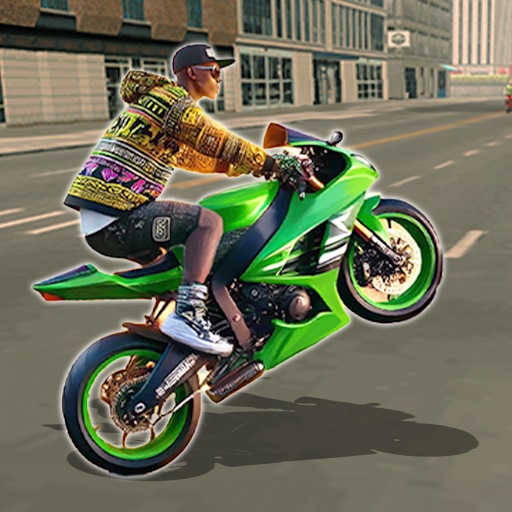
Car Driving Simulator Car Race is an arcade racer that throws players right into fast routes. A player picks a ride from a decent garage, then heads through highways, city streets, desert stretches, snowy mountain passes, even a bit of jungle. The handling lands between sim and arcade, there is some weight in drifts and bumps, but it stays easy to steer. On PC with BlueStacks the keyboard feels sharp for threading traffic, and the camera does those big angle shifts on slides without chugging. It looks clean for a mobile racer, with bright tracks and a lot of motion in the viewpoint when speed climbs.

Modes keep it busy. There is endless traffic for score chasing, time trials that ask for tight lines, and challenge races with tough street rivals. Missions toss in drift counts, near miss streaks, and jump stunts, then pay out coins, boosters, and new cars, so there is always one more upgrade to grab. Some routes throw nasty S curves and quick elevation changes, others are wide lanes built for top speed, and a few swap in formula style cars that feel twitchy on slick surfaces. It runs offline, so short sessions on a PC are easy when internet is not around. Difficulty ramps fairly, but late races punish sloppy braking, scrape a barrier at 200 and a run is gone. Tuning is simple but useful, brakes and grip matter on snow, and the higher tier cars feel stable without losing that arcade snap.

Ready to top the leaderboard? We bet you do. Let precise controls and sharp visuals optimized on BlueStacks lead you to victory.


Game Features

Enhancements

  • Macros
  • Multi Instance
  • Multi Instance Sync
  • Script
  • Enhancements
Macros

Macros

Automate the predictable in Car Driving Simulator Car Race and transform your gameplay with Macros. Get access to inventive Macros in the BlueStacks Macro Community
Multi Instance

Multi Instance

Play Car Driving Simulator Car Race on one window. And chat with your friend on the other. Press CTRL + Shift + 8 to open the Multi-Instance Manager. And start creating fresh instances or clone an existing one.
Multi Instance Sync

Multi Instance Sync

Play Car Driving Simulator Car Race with the power of Multi-Instance Sync. Replicate what you are doing on the main instance on all other instances. Level up faster, play more.
Script

Script

Script your way to gaming glory in Car Driving Simulator Car Race with BlueStacks Script. Write and run a set of commands to automate repeated tasks. Trigger the command by assigning it to any key.
Read More

How to Download and Play Car Driving Simulator Car Race on PC or Mac

  • Download and install BlueStacks on your PC or Mac

  • Complete Google sign-in to access the Play Store, or do it later

  • Look for Car Driving Simulator Car Race in the search bar at the top right corner

  • Click to install Car Driving Simulator Car Race from the search results

  • Complete Google sign-in (if you skipped step 2) to install Car Driving Simulator Car Race

  • Click the Car Driving Simulator Car Race icon on the home screen to start playing

video
Watch Video

Minimum System Requirements

With BlueStacks 5, you can get started on a PC that fulfills the following requirements.

  • Operating System

    Microsoft Windows 7 or above, macOS 11 (Big Sur) or above

  • Processor

    Intel, AMD or Apple Silicon Processor

  • RAM

    at least 4GB

  • HDD

    10GB Free Disk Space

Note:

* You must be an Administrator on your PC. Up to date graphics drivers from Microsoft or the chipset vendor.

Car Driving Simulator Car Race - FAQs

  • How to play Car Driving Simulator Car Race on Windows PC & Mac?

    Play Car Driving Simulator Car Race on your PC or Mac by following these simple steps.

    • Click on 'Play Car Driving Simulator Car Race on PC’ to download BlueStacks
    • Install it and log-in to Google Play Store
    • Launch and play the game.
  • Why is BlueStacks the fastest and safest platform to play games on PC?

    BlueStacks respects your privacy and is always safe and secure to use. It does not carry any malware, spyware, or any sort of additional software that could harm your PC.

    It is engineered to optimize speed and performance for a seamless gaming experience.

  • What are Car Driving Simulator Car Race PC requirements?

    Minimum requirement to run Car Driving Simulator Car Race on your PC

    • OS: Microsoft Windows 7 or above MacOS 11 (Big Sur) or above
    • Processor: Intel, AMD or Apple Silicon Processor
    • RAM: Your PC must have at least 4GB of RAM. (Note that having 4GB or more disk space is not a substitute for RAM)
    • HDD: 10GB Free Disk Space.
    • You must be an Administrator on your PC.