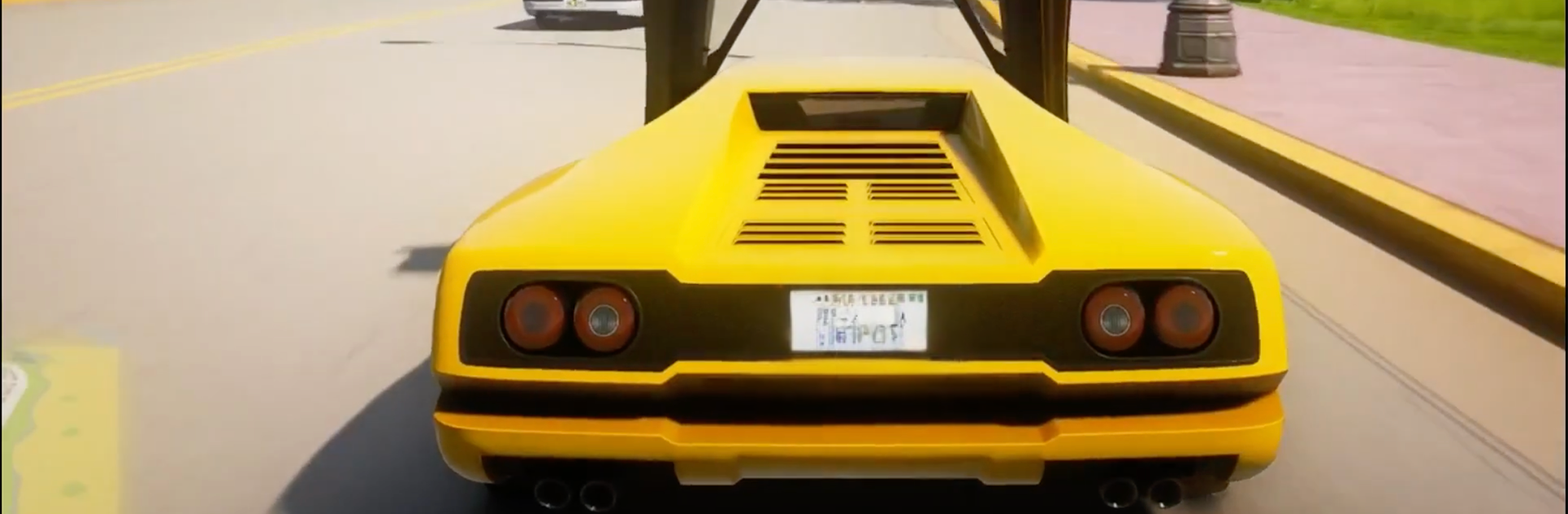
Car Game Pro - Parking & Race

Car Game Pro - Parking & Race

Racing

| Deguci Games

Play on PC with BlueStacks or from our cloud

  • Overview
  • Game Features
  • How to Play

Page Modified On: November 20, 2025

Play Car Game Pro - Parking & Race on PC or Mac

Step into the World of Car Game Pro – Parking & Race, a thrilling Racing game from the house of Deguci Games. Play this Android game on BlueStacks App Player and experience immersive gaming on PC or Mac.

About the Game

Car Game Pro – Parking & Race blends fast, wheel-to-wheel action with tense, precision parking. One moment you’re fighting for clean exits out of hairpins; the next, you’re threading between bumpers to squeeze into a tight spot without a scratch. From Deguci Games, this Racing mix feels grounded, responsive, and just tricky enough to keep you coming back.

Game Features

  • Two experiences in one: Jump from high-speed races to focused parking challenges that test timing, patience, and control.
  • Authentic handling: Weighty physics and snappy controls make every car feel different, whether you’re sliding or braking late for a corner.
  • Mode variety: Tackle Daily Challenges against other players’ times, chase trophies in Cups mode (three tracks back-to-back), or push your nerve in an Endless Adventure packed with stunt objectives.
  • Big-city playground: Tear through an HD New York–style map with a full day/night cycle, moody streets, and plenty of side roads to explore.
  • Mixed surfaces: Grip up on smooth asphalt or kick dust on rally-like dirt sections—each surface demands a different touch.
  • Car roster with personality: Muscle, sports, off-road, and more, including a hulking monster truck waiting to be unlocked.
  • Customization your way: Swap paints and decals, tweak engines and tires, and tune your ride to match how you like to drive.
  • Hidden unlocks: Find secret keys tucked around tracks to open special vehicles and surprises.
  • Assist options: Fine-tune difficulty with ABS, traction and stability control, plus an automatic gearbox if you want to keep both hands on the racing line.
  • Chase the leaderboard: Beat rivals, set cleaner laps, and keep shaving seconds as you learn each route and parking setup.
  • Play how you like: Prefer a bigger screen and keyboard controls? It runs smoothly on BlueStacks, too.

Make your gaming sessions memorable with precise controls that give you an edge in close combats and visuals that pop up, bringing every character to life.


Game Features

Enhancements

  • Macros
  • Multi Instance
  • Multi Instance Sync
  • Script
  • Enhancements
Macros

Macros

Automate the predictable in Car Game Pro - Parking & Race and transform your gameplay with Macros. Get access to inventive Macros in the BlueStacks Macro Community
Multi Instance

Multi Instance

Play Car Game Pro - Parking & Race on one window. And chat with your friend on the other. Press CTRL + Shift + 8 to open the Multi-Instance Manager. And start creating fresh instances or clone an existing one.
Multi Instance Sync

Multi Instance Sync

Play Car Game Pro - Parking & Race with the power of Multi-Instance Sync. Replicate what you are doing on the main instance on all other instances. Level up faster, play more.
Script

Script

Script your way to gaming glory in Car Game Pro - Parking & Race with BlueStacks Script. Write and run a set of commands to automate repeated tasks. Trigger the command by assigning it to any key.
Read More

How to Download and Play Car Game Pro - Parking & Race on PC or Mac

  • Download and install BlueStacks on your PC or Mac

  • Complete Google sign-in to access the Play Store, or do it later

  • Look for Car Game Pro - Parking & Race in the search bar at the top right corner

  • Click to install Car Game Pro - Parking & Race from the search results

  • Complete Google sign-in (if you skipped step 2) to install Car Game Pro - Parking & Race

  • Click the Car Game Pro - Parking & Race icon on the home screen to start playing

video
Watch Video

Minimum System Requirements

With BlueStacks 5, you can get started on a PC that fulfills the following requirements.

  • Operating System

    Microsoft Windows 7 or above, macOS 11 (Big Sur) or above

  • Processor

    Intel, AMD or Apple Silicon Processor

  • RAM

    at least 4GB

  • HDD

    10GB Free Disk Space

Note:

* You must be an Administrator on your PC. Up to date graphics drivers from Microsoft or the chipset vendor.

Car Game Pro - Parking & Race - FAQs

  • How to play Car Game Pro - Parking & Race on Windows PC & Mac?

    Play Car Game Pro - Parking & Race on your PC or Mac by following these simple steps.

    • Click on 'Play Car Game Pro - Parking & Race on PC’ to download BlueStacks
    • Install it and log-in to Google Play Store
    • Launch and play the game.
  • Why is BlueStacks the fastest and safest platform to play games on PC?

    BlueStacks respects your privacy and is always safe and secure to use. It does not carry any malware, spyware, or any sort of additional software that could harm your PC.

    It is engineered to optimize speed and performance for a seamless gaming experience.

  • What are Car Game Pro - Parking & Race PC requirements?

    Minimum requirement to run Car Game Pro - Parking & Race on your PC

    • OS: Microsoft Windows 7 or above MacOS 11 (Big Sur) or above
    • Processor: Intel, AMD or Apple Silicon Processor
    • RAM: Your PC must have at least 4GB of RAM. (Note that having 4GB or more disk space is not a substitute for RAM)
    • HDD: 10GB Free Disk Space.
    • You must be an Administrator on your PC.